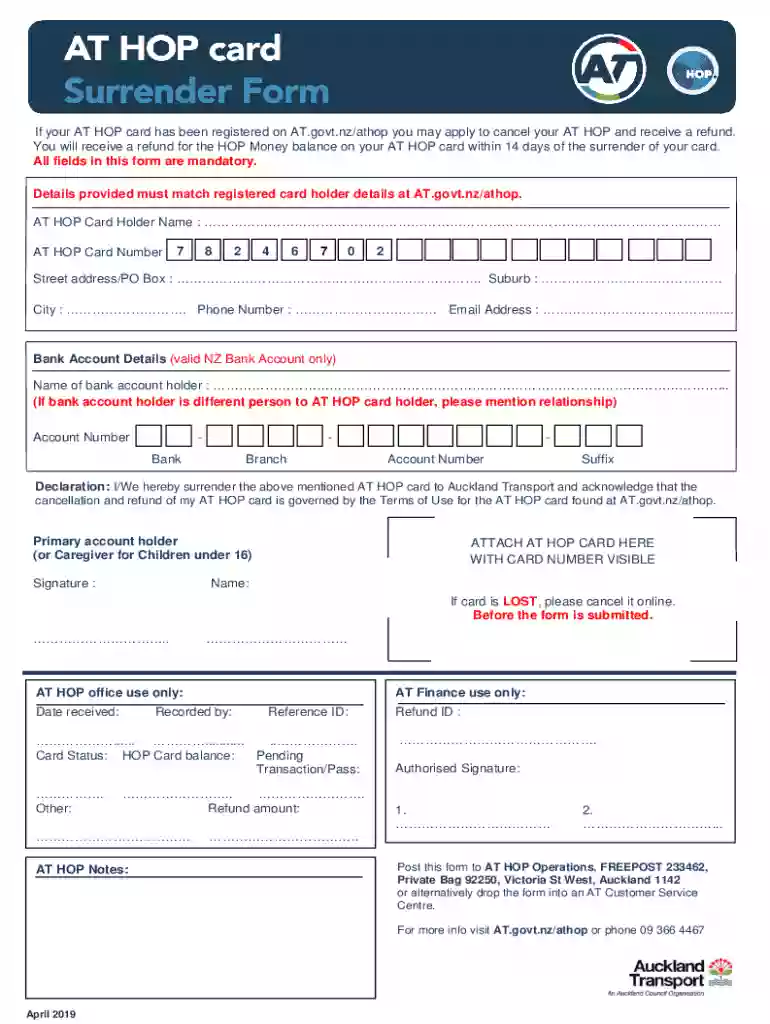
at hop card surrender form Preview on Page 1

AT HOP Card Cancellation Form 2026

Here's how it works

  • 01. Edit your at hop card surrender form online

    Type text, add images, blackout confidential details, add comments, highlights and more.

  • 02. Sign it in a few clicks

    Draw your signature, type it, upload its image, or use your mobile device as a signature pad.

  • 03. Share your form with others

    Send it via email, link, or fax. You can also download it, export it or print it out.

How to use or fill out the AT HOP card cancellation form online

Form edit decoration
9.5
Ease of Setup
DocHub User Ratings on G2
9.0
Ease of Use
DocHub User Ratings on G2
  1. Click ‘Get Form’ to open it in the editor.
  2. Begin by entering your AT HOP Card Holder Name in the designated field. Ensure that this matches the registered details on AT.govt.nz/athop.
  3. Next, input your AT HOP Card Number accurately. This is crucial for processing your refund.
  4. Fill in your Street Address or PO Box, followed by your Suburb and City. These details help verify your identity.
  5. Provide a valid Phone Number and Email Address for any follow-up communication regarding your application.
  6. In the Bank Account Details section, enter the name of the bank account holder. If this differs from you, specify the relationship.
  7. Complete the Account Number fields with precision, ensuring all segments are filled correctly.
  8. Sign in the Declaration section to acknowledge surrendering your card and understanding the terms of use.
  9. Attach your AT HOP card with the number visible before submitting the form either by post or at an AT Customer Service Centre.

Start filling out your form online today for free and streamline your refund process!

See more at hop card surrender form versions

We've got more versions of the at hop card surrender form form. Select the right at hop card surrender form version from the list and start editing it straight away!

VersionsForm popularityFillable & printable
20194.5 Satisfied (37 Votes)
20154 Satisfied (50 Votes)

be ready to get more

Complete this form in 5 minutes or less

Security and compliance

At DocHub, your data security is our priority. We follow HIPAA, SOC2, GDPR, and other standards, so you can work on your documents with confidence.

Related links

RI79-009, Health Benefits Cancellation/Suspension

You asked us to cancel or suspend your enrollment in the Federal Employees Health Benefits Program (FEHBP). You may also fax the completed form to 202-606-1640

Learn more
Public Transit | Transportation and Parking at PCC

To sign up or cancel: Log in to Workday Select Benefits and Pay from the left-hand menu. Replacement policies and fees may apply through TriMet/Hop.

Learn more
If you believe that this page should be taken down, please follow our DMCA take down process here