01. Edit your authorized signatory listing form online
Type text, add images, blackout confidential details, add comments, highlights and more.
02. Sign it in a few clicks
Draw your signature, type it, upload its image, or use your mobile device as a signature pad.
03. Share your form with others
Send authorized signatory listing via email, link, or fax. You can also download it, export it or print it out.
How to use or fill out Contractor Authorized Signatory Listing (CASL) Form for Contractors with DocHub
Ease of Setup
DocHub User Ratings on G2
Ease of Use
DocHub User Ratings on G2
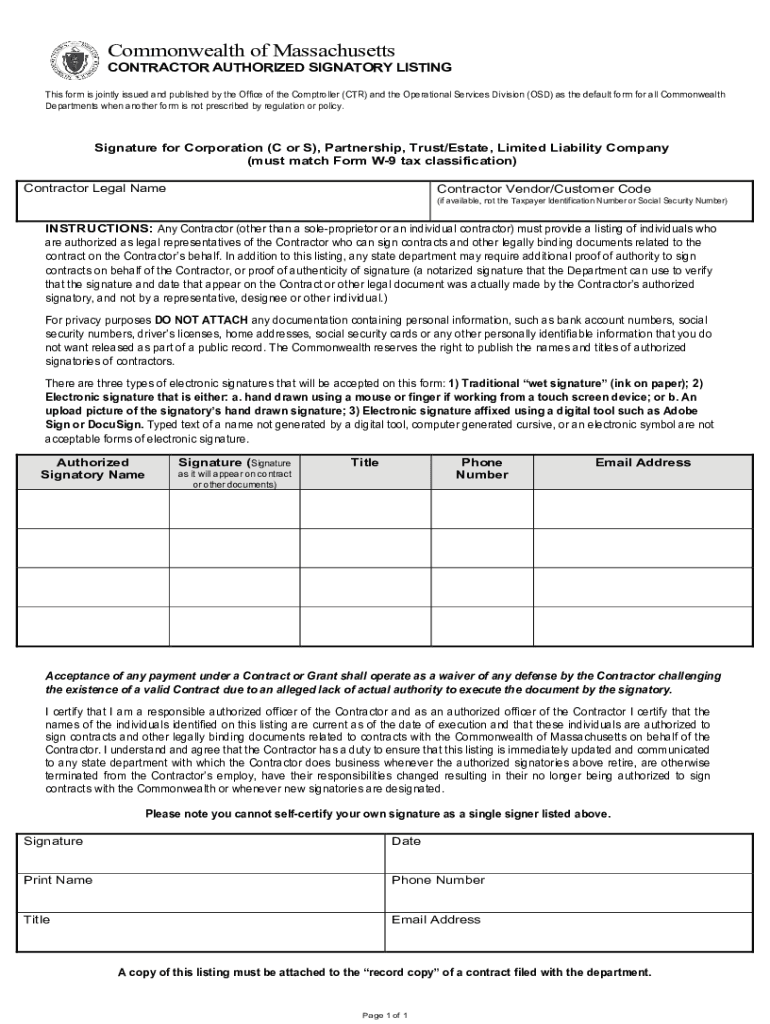
Click ‘Get Form’ to open the Contractor Authorized Signatory Listing (CASL) Form in our editor.
Begin by entering the Contractor Legal Name in the designated field. Ensure that this matches your official business name.
If available, input the Contractor Vendor/Customer Code. This is not your Taxpayer Identification Number or Social Security Number.
List the names of individuals authorized to sign on behalf of the contractor. Include their titles, phone numbers, and email addresses for verification purposes.
In the signature section, ensure that each authorized signatory provides their signature as it will appear on contracts. Remember, you can use traditional signatures or electronic signatures accepted by our platform.
Review all entries for accuracy and completeness before finalizing. Make sure to certify that the information is current and accurate.
Start filling out your CASL form today using our platform for free!
Fill out Contractor Authorized Signatory Listing (CASL) Form for Contractors online It's free
See more Contractor Authorized Signatory Listing (CASL) Form for Contractors versions
We've got more versions of the Contractor Authorized Signatory Listing (CASL) Form for Contractors form. Select the right Contractor Authorized Signatory Listing (CASL) Form for Contractors version from the list and start editing it straight away!
The Canadian Anti-Spam Law (CASL) was designed to protect Canadians from spam and other electronic threats that lead to harassment, identity theft and fraud. Businesses, charities, and not-for-profits of all sizes are at risk if they do not comply with CASL regulations.
What is a CASL?
An authorized signatory is a person given the legal authority to sign documents on behalf of a company. This can include contracts, financial agreements, regulatory filings, and other legally binding documents. Authorization can come from: A companys governing documents (e.g., articles of incorporation, bylaws)
What is a CASL form?
CASL forms are meant to be internal documents for OGR use and record keeping. The. purpose is to mitigate fraud and risk and for OGR to understand what individuals at the subrecipients location have the authority to sign off on binding documents.
Related Searches
Contractor authorized signatory listing casl form for contractors templateCasl forms
Security and compliance
At DocHub, your data security is our priority. We follow HIPAA, SOC2, GDPR, and other standards, so you can work on your documents with confidence.
Contractor Authorized Signatory Listing (CASL) Form for
INSTRUCTIONS: Any Contractor (other than a sole-proprietor or an individual contractor) must provide a listing of individuals who are authorized as legalRead more
Cookie consent notice
This site uses cookies to enhance site navigation and personalize your experience.
By using this site you agree to our use of cookies as described in our Privacy Notice.
You can modify your selections by visiting our Cookie and Advertising Notice.