




Here's how it works

01. Edit your hud hud 11 online
Type text, add images, blackout confidential details, add comments, highlights and more.

02. Sign it in a few clicks
Draw your signature, type it, upload its image, or use your mobile device as a signature pad.

03. Share your form with others
Send hud 11 form via email, link, or fax. You can also download it, export it or print it out.
How to use or fill out 53001 with our platform

- Click ‘Get Form’ to open it in the editor.
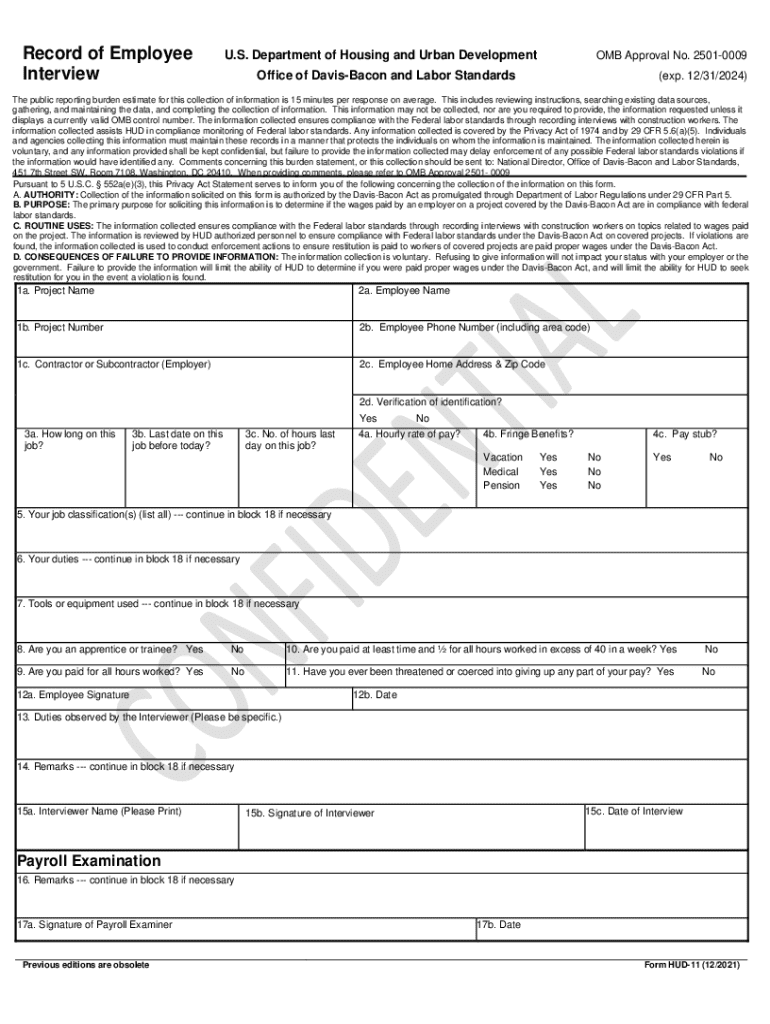
- Begin by filling out Items 1a to 1c, which include the project name, project number, and contractor or subcontractor details.
- In Items 2a to 2d, enter the employee's full name, phone number, home address, and verify their identification.
- For Items 3a to 4c, gather information about the employee's job duration, last working day, hours worked on that day, hourly rate of pay, and any fringe benefits.
- Items 5 to 7 require specific job classifications and duties. Ensure responses are detailed for accurate compliance checks.
- Complete Items 8 to 12b regarding apprentice status and payment conditions. Make sure all answers reflect the employee's true situation.
- In Items 13 to 15c, document observed duties and remarks. This section is crucial for compliance evaluation.
- Finally, review all entries for accuracy before saving your completed form within our platform.
Start using our platform today for free to streamline your form completion process!
Fill out 53001 online
It's free
It's free
Security and compliance
At DocHub, your data security is our priority. We follow HIPAA, SOC2, GDPR, and other standards, so you can work on your documents with confidence.
Learn more




