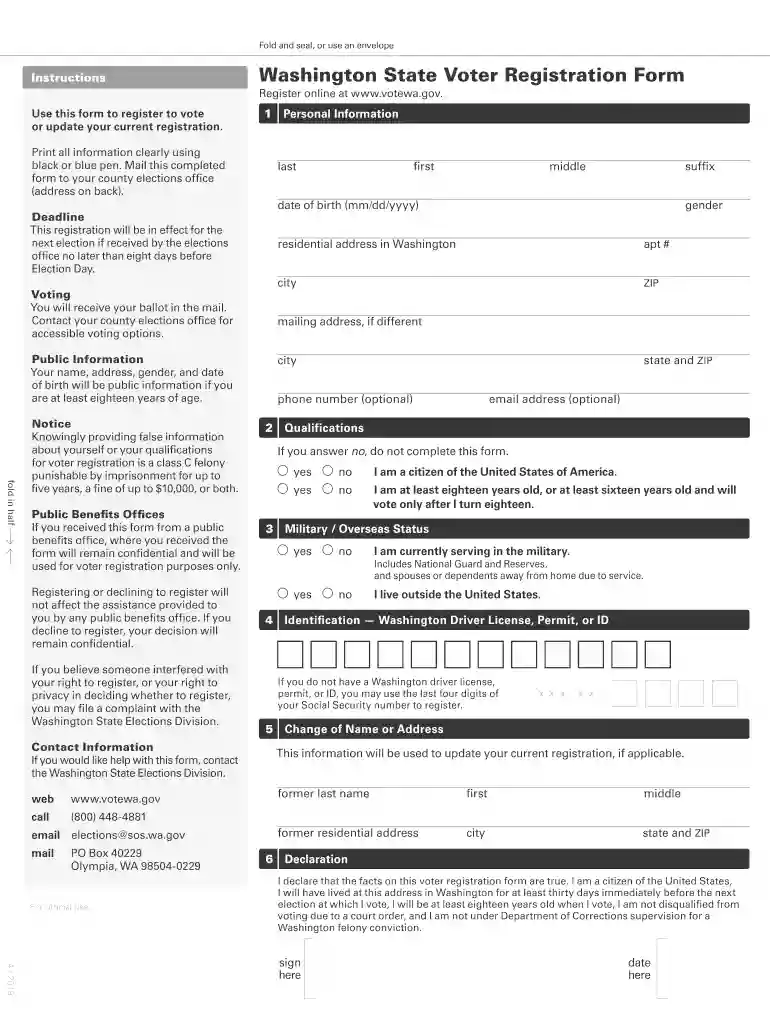
Oregon Online Voter Registration - Oregon Secretary of State Preview on Page 1

Oregon Online Voter Registration - Oregon Secretary of State 2026

Here's how it works

  • 01. Edit your form online

    Type text, add images, blackout confidential details, add comments, highlights and more.

  • 02. Sign it in a few clicks

    Draw your signature, type it, upload its image, or use your mobile device as a signature pad.

  • 03. Share your form with others

    Send it via email, link, or fax. You can also download it, export it or print it out.

How to use or fill out Oregon Online Voter Registration - Oregon Secretary of State with our platform

Form edit decoration
9.5
Ease of Setup
DocHub User Ratings on G2
9.0
Ease of Use
DocHub User Ratings on G2
  1. Click ‘Get Form’ to open the Oregon Online Voter Registration form in the editor.
  2. Begin by entering your personal information clearly. Fill in your first, middle, and last name, ensuring accuracy for a smooth registration process.
  3. Provide your date of birth in the specified format (mm/dd/yyyy) and confirm your residential address. This is crucial for determining your voting district.
  4. Indicate your qualifications by answering the citizenship and age questions. If you are at least eighteen years old or will be by Election Day, check 'yes'.
  5. Complete the identification section. If you have a state-issued ID, enter it; otherwise, provide the last four digits of your Social Security number.
  6. Review all entered information for accuracy before submitting. Use our platform's features to save or print a copy for your records.

Start using our platform today to easily complete your voter registration online for free!

See more Oregon Online Voter Registration - Oregon Secretary of State versions

We've got more versions of the Oregon Online Voter Registration - Oregon Secretary of State form. Select the right Oregon Online Voter Registration - Oregon Secretary of State version from the list and start editing it straight away!

VersionsForm popularityFillable & printable
20244.5 Satisfied (28 Votes)
20194.2 Satisfied (56 Votes)
20164.8 Satisfied (118 Votes)
20114.2 Satisfied (68 Votes)

be ready to get more

Complete this form in 5 minutes or less

Security and compliance

At DocHub, your data security is our priority. We follow HIPAA, SOC2, GDPR, and other standards, so you can work on your documents with confidence.

Related links

iGEM Competition

Registration for the 2026 iGEM Competition is now closed, bringing together a record number of teams from all around the world.

Learn more
Register to vote | Government Community Relations

Register online at the Oregon Secretary of State website. You can update your existing registration here. You can also register at your local elections office.Read more

Learn more
Oregon Online Voter Registration

After entering your information, a PDF of your voter registration card will appear. Print it, sign it, and mail or deliver it to your county elections office.Read more

Learn more
If you believe that this page should be taken down, please follow our DMCA take down process here