




01. Edit your form online
Type text, add images, blackout confidential details, add comments, highlights and more.

Type text, add images, blackout confidential details, add comments, highlights and more.

Draw your signature, type it, upload its image, or use your mobile device as a signature pad.

Send it via email, link, or fax. You can also download it, export it or print it out.
The concept of "form online" refers to the process of creating, completing, and submitting a form electronically via the internet. This procedure is facilitated by platforms like DocHub, where users can fill out forms for various purposes such as applications, registrations, or legal documentation. The convenience of online forms allows individuals and organizations to manage paperwork without the need for physical documents, saving time and resources. With an intuitive interface, users can easily navigate through different sections, providing necessary information and utilizing interactive features like fillable fields, digital signatures, and drop-down menus.
Using an online form involves several straightforward steps that begin with accessing the form through DocHub or a similar platform. Here’s a detailed process to ensure efficiency:
Access the Form: Log into your DocHub account and locate the form you need under the available templates or by uploading it from your device or cloud storage.
Fill in the Details: Use the fillable fields to enter your information. Make sure to complete all required fields, which are usually denoted by an asterisk or different color.
Add Digital Signatures: If the form requires a signature, use DocHub’s signature tool to create an electronic signature. Options include drawing with a mouse, typing and selecting a font, or uploading an image of your handwritten signature.
Review and Modify: Before submitting, double-check all entries for accuracy. Make use of the annotation tools for any notes or modifications.
Submit the Form: Once completed, you can submit the form electronically through the platform. You may also have the option to download a copy for your records or share it directly with relevant parties via email.
Completing a form online involves a sequence of methodical actions designed to ensure accuracy and efficiency. These steps simplify the form filling process:
Login and Access: Start by logging into your DocHub account. Navigate to the "Forms" section to find the specific form either from a pre-uploaded selection or by importing it.
Form Navigation: Use inbuilt navigation aids to move through sections swiftly. The platform typically highlights required sections to focus your input efforts.
Input Information: Fill in personal details, check relevant boxes, and use dropdowns where applicable. The platform supports several input options to accommodate varied information types.
Apply Signatures: Sign using the electronic signature feature. Ensure all designated signatories have signed before completing the form.
Verify and Save: Review your entries for mistakes or omissions, then save a draft. This is crucial for forms requiring additional approval or those being filled collaboratively.
Submit Online: Finalize by submitting directly from the platform. The system often sends a confirmation email or notification once submission is successful.
The primary components of an online form dictate its functionality and user-friendliness. When utilizing DocHub for form management:
Fillable Fields: These are critical for data entry, varying from text boxes, checkboxes, to signature fields. They ensure uniform data collection for all users.
Interactive Features: Include dropdown menus and radio buttons for easy navigation and logical data input.
Validation Rules: Built-in checks like mandatory fields to prevent form submission with incomplete information.
Document Security: SSL encryption and options for password protection safeguard sensitive data throughout the form's lifecycle.
Completing forms online through platforms like DocHub provides several legal benefits, especially for documents requiring timeliness and compliance with regulatory standards:
Legally Binding Signatures: Electronic signatures obtained through platforms adhere to the ESIGN Act, ensuring they hold the same legal weight as handwritten signatures.
Audit Trails: An audit log records all actions taken within the document, such as views, edits, and signature placements, offering transparency for legal scrutiny.
Document Integrity: Secure encryption methods preserve the integrity and confidentiality of the data, protecting against unauthorized access or tampering.
Compliance Assurance: Automated alerts can notify users of upcoming deadlines, ensuring compliance with submission timelines for regulated documents.
Certain forms may carry state-specific stipulations depending on their purpose, such as voter registration or business licensing:
Compliance with Local Laws: Each state may impose unique requirements for forms related to state taxes or licenses, which need to be respected when completing these forms online.
Forms Customized for Jurisdictions: State versions of forms may have additional fields or sections. Ensure you select the correct jurisdiction version of the form.
Updates and Amendments: States may periodically update forms in response to new legislation, requiring users to stay informed on changes that impact form completion or submission.
When it comes to online forms, varying state regulations can influence how forms should be filled out and submitted:
Voter Registration Forms: Certain states mandate additional information or supplementary identification documents compared to others.
Taxation Documents: State tax forms may have different requirements based on local laws. These specifics must be adhered to avoid penalties.
Professional Licenses: State-specific professional licenses might require unique information to be submitted as part of the online form.
Familiarize yourself with these key terms to optimize your form online experience:
Fillable Field: An interactive area in a form where users input specific information.
Electronic Signature: A legally recognized symbol or process used to verify the identity of the signatory and their intent to sign.
Cloud Integration: The ability to store, access, and manage form data through cloud service providers like Google Drive.
Encryption: Data security measure that encodes form information for protection against unauthorized access.
Understanding the differences between digital and paper forms can guide better decision-making:
Accessibility: Digital forms are accessible anywhere with internet connectivity, whereas paper forms require physical access.
Environmental Impact: Online forms reduce paper usage, supporting eco-friendly practices.
Convenience and Speed: Digital forms allow quick completion and submission, eliminating the need for mailing.
Flexibility and Ease of Update: It is easier to update or modify digital forms without reprinting large quantities.
The audience for online forms is diverse, each leveraging the platform for different objectives:
Individuals: Anyone needing to fill out applications, registrations, or official documentation without the hassle of printing can use online forms.
Businesses: Entities manage contracts, agreements, and client information digitally, streamlining processes and improving record-keeping efficiency.
Government Agencies: Encompasses departments that offer digital forms for services such as licenses and permits.
Educational Institutions: Schools and universities use online forms for admissions, enrollments, and registration processes.


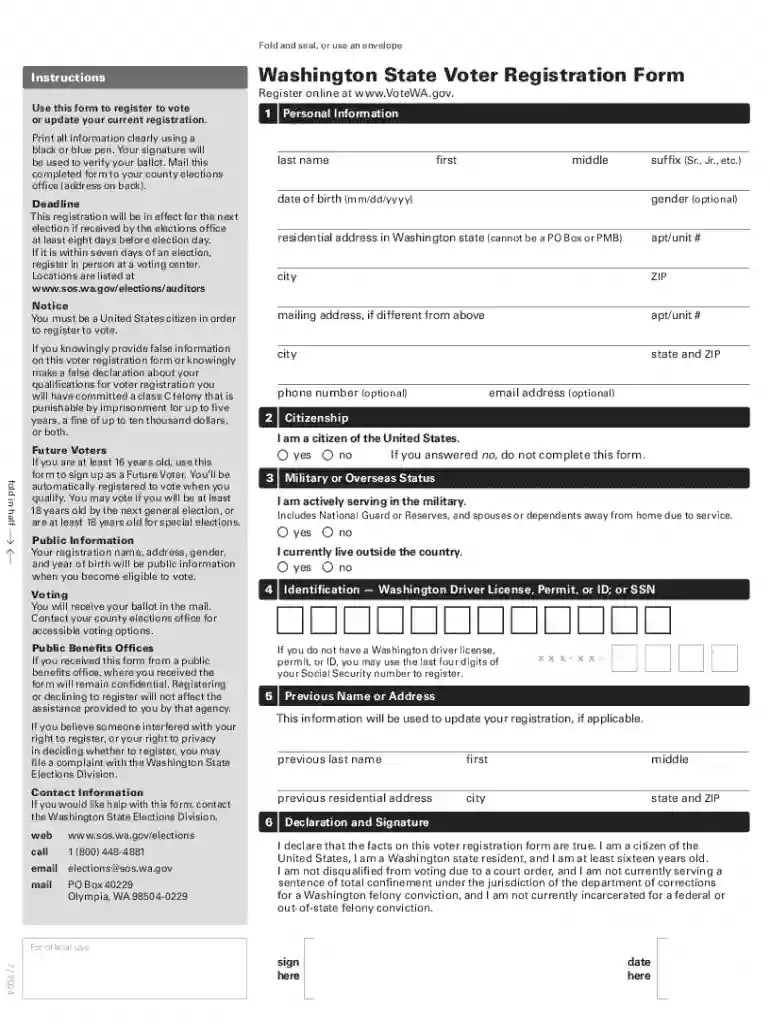
We've got more versions of the Washington State Voter Registration Form form. Select the right Washington State Voter Registration Form version from the list and start editing it straight away!
At DocHub, your data security is our priority. We follow HIPAA, SOC2, GDPR, and other standards, so you can work on your documents with confidence.
Online: Complete the form at voter.votewa.gov Mail: Request a paper voter registration form to be mailed to you In Person: Visit any elections office orRead more
May 14, 2024 View your voter registration information, track your ballot and read about the contests on your ballot. To log in, please input a combination


