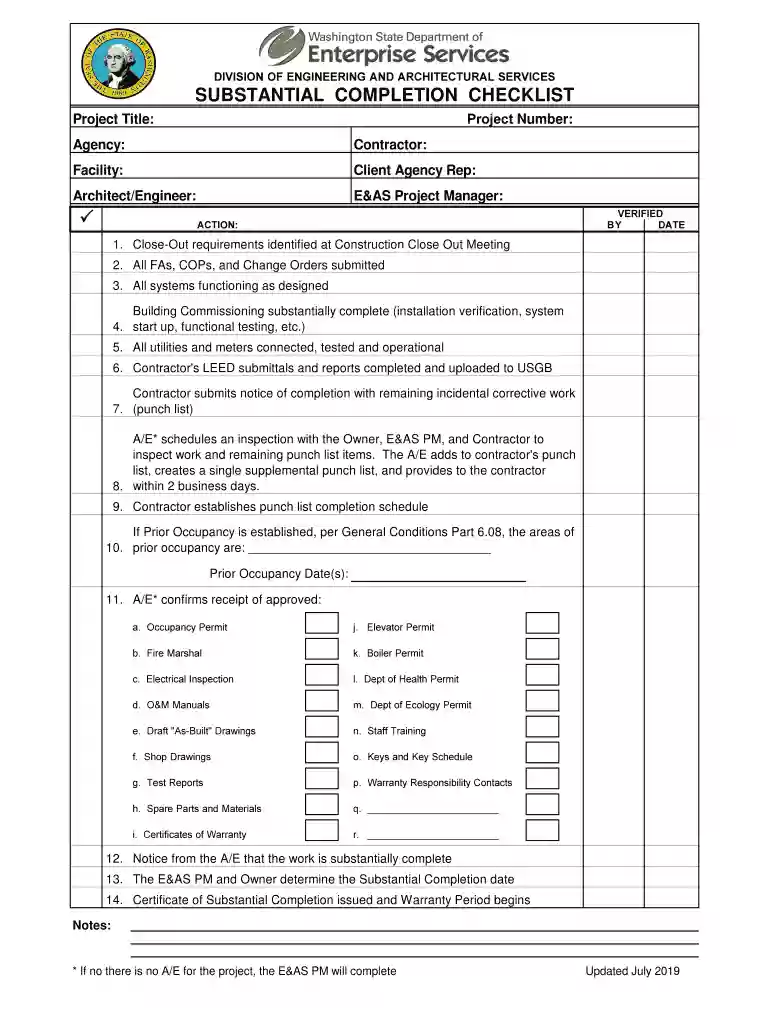
substantial completion checklist Preview on Page 1

Certificate of Substantial Completion - Construction Completion 2026

Here's how it works

  • 01. Edit your substantial completion checklist online

    Type text, add images, blackout confidential details, add comments, highlights and more.

  • 02. Sign it in a few clicks

    Draw your signature, type it, upload its image, or use your mobile device as a signature pad.

  • 03. Share your form with others

    Send it via email, link, or fax. You can also download it, export it or print it out.

How to use or fill out Certificate of Substantial Completion - Construction Completion

Form edit decoration
9.5
Ease of Setup
DocHub User Ratings on G2
9.0
Ease of Use
DocHub User Ratings on G2
  1. Click ‘Get Form’ to open it in the editor.
  2. Begin by entering the Project Title, State Project Number, Contractor, A/E Consultant, and Owner/Agency in the designated fields.
  3. Fill in the Date of Issuance to document when the certificate is being completed.
  4. Review the definition of Substantial Completion provided in the form to ensure understanding of its significance.
  5. Indicate any Designated Portions of the Project that are relevant by filling in those sections as necessary.
  6. Establish and enter the Date of Substantial Completion for the work described above.
  7. Complete or correct any items on the attached list within the specified number of calendar days.
  8. Ensure all required signatures from A/E Consultant, Owner/Agency, E&AS Project Manager, and Contractor are obtained before finalizing.

Start using our platform today to streamline your document editing and completion process for free!

See more substantial completion checklist versions

We've got more versions of the substantial completion checklist form. Select the right substantial completion checklist version from the list and start editing it straight away!

VersionsForm popularityFillable & printable
20194.4 Satisfied (43 Votes)
20164 Satisfied (30 Votes)

be ready to get more

Complete this form in 5 minutes or less

Got questions?

We have answers to the most popular questions from our customers. If you can't find an answer to your question, please contact us.

With DocHub, you can easily sign your Certificate of Substantial Completion - Construction Completion or any other document on iOS, even without installing extra programs. You can access your DocHub account from any internet-connected browser and complete and sign your form in any way you like with just a couple of clicks.

When you edit your Certificate of Substantial Completion - Construction Completion with DocHub, you only need a steady web connection and virtually any browser installed on your device. No need to set up any third-party software or study tutorials. Just open a tab with DocHub, drag and drop your file, and edit it immediately.

Security and compliance

At DocHub, your data security is our priority. We follow HIPAA, SOC2, GDPR, and other standards, so you can work on your documents with confidence.

Related links

CERTIFICATE OF SUBSTANTIAL COMPLETION

The date of substantial completion of the work is the date certified by the Owner when construction is sufficiently complete, in accordance with the contractRead more

Learn more
If you believe that this page should be taken down, please follow our DMCA take down process here