




01. Edit your rew 2 online
Type text, add images, blackout confidential details, add comments, highlights and more.

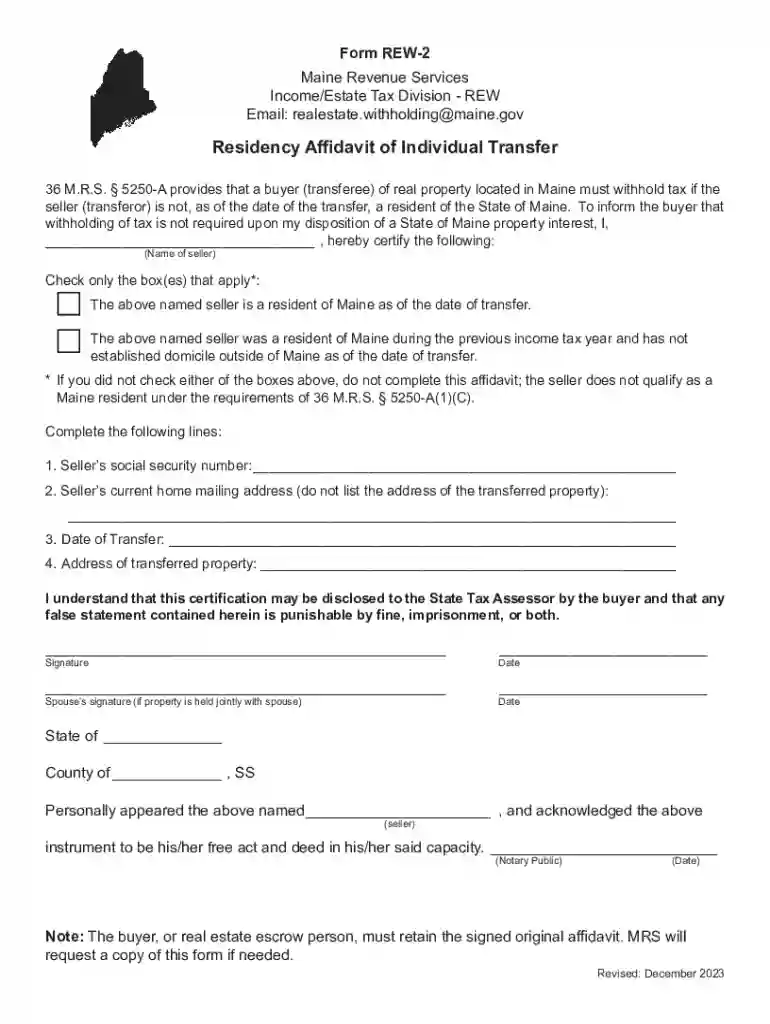
Type text, add images, blackout confidential details, add comments, highlights and more.

Draw your signature, type it, upload its image, or use your mobile device as a signature pad.

Send rew 2 maine via email, link, or fax. You can also download it, export it or print it out.

Start using our platform today to easily complete your Residency Affidavit for free!
We've got more versions of the rew 2 form. Select the right rew 2 version from the list and start editing it straight away!
At DocHub, your data security is our priority. We follow HIPAA, SOC2, GDPR, and other standards, so you can work on your documents with confidence.
May 16, 1988 Upon recommendation of an Appointing Authority or the Personnel Administrator, the Director may transfer classes of positions or individual.Read more
The above named seller was a resident of Maine during the previous income tax year and has not established domicile outside of Maine as of the date of transfer.Read more
❖ This affidavit is for students or spouses of students whose employer has transferred them to a location in Arizona. ➢ The student is Domiciled in Arizona andRead more


