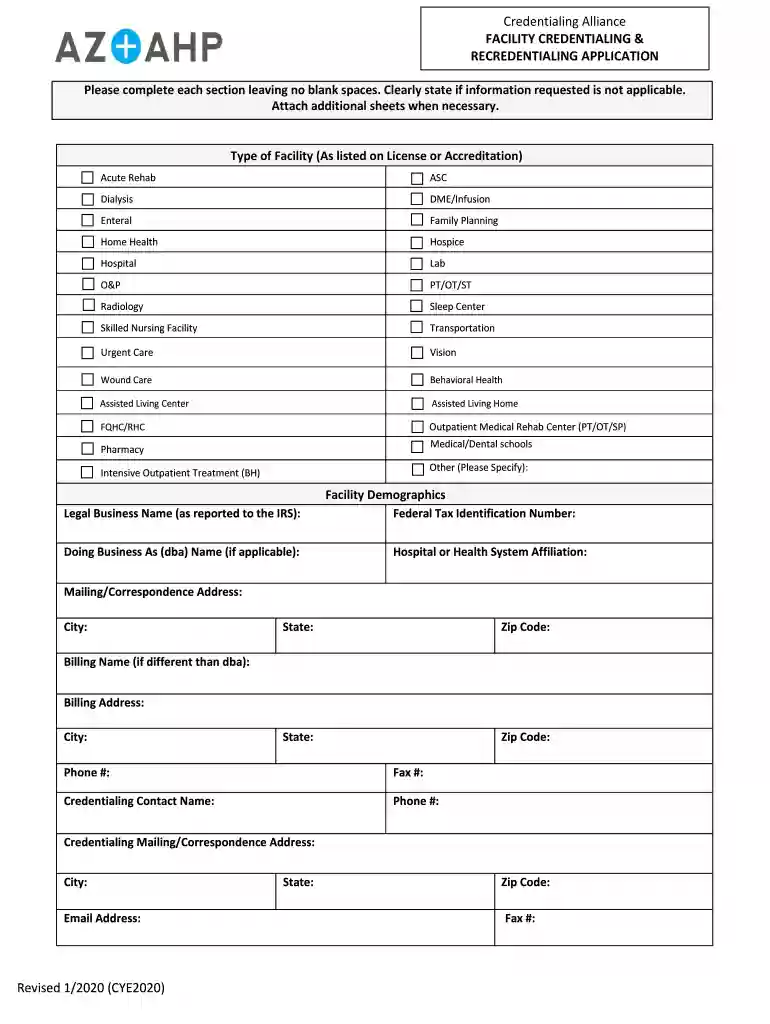
Credentialing Alliance Facility Credentialing and Recredentialing Application Facility Credentialing 2026

Get Form
Credentialing Alliance Facility Credentialing and Recredentialing Application Facility Credentialing Preview on Page 1

Here's how it works

01. Edit your form online
Type text, add images, blackout confidential details, add comments, highlights and more.

02. Sign it in a few clicks
Draw your signature, type it, upload its image, or use your mobile device as a signature pad.

03. Share your form with others
Send it via email, link, or fax. You can also download it, export it or print it out.

How to use or fill out Credentialing Alliance Facility Credentialing and Recredentialing Application Facility Credentialing with our platform

Form edit decoration
9.5
Ease of Setup
DocHub User Ratings on G2
9.0
Ease of Use
DocHub User Ratings on G2
  1. Click ‘Get Form’ to open the Credentialing Alliance Facility Credentialing and Recredentialing Application in the editor.
  2. Begin by selecting the type of facility from the provided list. Ensure you choose the correct option as listed on your license or accreditation.
  3. Fill in the facility demographics section, including the legal business name, federal tax identification number, and any applicable DBA names. Make sure all fields are completed accurately.
  4. Provide your primary location details, including street address, city, state, and zip code. Don’t forget to include your phone and fax numbers.
  5. Complete the disclosure questions by checking 'Yes' or 'No' for each question. If applicable, attach a separate sheet with detailed descriptions for any 'Yes' answers.
  6. Finally, ensure that you sign and date the Facility Attestation/Consent & Release Form at the end of the application to avoid processing delays.

Start using our platform today to streamline your credentialing process for free!

See more Credentialing Alliance Facility Credentialing and Recredentialing Application Facility Credentialing versions

We've got more versions of the Credentialing Alliance Facility Credentialing and Recredentialing Application Facility Credentialing form. Select the right Credentialing Alliance Facility Credentialing and Recredentialing Application Facility Credentialing version from the list and start editing it straight away!
Versions Form popularity Fillable & printable
2020 4.8 Satisfied (76 Votes)
2017 4.3 Satisfied (23 Votes)
be ready to get more

Complete this form in 5 minutes or less

Get form

Got questions?

We have answers to the most popular questions from our customers. If you can't find an answer to your question, please contact us.
Contact us
How does it work? They take care of verifying credentials such as education and licensure upfront, saving providers and facilities time and resources. CVOs often offer platforms where providers can set up a profile and apply to multiple facilities simultaneously making the application process more convenient.
Recredentialing is the periodic review and renewal of your credentials to ensure ongoing compliance with standards. Most organizations re-credential providers every 2-3 years, with hospitals typically following a 2-year cycle and insurance plans varying between 2-3 years.
Credentialing is obtaining the necessary documents and certifications to become a DME provider. At the same time, re-credentialing is updating your credentials to meet the constantly changing regulatory requirements.
Credentialing of healthcare professionals and facilities Credentialing is the process of obtaining and reviewing documentation to determine participation status in a health plan.

Security and compliance

At DocHub, your data security is our priority. We follow HIPAA, SOC2, GDPR, and other standards, so you can work on your documents with confidence.

Learn more
ccpa2
pci-dss
gdpr-compliance
hipaa
soc-compliance