




Here's how it works



How to use or fill out Fillable Online Policy Name Fees Policy Department Finance

- Click ‘Get Form’ to open it in the editor.
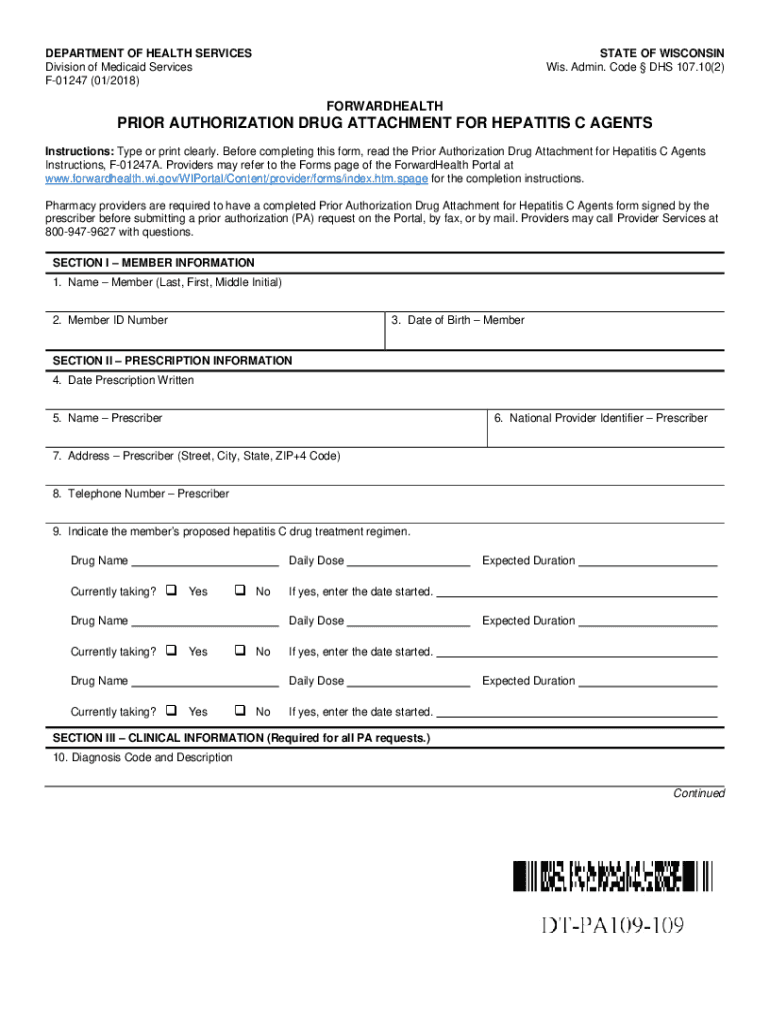
- Begin with Section I – Member Information. Enter the member's name, ID number, and date of birth clearly.
- Proceed to Section II – Prescription Information. Fill in the date the prescription was written, prescriber's name, National Provider Identifier, address, and telephone number.
- Indicate the proposed hepatitis C drug treatment regimen by entering drug names, whether currently taking them, daily doses, and expected duration.
- In Section III – Clinical Information, provide diagnosis codes and descriptions. Ensure to include required medical records as specified.
- Complete any additional sections as necessary based on the member's history and treatment details before signing in Section IV.
Start using our platform today for free to streamline your document editing and form completion!
It's free
See more Fillable Online Policy Name Fees Policy Department Finance versions
Got questions?
Can I sign my Fillable Online Policy Name Fees Policy Department Finance on a mobile?
Sure, you’ll find numerous apps for this on the web. However, if you need to eSign your Fillable Online Policy Name Fees Policy Department Finance without installing additional software, DocHub is the optimum choice you can make. This robust editor works on mobile devices just like on desktops. Open our editor in your preferred internet browser, register or log in to your account, and start managing your paperwork.
How do you modify Fillable Online Policy Name Fees Policy Department Finance from Google Drive?
If you store your files in Google Drive, there is no need to download your Fillable Online Policy Name Fees Policy Department Finance on the computer and upload it back to our editor. A significantly easier way is to set up a browser extension created by DocHub to streamline this flow. The extension allows editing PDFs in your browser. Alternatively, you may integrate your DocHub and Gmail accounts for more efficient editing.
Security and compliance
At DocHub, your data security is our priority. We follow HIPAA, SOC2, GDPR, and other standards, so you can work on your documents with confidence.
Learn more




