




Here's how it works



How to use or fill out Landlord Rental Increase Request with our platform

- Click ‘Get Form’ to open the Landlord Rental Increase Request in the editor.
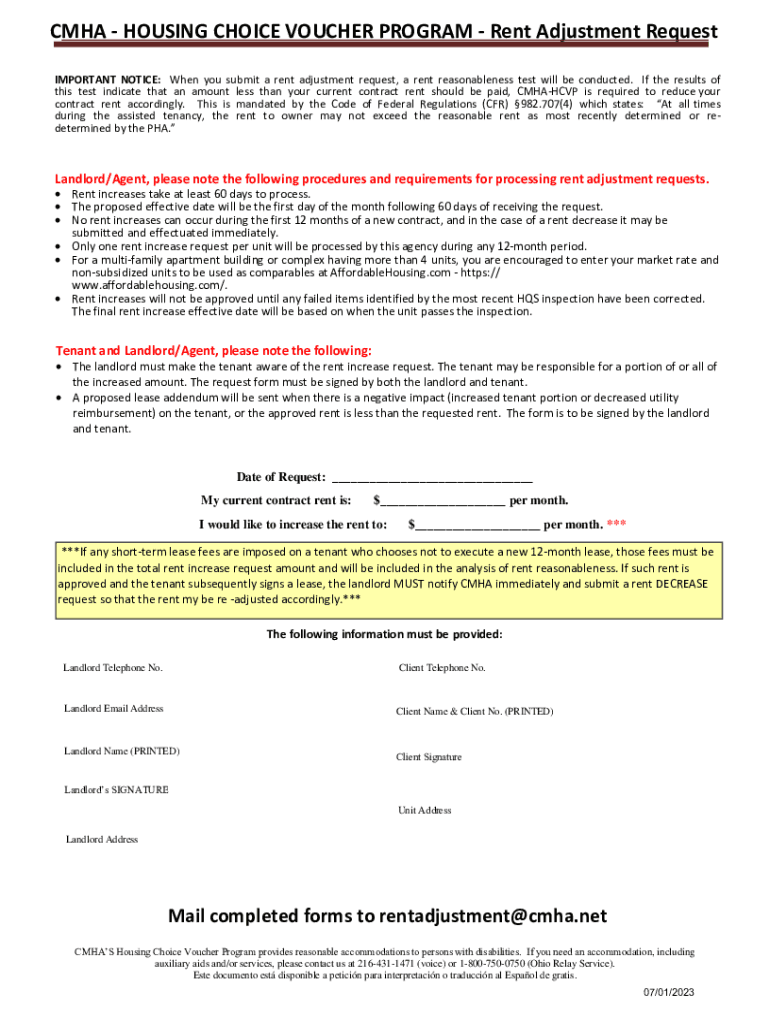
- Begin by entering the 'Date of Request' at the top of the form. This is essential for tracking your request timeline.
- Fill in your current contract rent amount in the designated field, ensuring accuracy as this will be compared against your proposed increase.
- In the next section, specify the new rent amount you wish to propose. Be mindful that any short-term lease fees must be included in this total.
- Provide your contact information, including telephone numbers and email addresses for both landlord and client. This ensures clear communication throughout the process.
- Both parties must sign the form. Ensure that both landlord and tenant signatures are present before submission.
- Once completed, mail the form to rentadjustment@cmha.net as instructed at the bottom of the document.
Start using our platform today to streamline your rental increase requests effortlessly!
It's free
See more Landlord Rental Increase Request versions
Got questions?
Can I use DocHub to create legal electronic signatures on my Landlord Rental Increase Request?
Yes, you can use DocHub for signing any business and private documentation, including your Landlord Rental Increase Request. All electronic signatures you generate with our service are legally binding and court-admissible, as DocHub complies with standards required by ESIGN and UETA. Save your accomplished form with a detailed Audit Trail if necessary.
Can I print my Landlord Rental Increase Request and complete it by myself?
If you choose analog methods of completing your Landlord Rental Increase Request, it is simple to download your file for printing. Search DocHub’s Forms & Templates catalog to locate the exact file template you require and open it for editing or download it on your gadget in the format of your choice. It is easy to complete your form electronically and place your handwritten signature on it right after printing or eSign your file with DocHub.
Security and compliance
At DocHub, your data security is our priority. We follow HIPAA, SOC2, GDPR, and other standards, so you can work on your documents with confidence.
Learn more


