Type text, add images, blackout confidential details, add comments, highlights and more.
02. Sign it in a few clicks
Draw your signature, type it, upload its image, or use your mobile device as a signature pad.
03. Share your form with others
Send adult dependent via email, link, or fax. You can also download it, export it or print it out.
How to use or fill out EA-130 Elder or Dependent Adult Abuse Restraining Order After Hearing (CLETS-EAR or EAF) with our platform
Ease of Setup
DocHub User Ratings on G2
Ease of Use
DocHub User Ratings on G2
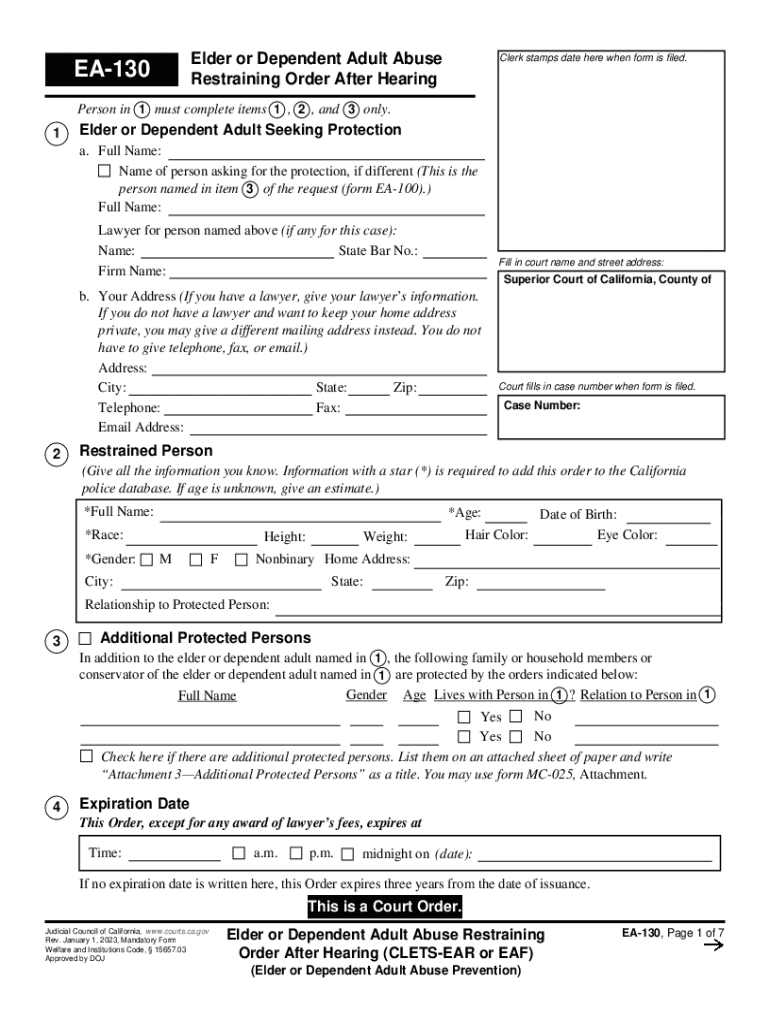
Click ‘Get Form’ to open the EA-130 in the editor.
In section 1, provide the full name of the elder or dependent adult seeking protection. If applicable, include your lawyer's information.
Fill in your address. If you prefer privacy, you can provide a different mailing address instead of your home address.
Enter the case number as assigned by the court once filed.
In section 2, complete all known details about the restrained person, including their full name, age, race, and gender. Ensure to fill in required fields marked with an asterisk (*).
If there are additional protected persons, list them in section 3 and attach any necessary sheets as indicated.
Proceed through each section carefully, ensuring all required fields are filled accurately before saving your progress.
Start using our platform today to easily fill out and manage your EA-130 form for free!
Fill out EA-130 Elder or Dependent Adult Abuse Restraining Order After Hearing (CLETS-EAR or EAF) online It's free
See more EA-130 Elder or Dependent Adult Abuse Restraining Order After Hearing (CLETS-EAR or EAF) versions
We've got more versions of the EA-130 Elder or Dependent Adult Abuse Restraining Order After Hearing (CLETS-EAR or EAF) form. Select the right EA-130 Elder or Dependent Adult Abuse Restraining Order After Hearing (CLETS-EAR or EAF) version from the list and start editing it straight away!
Elder abuse restraining order californiaEA-109Protective order for elderlyEA-120EA-110Elder abuse restraining order burden of proofEA-120-INFOResponse to elder Abuse restraining order
Security and compliance
At DocHub, your data security is our priority. We follow HIPAA, SOC2, GDPR, and other standards, so you can work on your documents with confidence.
Elder abuse in court: predictors of judicial response to
Review ofEA-130 (Elder or Dependent Adult Abuse. Restraining Order After Hearing) and DV-130 (Restraining Order After Hearing- Orders of Protection) allowsRead more
EA-130 Elder or Dependent Adult Abuse Restraining Order
Jan 1, 2026 This order must be entered into the California Restraining and Protective Order System (CARPOS) through the. California Law EnforcementRead more
Cookie consent notice
This site uses cookies to enhance site navigation and personalize your experience.
By using this site you agree to our use of cookies as described in our Privacy Notice.
You can modify your selections by visiting our Cookie and Advertising Notice.