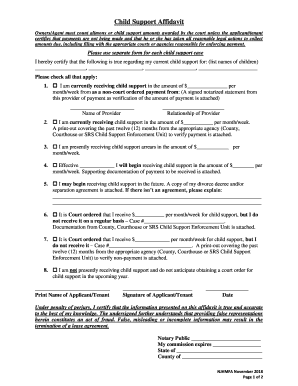
Elder restraining order 2026

Get Form
elder restraining order Preview on Page 1

Here's how it works

01. Edit your form online
Type text, add images, blackout confidential details, add comments, highlights and more.
02. Sign it in a few clicks
Draw your signature, type it, upload its image, or use your mobile device as a signature pad.
03. Share your form with others
Send it via email, link, or fax. You can also download it, export it or print it out.

How to use or fill out elder restraining order with our platform

Form edit decoration
9.5
Ease of Setup
DocHub User Ratings on G2
9.0
Ease of Use
DocHub User Ratings on G2
  1. Click ‘Get Form’ to open the elder restraining order in the editor.
  2. Begin by filling out Section 1, which requires the full name and address of the elder or dependent adult seeking protection. If you have a lawyer, include their information as well.
  3. In Section 2, provide details about the restrained person, including their full name, physical description, and relationship to the protected person.
  4. If there are additional protected persons, list them in Section 3. You can attach an additional sheet if necessary.
  5. Complete Section 4 by specifying the expiration date of the order. If left blank, it will default to three years from issuance.
  6. Proceed through Sections 5 to 13 to detail hearing information, personal conduct orders, stay-away orders, and any financial obligations.

Start using our platform today for free to complete your elder restraining order efficiently!

See more elder restraining order versions

We've got more versions of the elder restraining order form. Select the right elder restraining order version from the list and start editing it straight away!
Versions Form popularity Fillable & printable
2024 4.8 Satisfied (44 Votes)
2023 4.3 Satisfied (56 Votes)
2021 4.8 Satisfied (157 Votes)
2018 4.3 Satisfied (84 Votes)
2014 4.4 Satisfied (567 Votes)
2012 4.4 Satisfied (93 Votes)
be ready to get more

Complete this form in 5 minutes or less

Get form

Got questions?

We have answers to the most popular questions from our customers. If you can't find an answer to your question, please contact us.
Contact us
A restraining order is a civil order of protection issued by the family court to any family or household member who has been subject to a continuous threat of present physical pain or physical injury, stalking, or a pattern of threatening by another family or household member, as defined by General Statutes 46b-38a (
The applicant has the burden of proving by a preponderance of the evidence that they qualify and need a protective order and the respondent (the person whom you are seeking protection against) has the opportunity to be heard as to why the restraining order shouldnt enter.
As the plaintiff requesting the protective order, you must prove that the abuser committed at least one act of domestic abuse against you. Alternatively, the abuser can agree to consent to the order without admitting to committing domestic abuse.
You can also get a restraining order if someone has been depriving you of basic necessities; controlling or monitoring your movements, communications, or finances; making threats about your immigration status; threatening or committing cruelty to animals to intimidate you; threatening unwanted sexual conduct;
Anyone who experiences abuse from a partner, ex-partner or close relative can file a restraining order with the court. Physical abuse doesnt need to happen. Restraining orders also can be filed for harassment, stalking and verbal threats.

Security and compliance

At DocHub, your data security is our priority. We follow HIPAA, SOC2, GDPR, and other standards, so you can work on your documents with confidence.

Learn more
ccpa2
pci-dss
gdpr-compliance
hipaa
soc-compliance

People also ask

You file a petition for an Order of Protection in court. There is no cost. You have to sign an affidavit about what your abuser has done to you. An affidavit is a form that you swear is true and sign in front of a notary or a judge.
Nothing. There is no cost to file for a restraining order.
Delaware Restraining Orders causing or attempting to cause actual physical injury or a sexual offense; placing or attempting to place you in fear of physical injury or a sexual offense being committed against you or another person; damaging, destroying, or taking property, including legal documents;

Related links