Type text, add images, blackout confidential details, add comments, highlights and more.
02. Sign it in a few clicks
Draw your signature, type it, upload its image, or use your mobile device as a signature pad.
03. Share your form with others
Send 2958 via email, link, or fax. You can also download it, export it or print it out.
How to use or fill out 2958 with our platform
Ease of Setup
DocHub User Ratings on G2
Ease of Use
DocHub User Ratings on G2
Click ‘Get Form’ to open the 2958 in the editor.
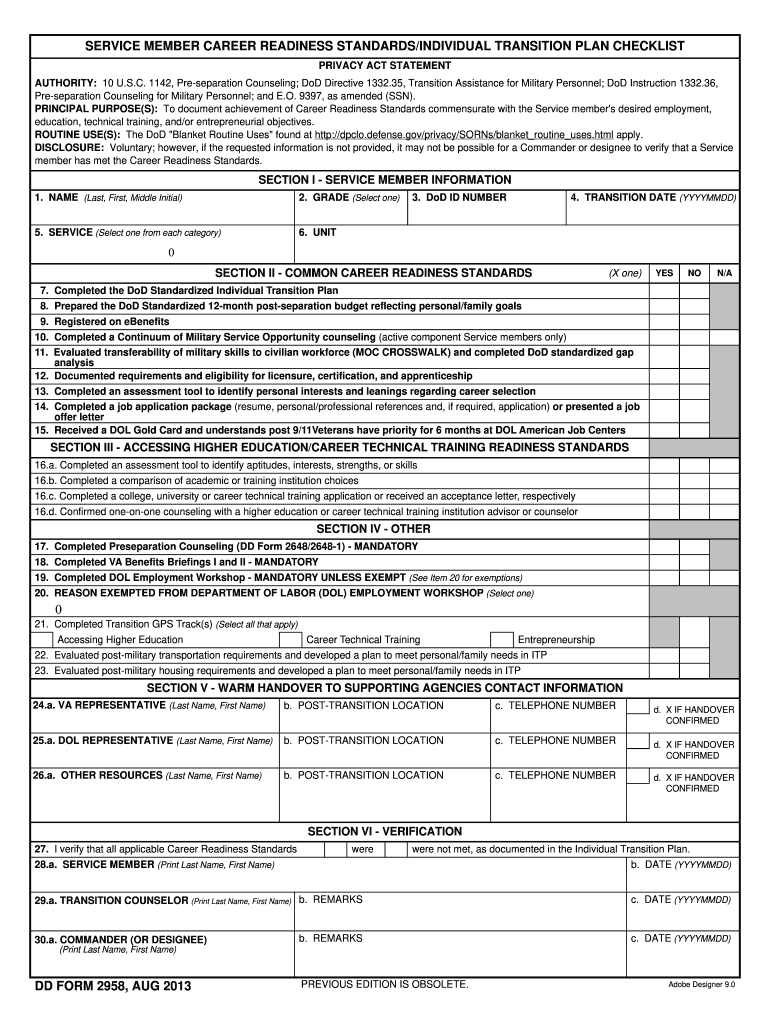
In Section I, enter your name, grade, DoD ID number, transition date, service branch, and unit. Ensure all information is accurate for proper documentation.
Move to Section II and mark 'Yes', 'No', or 'N/A' for each Career Readiness Standard you have completed. This section is crucial for verifying your readiness.
In Section III, complete the assessment tools and applications related to higher education or career technical training. Confirm any counseling received with an advisor.
For Section IV, indicate if you are exempt from the DOL Employment Workshop by selecting the appropriate reason from the drop-down list.
Fill out Section V with contact information for supporting agencies that will assist you post-transition. Ensure this handover is confirmed.
Finally, in Section VI, verify that all applicable standards were met by entering names and dates as required. This step finalizes your checklist.
Start using our platform today to streamline your form completion process for free!
IRL 2958 is a joint International Research Laboratory (IRL) founded in 2006 by Georgia Tech and the French CNRS (National Center for Scientific Research).Read more
Cookie consent notice
This site uses cookies to enhance site navigation and personalize your experience.
By using this site you agree to our use of cookies as described in our Privacy Notice.
You can modify your selections by visiting our Cookie and Advertising Notice.