
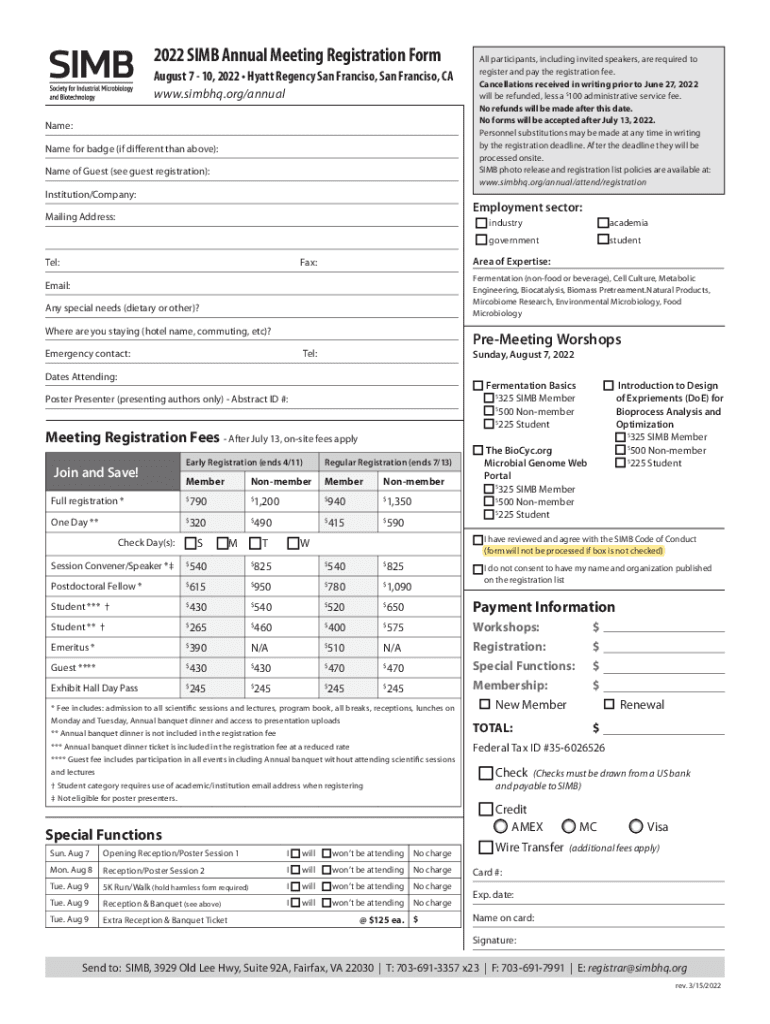







Definition & Meaning
In the digital age, the term "form online" refers to the electronic versions of documents that individuals or organizations can fill out, submit, and process over the internet. These forms are designed to streamline data collection and management processes, enabling users to interact with documents without relying on paper-based methods. Online forms are commonly used for various purposes, including applications, registrations, and surveys. They typically include interactive elements such as text fields, checkboxes, and dropdown menus to facilitate user input.
How to Use the Form Online
Utilizing an online form involves several straightforward steps to ensure a smooth experience. First, access the form via a designated platform or website. If registration or a user account is required, complete this setup before proceeding. Once you have access, review the form to understand its sections and required fields. Input your information carefully, ensuring all mandatory fields are filled accurately. Online systems often provide instant feedback on any errors or omissions, which helps in correcting mistakes promptly. After completing the form, review your entries one last time before submitting it. Many platforms offer a submission confirmation, ensuring your data has been received successfully.
Steps to Complete the Form Online
Completing an online form is a systematic process that can be broken down into several key steps:
-
Access the Form: Find the form on the official website or through a direct link. Ensure you're using a reliable internet connection for uninterrupted access.
-
Review Instructions: Read any accompanying guidelines or instructions to understand the form's purpose and the information required.
-
Enter Personal Details: Fill in your information in the provided fields. Utilize the format specified (e.g., MM/DD/YYYY for dates).
-
Attach Documents: If additional documents are needed, upload them in the specified formats, such as PDF or JPEG.
-
Verify Entries: Cross-check all entries for accuracy and completeness. Many platforms allow you to save progress and return later if needed.
-
Submit the Form: Once satisfied, submit the form using the designated button. Confirmation emails or on-screen messages typically follow successful submission.
Why Should You Form Online
Choosing to fill out forms online rather than via traditional methods offers significant advantages. First, it significantly reduces paper usage, contributing to environmental sustainability. Electronic forms are also more efficient, allowing for faster processing times compared to mailing physical documents. They enhance accuracy by providing validation checks for entries, minimizing human errors. Furthermore, online forms can be accessed from any location, offering unparalleled convenience for users. These benefits make online forms an ideal choice for both individuals and organizations seeking efficient and reliable solutions for data handling.
Key Elements of the Form Online
Online forms commonly feature a range of elements designed to cater to different input types and optimize data collection:
- Text Fields: Used for short entries like names or addresses.
- Textarea Boxes: Allow for more extended responses, such as comments or descriptions.
- Checkboxes and Radio Buttons: Facilitate selection among multiple options or a single choice from a list.
- Dropdown Menus: Present a compact list of options for user selection.
- Date Pickers: Help users enter dates correctly and consistently.
- File Upload Options: Enable users to attach necessary documents in varied formats like PDFs, images, or text files.
Legal Use of the Form Online
The legality of using online forms varies depending on the content and context in which they are used. Legally binding forms, such as contracts or agreements completed online, require adherence to specific regulations like the Electronic Signatures in Global and National Commerce (ESIGN) Act in the U.S. This act validates electronic signatures, making them just as enforceable as traditional handwritten ones. It's crucial to ensure the online form platform complies with these legal standards, providing the necessary security measures, such as encryption, to protect sensitive information.
Who Typically Uses the Form Online
Online forms are utilized by a diverse group of users, each leveraging the technology for different purposes. Corporations and small businesses use them for applications, feedback, or resource requests. Educational institutions often rely on online forms for student registrations, event planning, and surveys. Government agencies utilize them to streamline bureaucratic processes like permit applications or census data collection. Non-profit organizations also find online forms beneficial for volunteer registrations and fundraiser management. On a personal level, individuals may use online forms for personal applications, e-commerce orders, and digital documentation processes.


Examples of Using the Form Online
Several practical scenarios highlight the utility of online forms. A university might use online registration forms for course enrollments, allowing students to select classes and confirm their schedules. In the corporate world, businesses might implement online feedback forms to gather employee insights about workplace improvements. Online forms are also prevalent in e-commerce, where customers complete product order forms with their details before making a purchase. Additionally, government services can expedite processes such as license renewals or tax submissions through online forms, making them indispensable tools in modern administrative actions.




