




01. Edit your form online
Type text, add images, blackout confidential details, add comments, highlights and more.

Type text, add images, blackout confidential details, add comments, highlights and more.

Draw your signature, type it, upload its image, or use your mobile device as a signature pad.

Send it via email, link, or fax. You can also download it, export it or print it out.
The term "form online" refers to digital versions of documents or templates designed for completion and submission via internet-based platforms. Unlike their paper counterparts, online forms can be accessed, filled out, and submitted from virtually any location with internet access. Users can complete these forms using desktop or mobile devices, ensuring convenience and flexibility. Online forms often feature interactive elements such as drop-down menus, checkboxes, and text fields to facilitate data entry and ensure the information collected is accurate and comprehensive.
Obtaining forms online generally involves accessing a website or an application that hosts the specific form you need. Platforms like DocHub provide users with easy-to-navigate interfaces from which any document can be accessed, edited, or created anew. These forms are often available in various formats, including PDF, DOC, or other file types, ensuring compatibility with multiple software programs. You can import documents directly from sources like your computer or cloud storage services like Google Drive, thereby eliminating unnecessary steps and streamlining the workflow.
Completing an online form involves a series of straightforward steps designed for user ease and accuracy. Begin by accessing the form on a trusted platform like DocHub. Ensure the form is correctly formatted and contains all required fields. Start entering your information by navigating through the fields sequentially. Use form features such as drop-down menus and checkboxes to minimize errors. Make sure to check for required fields, which are typically marked with an asterisk, to avoid leaving essential sections incomplete. Once your entries are validated, submit the form by following the platform's specific instructions for saving or sending your document.
Online forms cater to a diverse audience, ranging from individual users to large corporations. They are commonly utilized by businesses seeking efficient means of data collection, such as customer information, employee records, or survey responses. Educational institutions employ online forms for applications, assessments, or feedback collection processes. Government agencies also leverage these forms for tax reporting, license applications, and other administrative functions. The flexibility and adaptability of online forms make them applicable in various scenarios, providing solutions that meet the needs of numerous sectors.
Online forms are widely used in legal contexts due to their legitimate and binding nature. Many platforms, including DocHub, comply with legal standards like the ESIGN Act, which ensures the legality of electronic signatures. These forms are often utilized for contracts, agreements, and acknowledgments, where authenticity and data integrity are paramount. Legal templates are designed to capture necessary information in a structured manner, allowing signatories to confirm their consent digitally. Maintaining a secure audit trail and providing encryption further supports the forms' legal acceptability, making them a reliable option for both individuals and organizations.
Online forms contain several key elements designed to facilitate efficient data collection and processing. Essential components include text fields for inputting information, drop-down menus for selecting pre-defined options, checkboxes for binary choices, and signature fields for authentication purposes. Forms may also incorporate date selectors, file upload options, and special instructions to guide the user through complex sections. Each element is purposefully designed to streamline data entry, ensuring that users provide accurate and complete information with minimal effort.
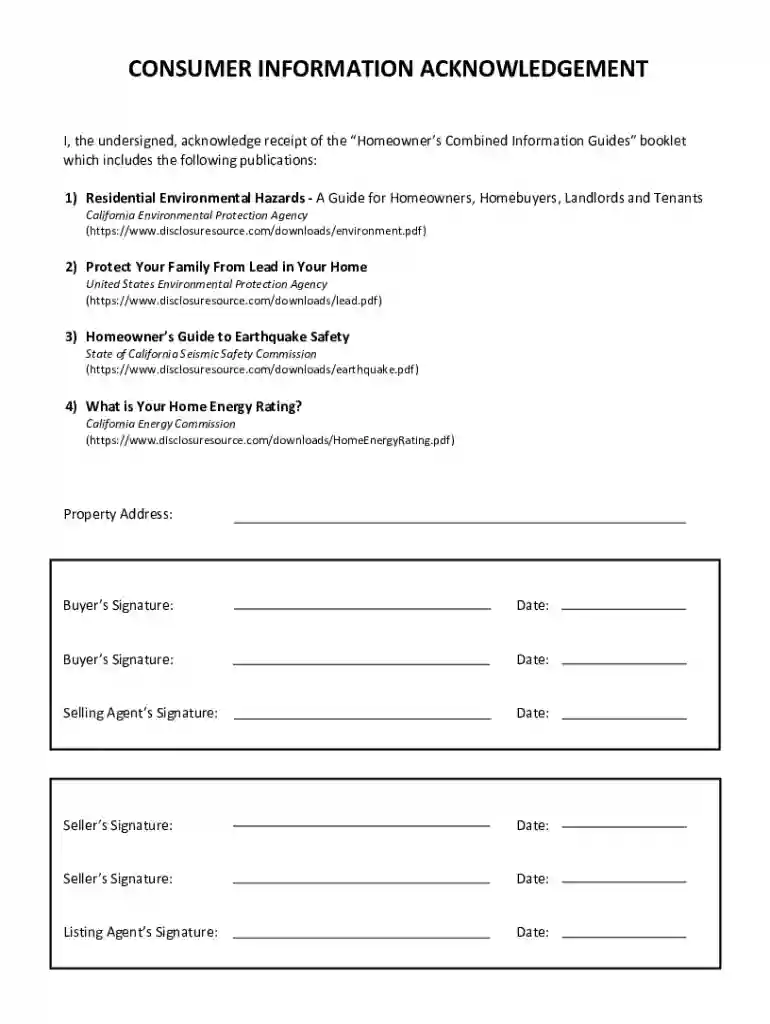
There are countless scenarios where online forms are beneficial. A real estate agency might use a Consumer Information Acknowledgement form to confirm that clients have received environmental hazard documentation. Human resources departments frequently employ online forms for onboarding new employees, capturing personal details, and obtaining signed agreements. Federal and state tax agencies encourage filing tax returns using online forms due to expedited processing times and reduced paperwork. These examples illustrate how online forms facilitate efficient data exchange between parties, promoting clarity and operational efficiency.
To maximize accessibility and ease of use, online forms should be compatible with various software programs. DocHub, for instance, provides seamless integration with Google Workspace, allowing users to import and export files directly from Google Drive or Gmail. Other platforms commonly support integration with accounting and tax software such as QuickBooks and TurboTax, catering to users who manage finances and tax documents. Ensuring that online forms work across different software environments enhances user experience and widens the scope of functionalities available for processing and managing documents.
We've got more versions of the Consumer Information Acknowledgement form. Select the right Consumer Information Acknowledgement version from the list and start editing it straight away!
At DocHub, your data security is our priority. We follow HIPAA, SOC2, GDPR, and other standards, so you can work on your documents with confidence.
The resources below contain federally and state required consumer disclosures, including institutional information, financial aid, campus safety, athletics, andRead more
By signing this Consumer Information Statement, I acknowledge that I received this Statement from of. (Print Name of Licensee). (Print Name of Brokerage Firm).Read more
The posting capability, unlike unmanaged publishing or inserts, offers optional acknowledgments per posted message.


