
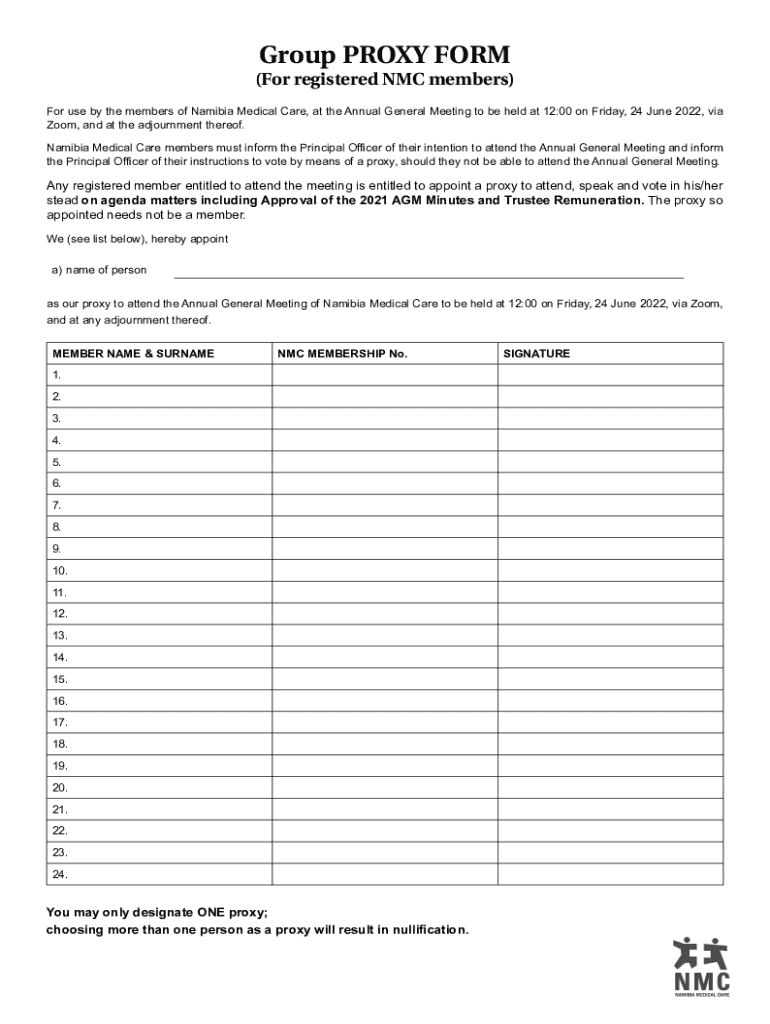







Definition and Meaning of Online Forms
Online forms are digital documents that can be filled out and submitted via the internet. They serve various purposes, ranging from simple contact forms on websites to complex applications for governmental or financial processes. With advancements in digital technology, these forms have become a convenient alternative to traditional paper forms, offering easy access and submission without the need for physical paperwork.
Online forms provide several advantages. They are often accessible 24/7, allowing users to complete tasks at their convenience. Moreover, they enable automatic data entry into databases, minimizing the risk of human error. Security features, like encryption, protect sensitive information during transmission and storage. Online forms also streamline data collection and analysis, providing organizations with efficient ways to manage information.
How to Use the Form Online Effectively
Utilizing online forms is a straightforward process if approached correctly. The first step is to access the form through the host website or email link. Users should ensure they have a stable internet connection to prevent disruptions during completion. Before beginning, it's beneficial to review the form entirely to familiarize oneself with its sections and requirements.
-
Input Information Accurately: Enter your details carefully, ensuring accuracy to avoid delays in processing. Double-check spelling and numerical entries.
-
Utilize Autofill Tools: Some browsers offer autofill features that can expedite the process, but verify that the correct information is autofilled.
-
Save Progress Regularly: Many forms offer a save function, allowing you to return and complete the form if you need more time or information.
-
Attachments: If the form requires attachments, ensure they are in the correct file format and within the size limits specified.
Steps to Complete the Form Online
Completing an online form typically involves several key steps, which may vary slightly depending on the form's complexity and purpose. Here is a general guideline:
-
Access the Form: Visit the website hosting the form or follow the link provided through correspondence. Some forms might require logging in or registering an account.
-
Read Instructions Carefully: Before starting, go over any instructions provided to understand the requirements and expectations.
-
Fill Out Mandatory Fields: Start by completing required fields marked by asterisks. These sections are critical for successfully submitting the form.
-
Optional Sections and Attachments: Add any additional information if prompted or relevant to your submission. Attach necessary documents as specified.
-
Review and Confirm Information: Before final submission, review your entries for accuracy and completeness. Confirm that all attachments are correctly linked.
-
Submit the Form: Click the submit button and wait for confirmation that the form was successfully received. You might receive a confirmation email or reference number.
Why Should You Opt for Online Forms?
Choosing online forms offers numerous advantages over traditional paper forms. Primarily, the convenience and accessibility of online forms are unmatched. Users can fill out and submit forms from anywhere worldwide without mailing physical documents. The digital nature of online forms also reduces paper waste, supporting environmentally friendly practices.
Online forms often include enhanced features such as automatic error checking, which helps prevent submission errors. Immediate submission upon completion means faster processing times, reducing waiting periods for feedback or results. Additionally, online forms can be integrated with digital workflows, allowing for seamless data management and processing within organizations.
Important Terms Related to Online Forms
Understanding the terminology associated with online forms helps users navigate them more efficiently:
- Fields: The individual sections of the form where users input data.
- Validation: A process that ensures entered data meets specified criteria before submission.
- Encryption: Security measure that protects sensitive information by converting it into a secure format.
- Captcha: A tool used to differentiate between human users and automated bots.
Key Elements of the Form Online
A typical online form includes several critical components designed to capture a wide range of information accurately. These elements may vary depending on the form's purpose:
-
Introductory Instructions: Brief guidelines or notes on how to complete the form.
-
Identification Section: Fields requesting personal information such as name, contact details, and identification numbers.
-
Data Collection Fields: Various input types like text boxes, checkboxes, and dropdown menus to gather specific data.
-
Signature Section: Digital signature tool for authentication and verification purposes.
-
Submission Confirmation: A final page or notification confirming the form's successful submission and any next steps.
Legal Use of Online Forms
The use of online forms must comply with legal standards to ensure the validity and security of the data being collected. The legality of these forms is often governed by data protection regulations such as GDPR or CCPA, requiring organizations to implement adequate security measures.
-
Electronic Signatures: Many online forms use e-signatures, which are legally recognized under laws like the ESIGN Act in the U.S. This ensures that documents signed digitally carry the same legal weight as those signed in person.
-
Data Confidentiality: Ensuring that personal and sensitive data is protected through encryption and secure transfer protocols.
-
Compliance: Organizations must ensure their online forms comply with local and international data protection laws to avoid penalties.
Examples of Using Forms Online
Several real-world scenarios illustrate the utility of online forms:
-
Job Applications: Candidates apply for positions by filling out online application forms, uploading resumes, and providing necessary details through company websites.
-
Tax Filing: Platforms like TurboTax use online forms to gather individuals' tax information, simplifying the filing process without needing physical paperwork.
-
Event Registrations: Attendees register for events such as conferences and webinars using online forms that capture participant information and preferences.
-
Feedback and Surveys: Businesses use online forms to collect customer feedback and conduct market research, enabling data-driven decision-making.
State-Specific Rules for Online Forms
Depending on the jurisdiction, there may be specific rules and variations in using online forms. These differences often pertain to legal requirements and data protection laws.
-
Data Governance: Some states have stricter data protection laws, impacting how organizations can process and store data collected through online forms.
-
Format Compliance: There may be state-specific standards for digital submissions, such as particular file formats or authentication protocols required.
-
Public Services Forms: Certain government forms, like tax forms or permit applications, may have state-specific versions, dictating additional requirements or information.
By understanding these nuances and leveraging the structured capabilities of online forms, users can ensure efficient, secure, and compliant submission of important information.




