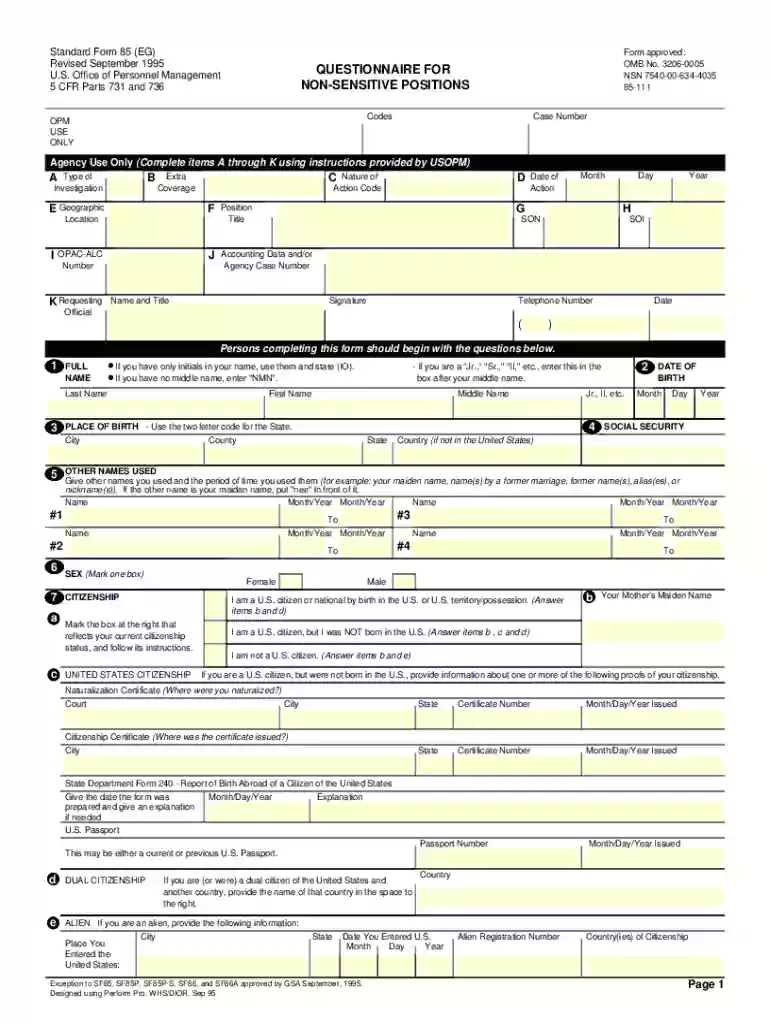
sf85 Preview on Page 1

Sf 85 2026

Here's how it works

  • 01. Edit your sf85 online

    Type text, add images, blackout confidential details, add comments, highlights and more.

  • 02. Sign it in a few clicks

    Draw your signature, type it, upload its image, or use your mobile device as a signature pad.

  • 03. Share your form with others

    Send sf 85 via email, link, or fax. You can also download it, export it or print it out.

How to use or fill out sf 85 with our platform

Form edit decoration
9.5
Ease of Setup
DocHub User Ratings on G2
9.0
Ease of Use
DocHub User Ratings on G2
  1. Click ‘Get Form’ to open the sf 85 in the editor.
  2. Begin by entering your full name, including any initials and suffixes. Ensure accuracy as this is crucial for identification.
  3. Provide your date of birth and Social Security Number. This information is essential for record accuracy.
  4. List all other names you have used, along with the time periods during which you used them. This includes maiden names or aliases.
  5. Detail your residential history for the past five years, ensuring to include addresses and names of individuals who can verify your residence.
  6. Fill in your educational background, listing schools attended beyond junior high, along with degrees received and dates awarded.
  7. Document your employment history over the last five years, including all relevant details such as employer names, positions held, and contact information for verification.
  8. Complete sections regarding military service and any illegal drug use if applicable. Be honest as this impacts your eligibility.
  9. Review all entries for completeness and accuracy before signing the certification statement on Page 5 and the release on Page 6.

Start using our platform today to fill out your sf 85 easily and efficiently!

See more sf85 versions

We've got more versions of the sf85 form. Select the right sf85 version from the list and start editing it straight away!

VersionsForm popularityFillable & printable
20214.1 Satisfied (29 Votes)
20134.8 Satisfied (81 Votes)
19954.4 Satisfied (564 Votes)

be ready to get more

Complete this form in 5 minutes or less

Security and compliance

At DocHub, your data security is our priority. We follow HIPAA, SOC2, GDPR, and other standards, so you can work on your documents with confidence.

be ready to get more

Complete this form in 5 minutes or less

sf 85 disqualification

Questionnaire for Non-Sensitive Positions, SF 85

This document is for reference only and is not a form for completion. Individuals will be invited into the applicable eApplication system to complete theRead more

Learn more
Questionnaire for Non-Sensitive Positions

the Federal Government only for the purposes provided in this Standard Form 85, and that it may be disclosed by the. Government only as authorized by law.Read more

Learn more
FIPS 201-1, Personal Identity Verification (PIV) of Federal

by PIV PIV 2013 + The Applicant shall complete Standard Form (SF) 85, OPM Questionnaire for Non-Sensitive. Positions, or an equivalent, to provide theRead more

Learn more
If you believe that this page should be taken down, please follow our DMCA take down process here