




Here's how it works



How to use or fill out kokopo business college gpa requirements 2023 with our platform

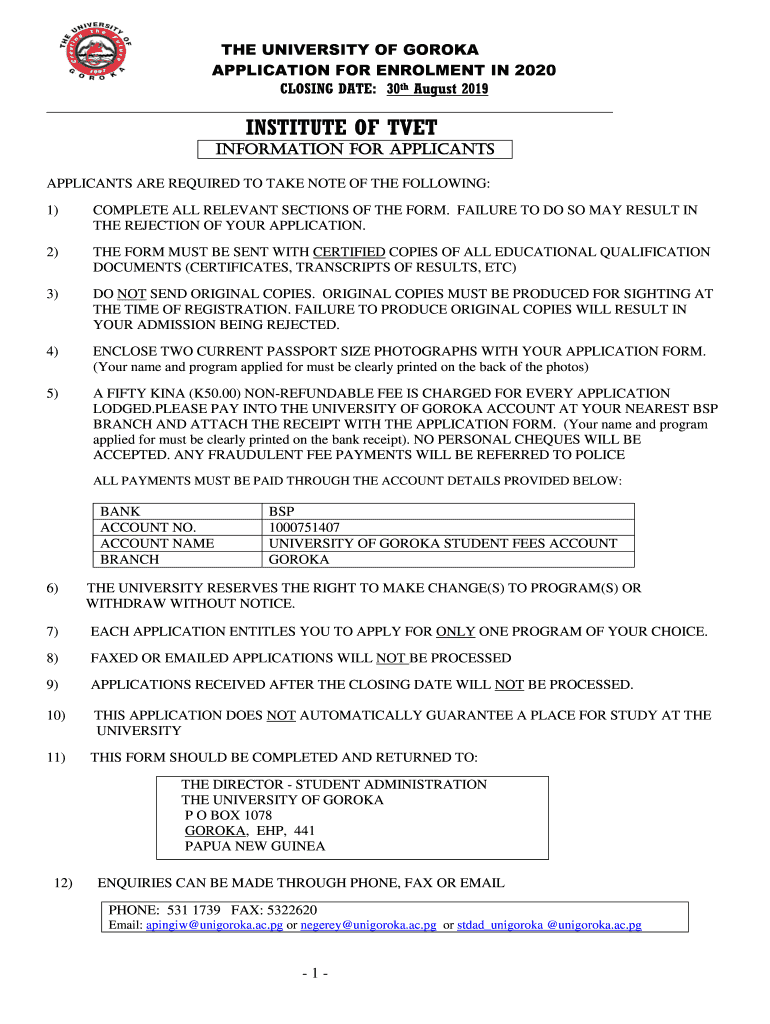
- Click ‘Get Form’ to open the kokopo business college GPA requirements 2023 in the editor.
- Begin by filling out your personal details in Section 1. Include your given name(s), surname, date of birth, citizenship, and contact information.
- If you are a non-PNG citizen, complete Section 2 by providing your country of citizenship and indicate if you are a bona fide dependent.
- In Sections 3 and 4, list your educational qualifications from highest to lowest, including the names of institutions and years attained.
- Complete Section 5 for any short courses or workshops attended. Provide the institution's name and period of study.
- Fill out Section 6 regarding your employment record, detailing positions held and descriptions of work.
- In Section 7, indicate whether you have a sponsor and provide their details if applicable. If not, explain how you plan to fund your studies.
- Provide references in Section 8. List two referees who can vouch for your character and suitability for admission.
- Finally, review all sections for completeness before submitting the form as instructed in Section 11.
Start using our platform today to easily fill out the kokopo business college GPA requirements form online for free!
It's free
See more kokopo business college gpa requirements 2023 versions
Got questions?
Can I draw my eSignature to approve my kokopo business college gpa?
Of course, electronically drawing your signature is acceptable, but only if you use a tool that complies with industry regulations and policies. Try DocHub, which guarantees eSignature validity under ESIGN and UETA requirements. All you need to approve your kokopo business college gpa electronically is an account with DocHub and an internet connection. After you open your document in our editor, click Sign and select the Draw tool.
Can I sign my gpa for kokopo business college 2025 while I edit it?
If you edit your gpa for kokopo business college 2025 with DocHub, you simply will not need to look for other applications or services to eSign it. An electronic signature is a component of DocHub’s substantial editing toolset, which enables you to apply changes in your form without switching between websites. Just complete your form, double-check the correctness of your information and place your electronic signature at the end to make it submission-ready in minutes.
Security and compliance
At DocHub, your data security is our priority. We follow HIPAA, SOC2, GDPR, and other standards, so you can work on your documents with confidence.
Learn more




