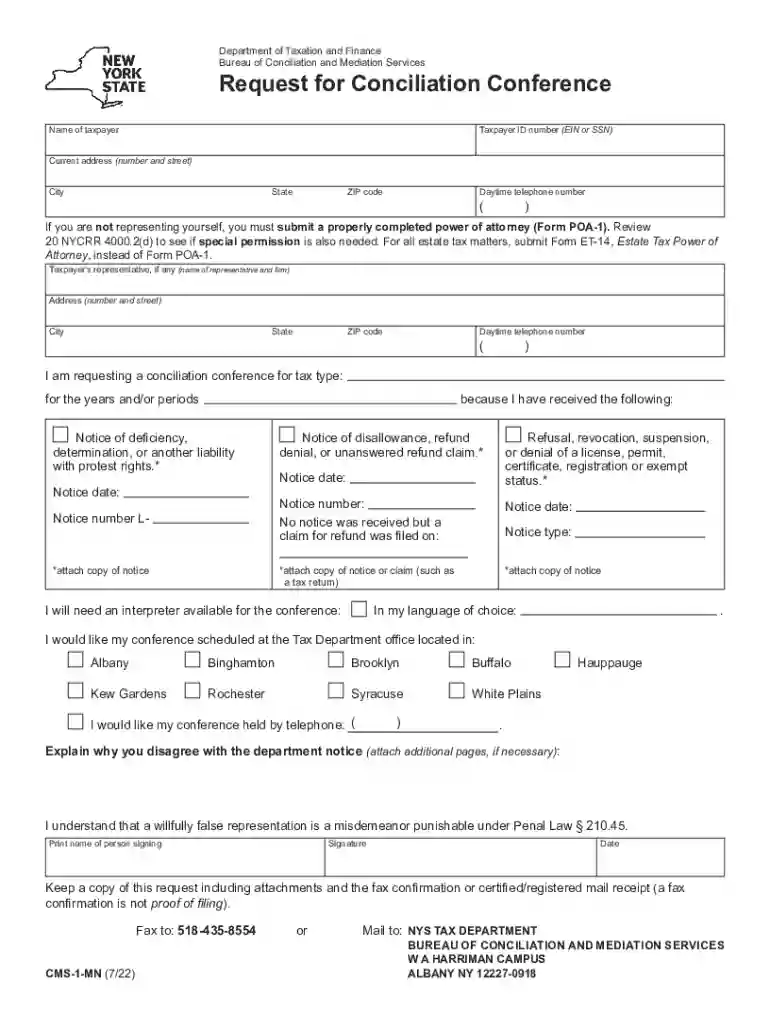
Form CMS-1-MN Request for Conciliation Conference Revised 9/21 2026

Get Form
cms 1 mn Preview on Page 1

Here's how it works

01. Edit your cms 1 mn online
Type text, add images, blackout confidential details, add comments, highlights and more.

02. Sign it in a few clicks
Draw your signature, type it, upload its image, or use your mobile device as a signature pad.

03. Share your form with others
Send form cms 1 mn via email, link, or fax. You can also download it, export it or print it out.

How to use or fill out Form CMS-1-MN Request for Conciliation Conference Revised 9/21 with our platform

Form edit decoration
9.5
Ease of Setup
DocHub User Ratings on G2
9.0
Ease of Use
DocHub User Ratings on G2
  1. Click ‘Get Form’ to open it in the editor.
  2. Begin by entering your name and Taxpayer ID number (EIN or SSN) in the designated fields. Ensure accuracy as this information is crucial for identification.
  3. Fill in your current address, including city, state, and ZIP code. This helps the Tax Department contact you regarding your request.
  4. Provide a daytime telephone number where you can be reached. This is important for any follow-up communication.
  5. If applicable, include details of your representative by filling out their name, firm, address, and contact number. Remember to attach a completed power of attorney if someone else is representing you.
  6. Indicate the tax type and years or periods related to your request. Attach copies of any relevant notices received from the department.
  7. If you require an interpreter during the conference, specify your language preference in the provided field.
  8. Select your preferred location for the conference or indicate if you wish to hold it by telephone.
  9. In the final section, explain why you disagree with the department's notice. You may attach additional pages if necessary.
  10. Finally, print your name, sign, and date the form before submitting it via fax or mail as instructed.

Start using our platform today to easily fill out and submit your Form CMS-1-MN for free!

See more Form CMS-1-MN Request for Conciliation Conference Revised 9/21 versions

We've got more versions of the Form CMS-1-MN Request for Conciliation Conference Revised 9/21 form. Select the right Form CMS-1-MN Request for Conciliation Conference Revised 9/21 version from the list and start editing it straight away!
Versions Form popularity Fillable & printable
2022 4.8 Satisfied (34 Votes)
2021 4.8 Satisfied (115 Votes)
2020 4.3 Satisfied (63 Votes)
2015 4.4 Satisfied (143 Votes)
2015 4.4 Satisfied (112 Votes)
2013 4.1 Satisfied (69 Votes)
2012 4.3 Satisfied (73 Votes)
be ready to get more

Complete this form in 5 minutes or less

Get form

Got questions?

We have answers to the most popular questions from our customers. If you can't find an answer to your question, please contact us.
Contact us

Sure, a typed name is recognized as a legitimate electronic signature when you create it on your document utilizing a compliant solution like DocHub. Simply upload your cms1mn to our editor, click Sign in the top tool pane → Create your signature → Type your name in the appropriate tab, and decide how it will appear on your document.

If you are searching for a state-specific cms 1 mn request for conciliation conference sample, you will find it in our DocHub Forms & Templates catalog. Use the search field, enter your form’s name, and search through the results for your state. You may also filter out irrelevant results while searching our catalog by groups.

be ready to get more

Complete this form in 5 minutes or less

Get form