Edd completing 2026

Get Form
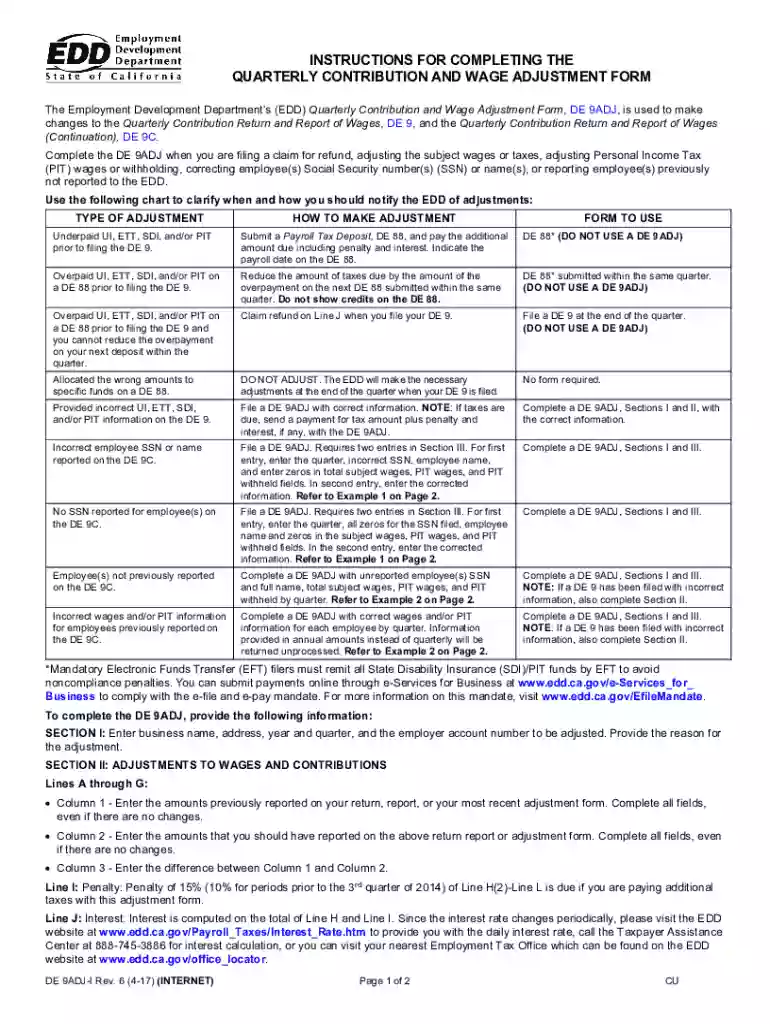
edd instructions Preview on Page 1

Here's how it works

01. Edit your edd instructions online
Type text, add images, blackout confidential details, add comments, highlights and more.

02. Sign it in a few clicks
Draw your signature, type it, upload its image, or use your mobile device as a signature pad.

03. Share your form with others
Send de 9 adj via email, link, or fax. You can also download it, export it or print it out.

How to use or fill out edd completing with our platform

Form edit decoration
9.5
Ease of Setup
DocHub User Ratings on G2
9.0
Ease of Use
DocHub User Ratings on G2
  1. Click ‘Get Form’ to open the EDD Quarterly Contribution and Wage Adjustment Form (DE 9ADJ) in the editor.
  2. In Section I, enter your business name, address, year and quarter, and employer account number. Clearly state the reason for the adjustment.
  3. Move to Section II. For Lines A through G, input amounts previously reported in Column 1, correct amounts in Column 2, and calculate differences in Column 3.
  4. If applicable, complete Line I for penalties and Line J for interest based on the EDD guidelines provided.
  5. For adjustments related to employee information or wages, proceed to Section III. Enter necessary corrections as outlined in the examples provided.
  6. Finally, ensure that a responsible individual signs the form at the bottom of Section III before submitting it.

Start using our platform today to streamline your form completion process for free!

See more edd completing versions

We've got more versions of the edd completing form. Select the right edd completing version from the list and start editing it straight away!
Versions Form popularity Fillable & printable
2017 4.8 Satisfied (201 Votes)
2014 4.4 Satisfied (598 Votes)
2011 4.4 Satisfied (145 Votes)
be ready to get more

Complete this form in 5 minutes or less

Get form

Got questions?

We have answers to the most popular questions from our customers. If you can't find an answer to your question, please contact us.
Contact us

With DocHub, you can quickly approve your de 9 edd or any other paperwork on iOS, even without setting up additional programs. You can access your DocHub account from any web-connected browser and complete and sign your document in any way you like with just a few clicks.

If you go for analog ways of completing your edd completing, it is simple to download your file for printing. Search DocHub’s Forms & Templates catalog to get the exact document template you need and open it for editing or download it on your gadget in the format of your choice. It is easy to complete your form electronically and put your handwritten signature on it after printing or eSign your document with DocHub.

$300 additional payment added to weekly benefits for weeks of unemployment between December 27, 2020 and March 13, 2021. $300 additional payment added to weekly benefits for weeks of unemployment between March 14 and September 4, 2021.
In most cases, benefits last up to 26 weeks. If there is an economic downturn or state of emergency, federal or state extensions may become available. You must continue to meet eligibility requirements and docHub on time to continue receiving payments.
If youve lost your job and meet the eligibility requirements for unemployment benefits in California, the amount you can receive will depend on your earnings before you filed your claim. Normally, benefits last for up to 26 weeks.

Security and compliance

At DocHub, your data security is our priority. We follow HIPAA, SOC2, GDPR, and other standards, so you can work on your documents with confidence.

Learn more
ccpa2
pci-dss
gdpr-compliance
hipaa
soc-compliance

People also ask

A regular UI benefit year ends 12 months after the claim started. If youre still within your benefit year, we will automatically file a PEUC extension on your claim and you will be notified by email, text, or watch your UI Online account for an update.
You also dont need to talk about any kind of discrimination or retaliation, etc. Remember, your EDD interview is only focused on one thing - your eligibility for unemployment benefits and the reasons you no longer work for the subject employer.
It takes about three weeks to process a new claim for unemployment benefits and issue payment to eligible workers. Payment information is updated daily and is available through your UI Online account. You can also call the Unemployment Self-Service Phone Line at 1-866-333-4606.
An unemployment benefits claim is effective for one year. During the year, claimants can receive from 12-26 weeks of full benefits. The number of weeks varies, based on total earnings during the base period (an individuals earnings during a 12-month period).

Related links