



Here's how it works



How to use or fill out ncaeop online with our platform

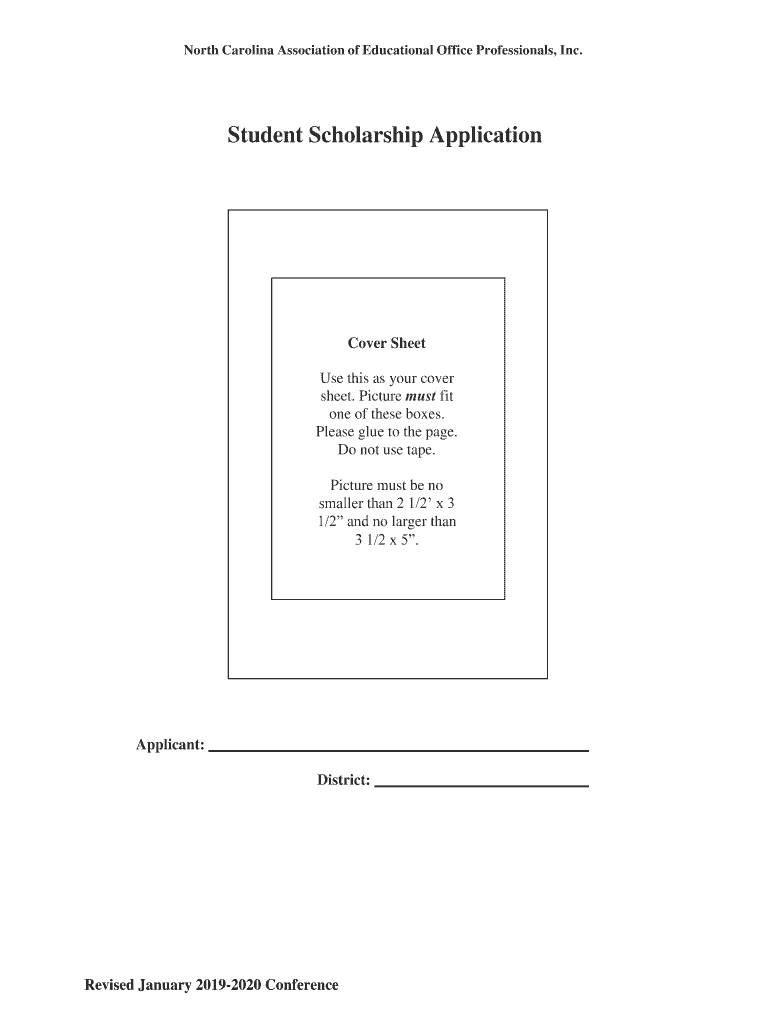
- Click ‘Get Form’ to open the NCAEOP Student Application Form in the editor.
- Begin by filling out your personal information, including your full name, permanent address, and contact details. Ensure all fields are typed for clarity.
- Attach a small photograph as specified on the cover sheet. Make sure it fits within the required dimensions.
- Complete the educational and personal data section, detailing your current school, planned school, career objectives, and any honors or extracurricular activities.
- Provide a financial analysis by entering your gross annual income and that of your guardians. Include any expected income from scholarships or grants.
- Draft a one-page biographical sketch titled 'Why I Am Choosing to Further My Education,' ensuring you include a statement of financial need.
- Review the application checklist to confirm all necessary attachments are included before submitting it to the sponsoring association.
Start using our platform today to streamline your NCAEOP application process for free!
It's free
See more ncaeop online versions
Got questions?
What do I need to sign my ncaeop online electronically?
Electronic document approval requires a software solution that complies with data protection and eSignature regulations. DocHub is a perfect tool for that, because it meets all the aforementioned requirements. Whatever method you prefer to sign your ncaeop online in DocHub, your electronic signature will be legally binding and court-admissible.
How do you edit ncaeop online from Google Drive?
If you store your papers in Google Drive, there is no need to download your ncaeop online on the computer and upload it back to our editor. A much simpler way is to set up a browser extension created by DocHub to simplify this flow. The extension allows editing PDFs right in your internet browser. Alternatively, you may integrate your DocHub and Gmail accounts for more efficient editing.
Security and compliance
At DocHub, your data security is our priority. We follow HIPAA, SOC2, GDPR, and other standards, so you can work on your documents with confidence.
Learn more