Statement of estimated state revenue impact-S.B. 597 2025

Get Form
Statement of estimated state revenue impact-S.B. 597 Preview on Page 1

Here's how it works

01. Edit your form online
Type text, add images, blackout confidential details, add comments, highlights and more.
02. Sign it in a few clicks
Draw your signature, type it, upload its image, or use your mobile device as a signature pad.
03. Share your form with others
Send it via email, link, or fax. You can also download it, export it or print it out.

How to use or fill out Statement of estimated state revenue impact-S.B. 597 with our platform

Form edit decoration
9.5
Ease of Setup
DocHub User Ratings on G2
9.0
Ease of Use
DocHub User Ratings on G2
  1. Click ‘Get Form’ to open it in the editor.
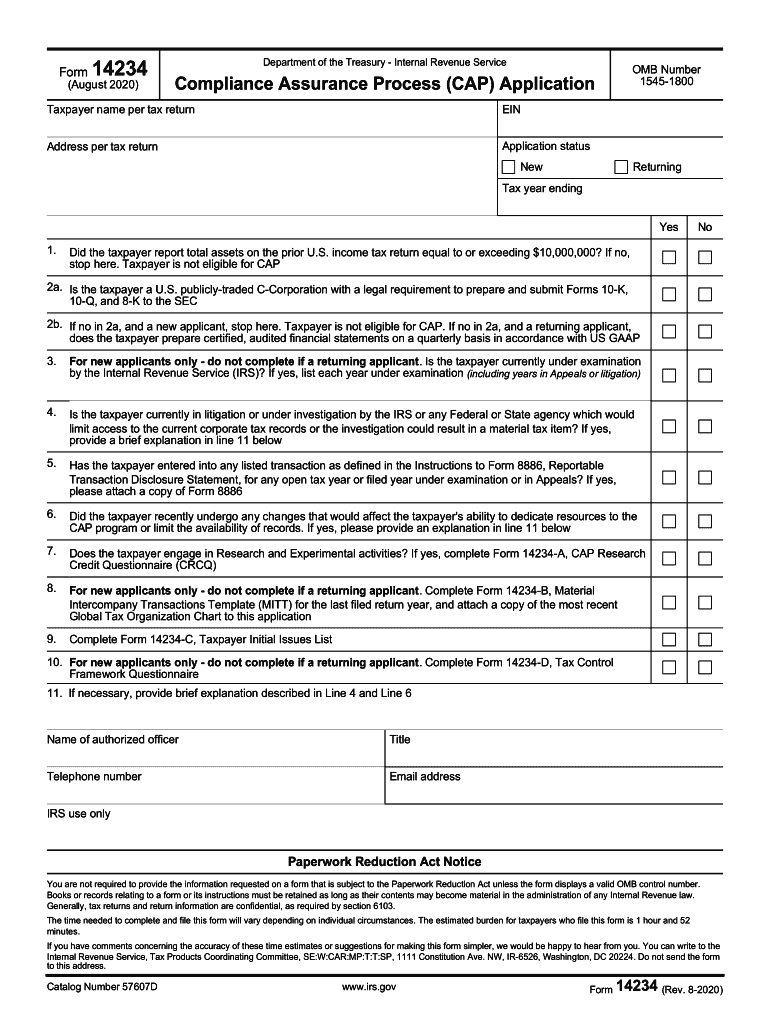
  2. Begin by entering the taxpayer name as it appears on the tax return, followed by the Employer Identification Number (EIN) and address.
  3. Indicate the application status by selecting either 'New' or 'Returning'.
  4. Answer the eligibility questions regarding total assets and corporate structure. If applicable, provide details for each question.
  5. For new applicants, complete additional sections regarding IRS examinations and any litigation that may affect your application.
  6. If engaging in Research and Experimental activities, ensure to complete the relevant questionnaire attached to this form.
  7. Finalize by providing contact information for an authorized officer, including their name, title, telephone number, and email address.

Start using our platform today to streamline your form completion process for free!

See more Statement of estimated state revenue impact-S.B. 597 versions

We've got more versions of the Statement of estimated state revenue impact-S.B. 597 form. Select the right Statement of estimated state revenue impact-S.B. 597 version from the list and start editing it straight away!
Versions Form popularity Fillable & printable
2024 4.7 Satisfied (27 Votes)
2021 4.8 Satisfied (62 Votes)
2020 4.4 Satisfied (46 Votes)
be ready to get more

Complete this form in 5 minutes or less

Get form

Got questions?

We have answers to the most popular questions from our customers. If you can't find an answer to your question, please contact us.
Contact us

Upload your Statement of estimated state revenue impact-S.B. 597 to DocHub (after you’ve set up an account for this). If you need to fill out fields in it, use proper tools from the top pane. For example, drop Signature Fields, assign each to specific party, and click on Sign → Request signatures from others. Change your message for your recipients and click Send Request. You can also send your form by fax or as a Signing link instead of using email (you’ll locate these options by navigating to the Menu → Send)

With DocHub, you have several convenient ways to edit your Statement of estimated state revenue impact-S.B. 597 online. You can drag and drop the form and modify it straight at the DocHub site or use our browser extension to fill out your form right away. On top of that, you can modify your PDF on your phone, as DocHub is compatible with all the available mobile platforms.

be ready to get more

Complete this form in 5 minutes or less

Get form