




01. Edit your mv2667 online
Type text, add images, blackout confidential details, add comments, highlights and more.

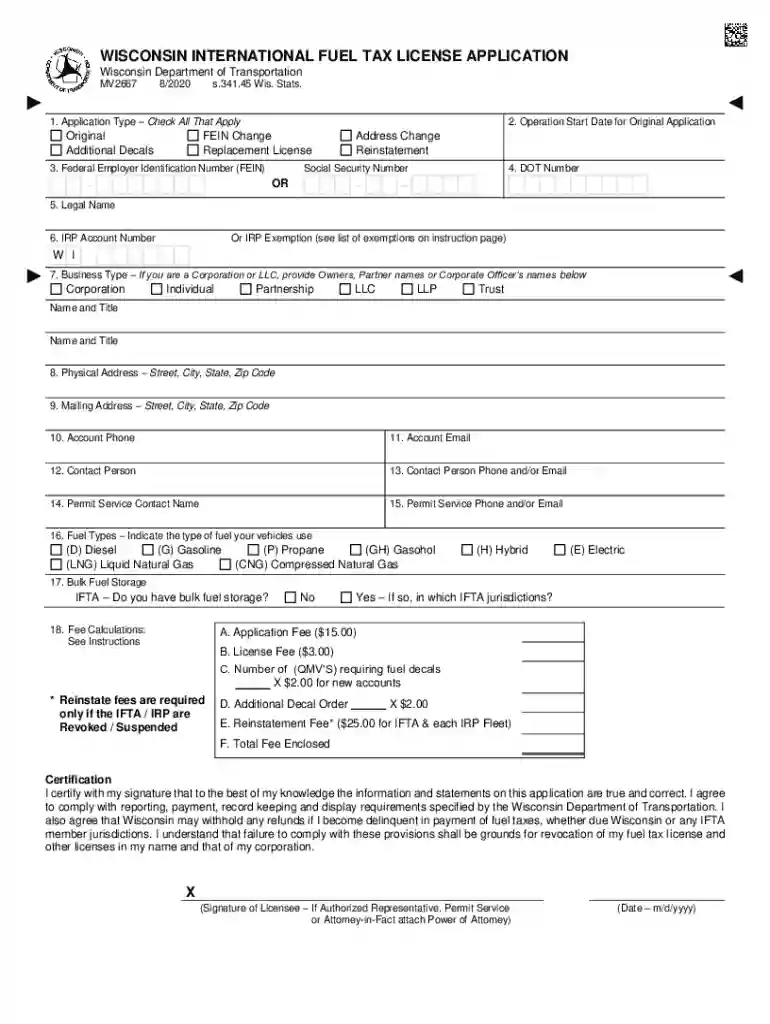
Type text, add images, blackout confidential details, add comments, highlights and more.

Draw your signature, type it, upload its image, or use your mobile device as a signature pad.

Send it via email, link, or fax. You can also download it, export it or print it out.

Start filling out your mv2667 form online for free today!
We've got more versions of the mv2667 form. Select the right mv2667 version from the list and start editing it straight away!
As outlined by eSignature laws, forms approved electronically have the same validity as traditionally approved ones. You can eSign almost any business and personal documentation. Four types of paperwork still require handwritten signatures only - wills and testamentary trusts, court orders and other court forms, state statutes governing divorce, adoption, or other family law, and notice of cancellation of utility services. If you follow the rules and use a reliable and compliant software solution, like DocHub, you can eSign your mv2667 without printing it.
You can find the latest and most relevant version of the mv2667 in our DocHub forms collection. Search it by categories or utilize the search field to find the exact template that fits your situation. You may open this form for editing after you find it.
At DocHub, your data security is our priority. We follow HIPAA, SOC2, GDPR, and other standards, so you can work on your documents with confidence.
Application Type: Original Apply for a new IFTA account in Wisconsin. FEIN Change Update your FEIN number. Must include an IRS FEIN confirmation letter.Read more
Note: A license application form MV2667 may be ordered from the Wisconsin Department of Transportation, Motor Carrier Taxes and Permits Section, P.O. Box 7979,Read more


