Pg 205 2026

Get Form
pg 205 Preview on Page 1

Here's how it works

01. Edit your form online
Type text, add images, blackout confidential details, add comments, highlights and more.
02. Sign it in a few clicks
Draw your signature, type it, upload its image, or use your mobile device as a signature pad.
03. Share your form with others
Send it via email, link, or fax. You can also download it, export it or print it out.

How to use or fill out pg 205 with our platform

Form edit decoration
9.5
Ease of Setup
DocHub User Ratings on G2
9.0
Ease of Use
DocHub User Ratings on G2
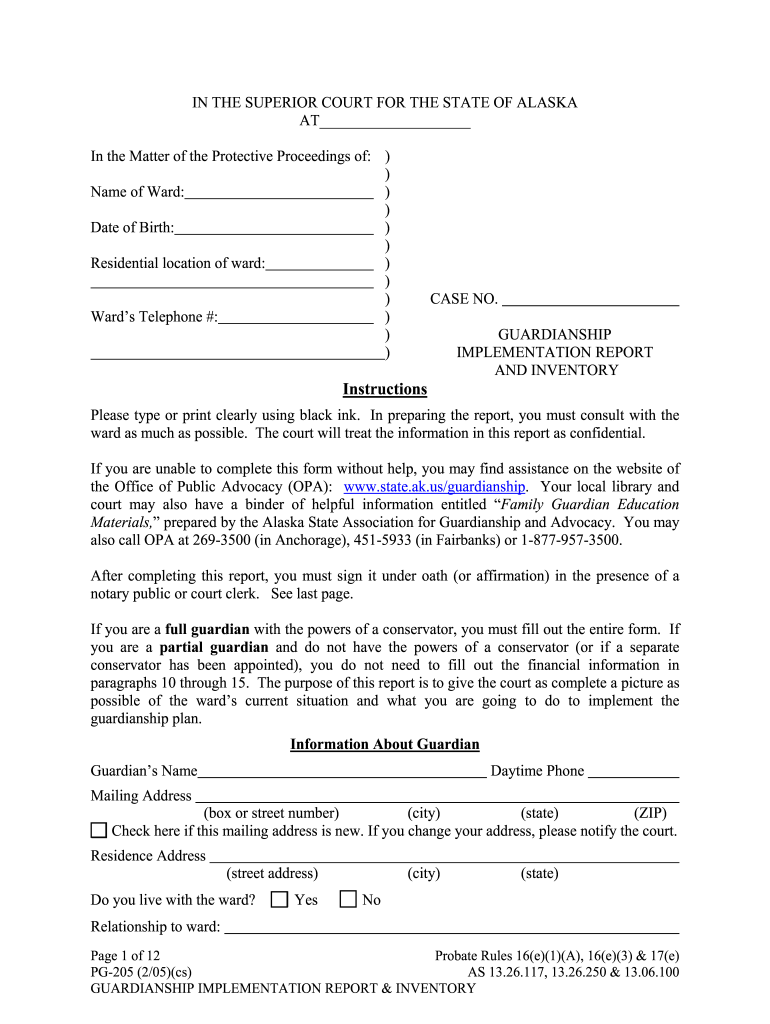
  1. Click ‘Get Form’ to open the Guardianship Implementation Report and Inventory in the editor.
  2. Begin by entering the Name of Ward and Date of Birth in the designated fields. Ensure clarity as this information is crucial for identification.
  3. Fill in the Residential location of the ward, including their current address and telephone number. This helps maintain accurate contact details.
  4. In the Information About Guardian section, provide your name, daytime phone number, and mailing address. If your mailing address has changed, check the appropriate box.
  5. Proceed to indicate your relationship to the ward and specify if you live with them. This context is important for understanding guardianship dynamics.
  6. Complete sections regarding decision-making authority, medical care, housing arrangements, and any other relevant areas that reflect your responsibilities as a guardian.
  7. Once all sections are filled out accurately, review your entries for completeness before signing under oath in front of a notary public or court clerk.

Start filling out pg 205 today on our platform for free and streamline your document management!

See more pg 205 versions

We've got more versions of the pg 205 form. Select the right pg 205 version from the list and start editing it straight away!
Versions Form popularity Fillable & printable
2017 4.8 Satisfied (85 Votes)
2005 4.3 Satisfied (130 Votes)
be ready to get more

Complete this form in 5 minutes or less

Get form

Got questions?

We have answers to the most popular questions from our customers. If you can't find an answer to your question, please contact us.
Contact us

Yes, you can utilize DocHub for signing any business and personal documentation, including your pg 205. All electronic signatures you create with our tool are legally binding and court-admissible, as DocHub complies with standards required by ESIGN and UETA. Save your accomplished paperwork with a detailed Audit Trail if necessary.

Apart from an extensive toolset for editing PDFs on mobile devices, DocHub allows you to sign your pg 205 along the way. Open our editor in your browser, make modifications using DocHub’s toolset, and finish your editing by eSigning the finished form.

Security and compliance

At DocHub, your data security is our priority. We follow HIPAA, SOC2, GDPR, and other standards, so you can work on your documents with confidence.

Learn more
ccpa2
pci-dss
gdpr-compliance
hipaa
soc-compliance