




Here's how it works

01. Edit your meat and poultry export certificate of wholesomeness online
Type text, add images, blackout confidential details, add comments, highlights and more.

02. Sign it in a few clicks
Draw your signature, type it, upload its image, or use your mobile device as a signature pad.

03. Share your form with others
Send it via email, link, or fax. You can also download it, export it or print it out.
How to use or fill out meat and poultry export certificate of wholesomeness with our platform

- Click ‘Get Form’ to open the meat and poultry export certificate of wholesomeness in the editor.
- Begin by entering the Certificate Number at the top of the form. This unique identifier is crucial for tracking your export documentation.
- In the 'Product as Labeled' section, specify the exact name of the meat or poultry product being exported. Ensure this matches your product labeling for compliance.
- Fill in the 'Marked Weight of Lot' field with the total weight of your shipment. This should reflect accurate measurements to avoid discrepancies.
- Indicate the 'Number of Packages in Lot' to provide clarity on how many individual packages are included in your shipment.
- Complete the 'Shipping Marks' section with any relevant identifiers that will assist in tracking and identifying your shipment during transit.
- Enter the 'EST/Plant Number on Product', which identifies where the product was processed, ensuring traceability.
- Finally, ensure that an inspector from the Meat, Poultry, and Egg Product Inspection Program signs and dates the certificate before submission.
Start using our platform today to streamline your document editing and signing process for free!
Fill out meat and poultry export certificate of wholesomeness online
It's free
It's free
See more meat and poultry export certificate of wholesomeness versions
We've got more versions of the meat and poultry export certificate of wholesomeness form. Select the right meat and poultry export certificate of wholesomeness version from the list and start editing it straight away!
Security and compliance
At DocHub, your data security is our priority. We follow HIPAA, SOC2, GDPR, and other standards, so you can work on your documents with confidence.
Learn more


Related forms
Consolidated Class Action Complaint - Securities Class Action
The document addresses a 404 error encountered on the Securities Class Action Clearinghouse (SCAC) website, explaining t ...

American Diabetes Association Ride Norman Oklahoma
The document is a biographical sketch of Dr. Nancy Hikoyeda, an expert in ethnogerontology and ethnogeriatrics, detailin ...

M ac e:Used for First Time at SBI - State University of New York - dspace sunyconnect suny
M ac e:Used for First Time at SBI - State University of New York - dspace sunyconnect suny
The document discusses various events and issues at Stony Brook University, including a debate on foreign policy between ...
Woment s Organizations Active on Campus - State University of New
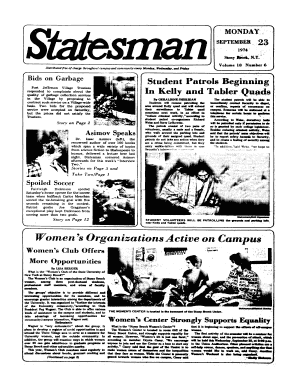
The document is a campus newspaper from Stony Brook University, dated September 23, 1974. It covers various topics inclu ...

Order Preliminarily Approving Settlement of Class Action and - securities stanford
The document addresses a 404 error encountered on the Securities Class Action Clearinghouse (SCAC) website, explaining t ...

Fourier Slice Photography
The document presents the Fourier Slice Photography Theorem, which describes how photographs are formed from light field ...

CV-98-7802 - securities stanford
The document addresses a 404 error encountered on the Securities Class Action Clearinghouse (SCAC) website, explaining t ...

Brief for the Appellee
The document is a legal brief submitted to the Supreme Court of the United States regarding the case between the Commiss ...