Mdl drivers licence 2026

Get Form
mdl drivers licence Preview on Page 1

Here's how it works

01. Edit your form online
Type text, add images, blackout confidential details, add comments, highlights and more.

02. Sign it in a few clicks
Draw your signature, type it, upload its image, or use your mobile device as a signature pad.

03. Share your form with others
Send it via email, link, or fax. You can also download it, export it or print it out.

How to use or fill out mdl drivers licence with our platform

Form edit decoration
9.5
Ease of Setup
DocHub User Ratings on G2
9.0
Ease of Use
DocHub User Ratings on G2
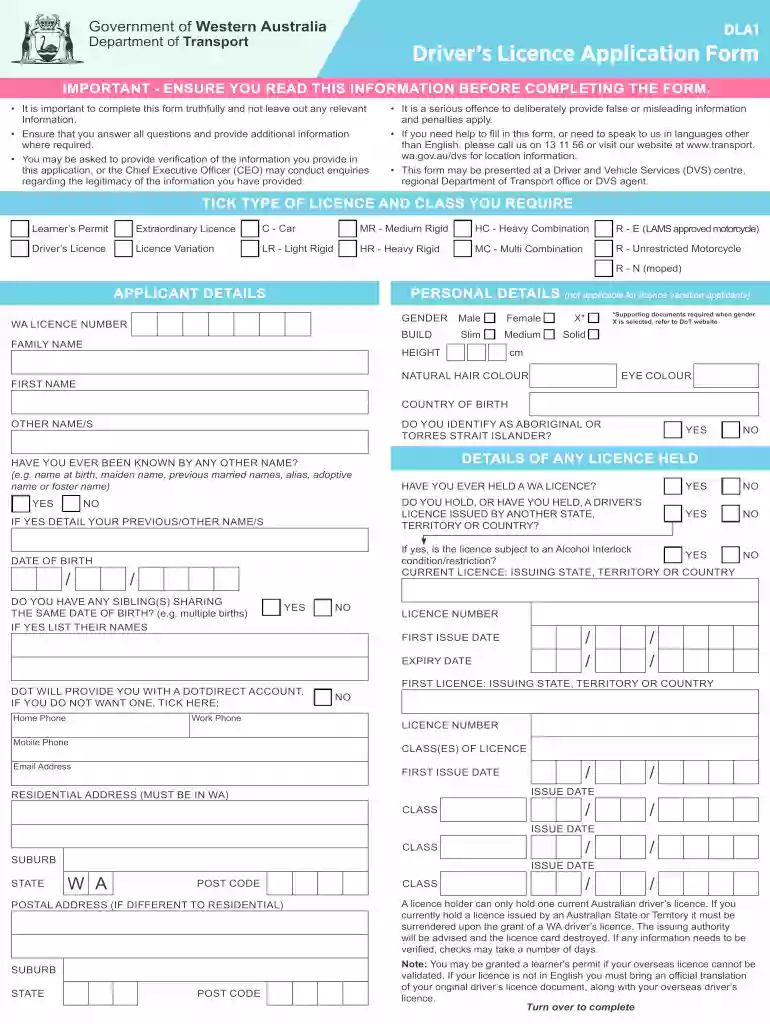
  1. Click ‘Get Form’ to open the mdl drivers licence application in the editor.
  2. Begin by selecting the type of licence you require, such as Learner’s Permit or Driver’s Licence, and tick the appropriate box.
  3. Fill in your personal details, including your family name, first name, date of birth, and gender. Ensure all information is accurate and complete.
  4. Provide your residential address in Western Australia. If your postal address differs, include that as well.
  5. Answer health and medical questions truthfully. Indicate if you have any conditions that may impair your driving ability.
  6. Review the privacy statement and declaration carefully before signing. Confirm that all information provided is true.

Start filling out your mdl drivers licence application online for free today!

See more mdl drivers licence versions

We've got more versions of the mdl drivers licence form. Select the right mdl drivers licence version from the list and start editing it straight away!
Versions Form popularity Fillable & printable
2023 4.7 Satisfied (31 Votes)
2021 4.8 Satisfied (130 Votes)
2019 4.3 Satisfied (24 Votes)
2015 4.3 Satisfied (59 Votes)
2013 4 Satisfied (56 Votes)
be ready to get more

Complete this form in 5 minutes or less

Get form

Got questions?

We have answers to the most popular questions from our customers. If you can't find an answer to your question, please contact us.
Contact us
Your mDL in the CA DMV Wallet can be used for age and identity verification at select locations and airports as well as to log into your MyDMV account or apply for a CA Disabled Person Parking Placard. You can also use the mDL Reader in the CA DMV Wallet to verify another mDL holders identity in real time.
Mobile Driver License. The mobile driver license (mDL) is the future of licensing and proof of identity. An mDL is a drivers license that is provisioned to a mobile device with the capability to be updated in real time.
Drivers License (DL) Fees License ClassApplicationFee License ClassClass M1/M2 Application Original Renewal Fee$45 License Class Application Replacement (lost or stolen) Change DL/ID Information Fee$36 License Class ApplicationDriving (behind-the-wheel) retest Fee$921 more rows
Travelers with a California-issued photo identification can add their mDL or state ID to their digital wallet on their mobile device and use it at any of the airports TSA security checkpoints.
Mobile drivers licenses, or mDLs, are digitized versions of the information on physical, State-issued drivers licenses and identification cards, and are stored on mobile electronic devices such as smartphones. REAL ID enforcement began on May 7, 2025.

Security and compliance

At DocHub, your data security is our priority. We follow HIPAA, SOC2, GDPR, and other standards, so you can work on your documents with confidence.

Learn more
ccpa2
pci-dss
gdpr-compliance
hipaa
soc-compliance