




Here's how it works

01. Edit your ford comconnected services online
Type text, add images, blackout confidential details, add comments, highlights and more.

02. Sign it in a few clicks
Draw your signature, type it, upload its image, or use your mobile device as a signature pad.

03. Share your form with others
Send ford pass connect not working via email, link, or fax. You can also download it, export it or print it out.
How to use or fill out ford authorization any with our platform

- Click ‘Get Form’ to open the ford authorization any in the editor.
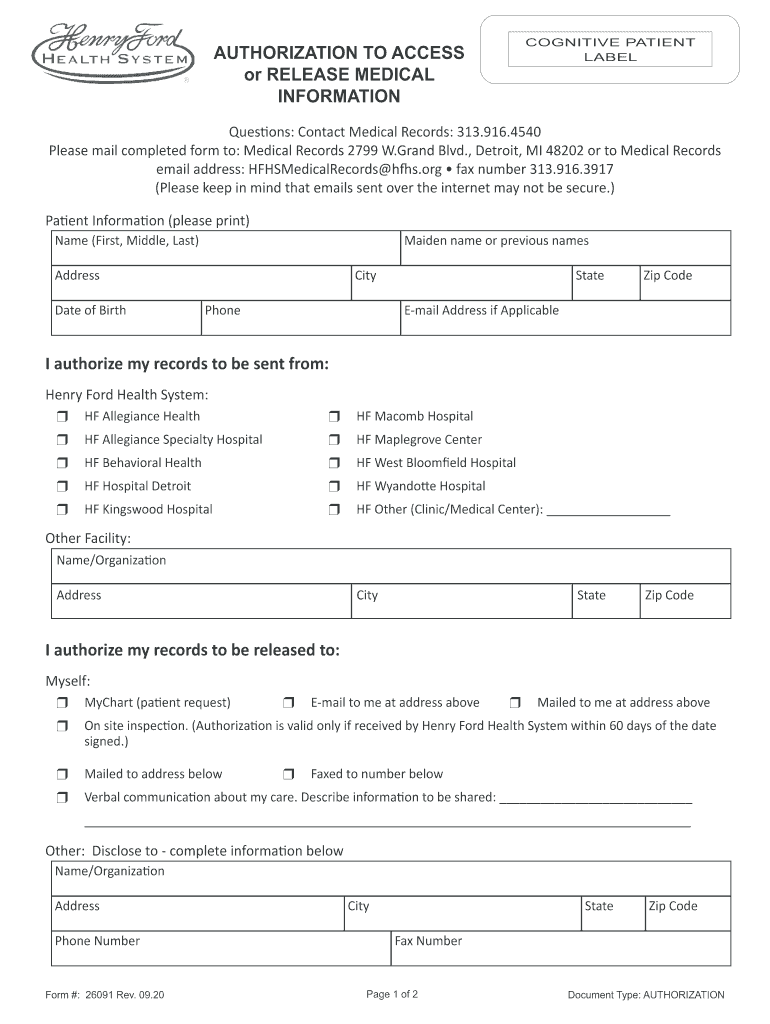
- Begin by filling out the Patient Information section. Enter your full name, maiden name or previous names, address, date of birth, city, state, zip code, and phone number. If applicable, include your email address.
- In the section authorizing records to be sent from Henry Ford Health System, select the appropriate facilities by checking the corresponding boxes.
- Indicate where you want your records sent by selecting options such as MyChart, email, or mail. Provide additional details if necessary.
- If you wish to include specific medical records or services, check the relevant boxes and provide details about the type of record requested.
- Review the authorization statement carefully before signing. Ensure all information is accurate and complete.
- Finally, sign and date the form at the bottom. If applicable, indicate your relationship to the patient.
Start using our platform today for free to streamline your document editing and signing process!
Fill out ford authorization any online
It's free
It's free
See more ford authorization any versions
We've got more versions of the ford authorization any form. Select the right ford authorization any version from the list and start editing it straight away!
Security and compliance
At DocHub, your data security is our priority. We follow HIPAA, SOC2, GDPR, and other standards, so you can work on your documents with confidence.
Learn more


Related forms

Essay description a photo - Skyline Studios - Prv pl - journal siu
The document outlines the course structure and requirements for a Picture Story/Photo Essay class (JRNL 495) taught by P ...

Home Page 1 of 2 Let your voice be heard
The document outlines the syllabus for SUU's ENGL 1010 course, taught by Dr. Julie Simon. It details course objectives, ...

THE NATURAL LOGARITHM I
The document introduces the natural logarithm function, denoted as ln x, which is the inverse of the exponential functio ...

Thriving in a Healthcare Setting: - Stanford University School of - med stanford
The document presents an overview of Kaiser Permanente's integrated healthcare model, highlighting its mission to provid ...

Zero is Not Enough On The Lower Limit of Agent Intelligence - www-cdr stanford
The document discusses the limitations of 'zero-intelligence' (zi) traders in continuous double auction markets, arguing ...

SCHEDULING STATUS: S4

Sample #2 - Medical Scholars Research Program - Stanford University
The document outlines a proposal for a research project aimed at investigating patient satisfaction at the Arbor Free Cl ...

HAPPY PAYDAY , UUP Info News - dspace sunyconnect suny
The document is a communication from Charles McAteer, the UUP Chapter Treasurer, providing updates and information for U ...


