Type text, add images, blackout confidential details, add comments, highlights and more.
02. Sign it in a few clicks
Draw your signature, type it, upload its image, or use your mobile device as a signature pad.
03. Share your form with others
Send sc cosmetology license lookup via email, link, or fax. You can also download it, export it or print it out.
How to use or fill out South Carolina Department of Labor, Licensing, & Regulation with our platform
Ease of Setup
DocHub User Ratings on G2
Ease of Use
DocHub User Ratings on G2
Click ‘Get Form’ to open it in the editor.
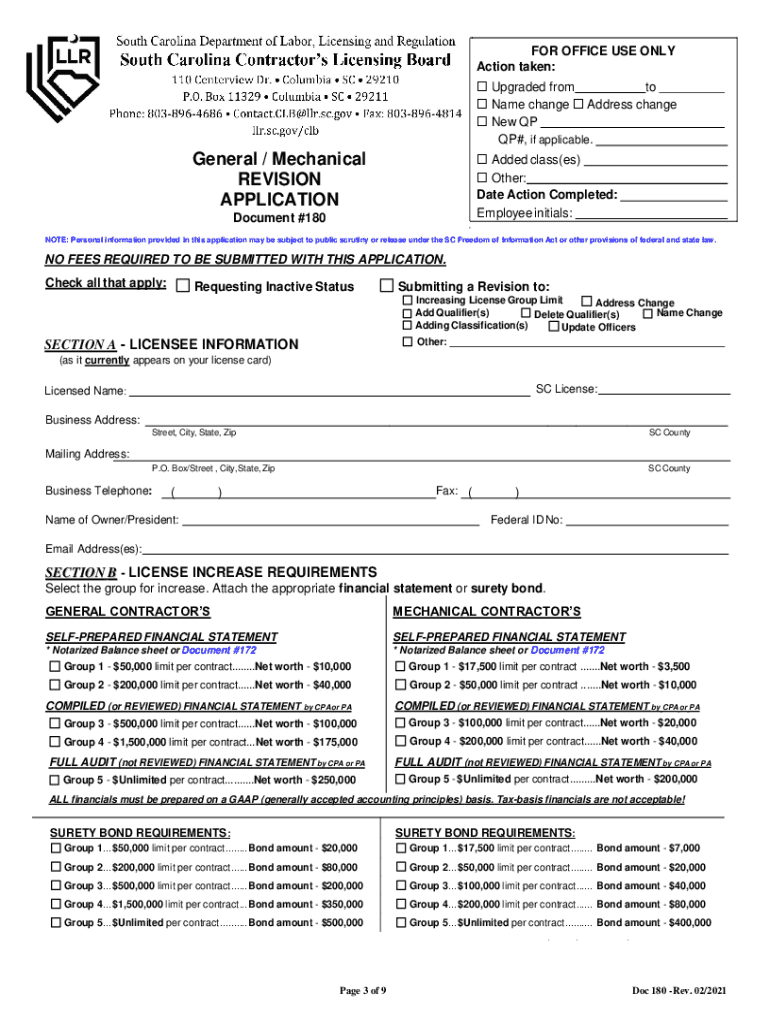
Begin by completing Section A with your licensee information, including your SC License number and business address.
For increasing your license limit, navigate to Section B. Select the appropriate group for increase and attach the required financial statement or surety bond as specified.
If adding a qualifying party (QP), complete Sections A, D(1), E, and include necessary identification documents such as a social security card and picture ID.
To change your business name or address, fill out Sections A and C. Ensure you provide any required documentation for corporate changes.
For deleting a QP or requesting inactive status, complete Section A, D(2), and E. Make sure to follow up with any additional forms if needed.
Start using our platform today to streamline your form completion process for free!
Fill out South Carolina Department of Labor, Licensing, & Regulation online It's free
See more South Carolina Department of Labor, Licensing, & Regulation versions
We've got more versions of the South Carolina Department of Labor, Licensing, & Regulation form. Select the right South Carolina Department of Labor, Licensing, & Regulation version from the list and start editing it straight away!
South Carolina Code of Regulations - Law.Cornell.Edu
South Carolina Code of Regulations Chapter 1 - DEPARTMENT OF LABOR, LICENSING AND REGULATION BOARD OF ACCOUNTANCY Chapter 3 - DEPARTMENT OF COMMERCE-Read more
Licenses, Permits and Regulations | South Carolina
Search for licensed health professionals, health regulations and environmental laws. South Carolina Department of Labor, Licensing and Regulation (SCLLR) Find
Cookie consent notice
This site uses cookies to enhance site navigation and personalize your experience.
By using this site you agree to our use of cookies as described in our Privacy Notice.
You can modify your selections by visiting our Cookie and Advertising Notice.