2018 AK 0405-574I-2026

Get Form
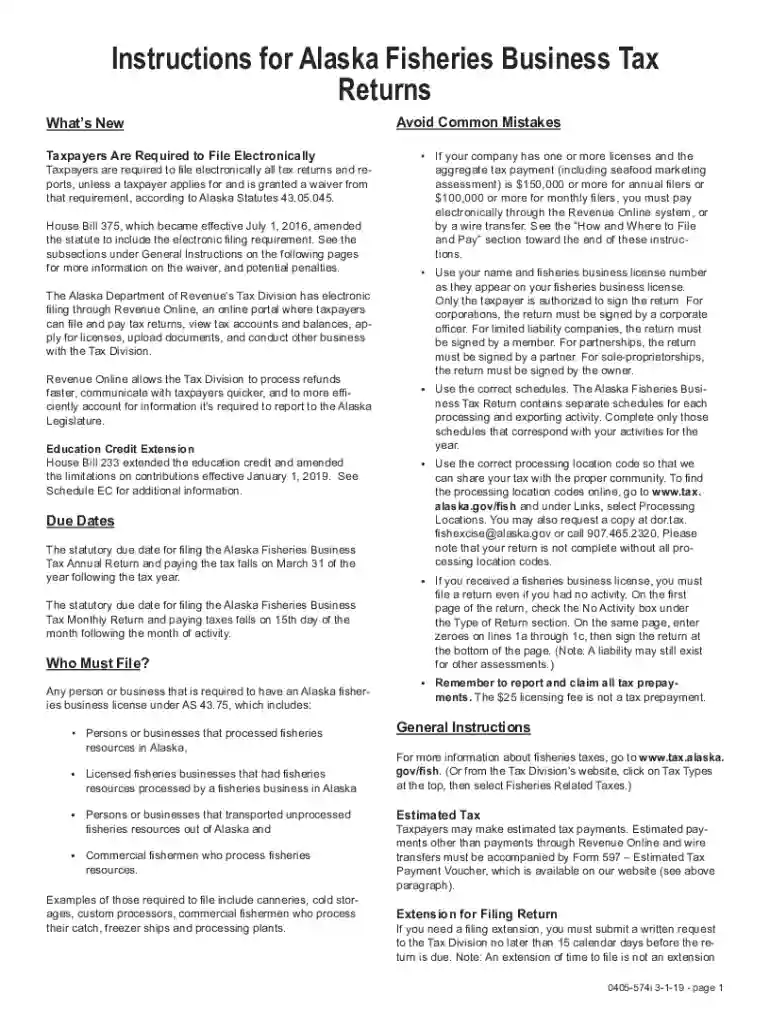
2018 AK 0405-574I Preview on Page 1

Here's how it works

01. Edit your form online
Type text, add images, blackout confidential details, add comments, highlights and more.

02. Sign it in a few clicks
Draw your signature, type it, upload its image, or use your mobile device as a signature pad.

03. Share your form with others
Send it via email, link, or fax. You can also download it, export it or print it out.

How to use or fill out 2018 AK 0405-574I with our platform

Form edit decoration
9.5
Ease of Setup
DocHub User Ratings on G2
9.0
Ease of Use
DocHub User Ratings on G2
  1. Click ‘Get Form’ to open the 2018 AK 0405-574I in the editor.
  2. Begin by entering your name and fisheries business license number as they appear on your license. This is crucial for accurate identification.
  3. Indicate whether you had any activity during the tax year. If not, check the 'No Activity' box and enter zeroes on lines 1a through 1c.
  4. Complete the relevant schedules based on your processing activities. For example, if you caught and processed fish, fill out Schedule 1.
  5. Ensure you include the correct processing location codes for each entry. You can find these codes online or request them via email.
  6. Review all entries for accuracy before signing at the bottom of the form. Remember, only authorized individuals can sign based on your business structure.

Start filling out your form today using our platform for a seamless experience!

See more 2018 AK 0405-574I versions

We've got more versions of the 2018 AK 0405-574I form. Select the right 2018 AK 0405-574I version from the list and start editing it straight away!
Versions Form popularity Fillable & printable
2023 4.1 Satisfied (29 Votes)
2022 4.7 Satisfied (52 Votes)
2021 4.8 Satisfied (70 Votes)
2020 4.2 Satisfied (100 Votes)
2018 4.1 Satisfied (55 Votes)
2017 4.4 Satisfied (96 Votes)
2015 4.2 Satisfied (72 Votes)
be ready to get more

Complete this form in 5 minutes or less

Get form

Got questions?

We have answers to the most popular questions from our customers. If you can't find an answer to your question, please contact us.
Contact us

Sure, and it’s really easy! DocHub is an online PDF editor with advanced document management functions that allow you quickly adjust your paperwork, fill out blank fields and insert new ones for others to fill out, and create electronic signatures in several ways. Upload your 2018 AK 0405-574I, give information as required, and decide how you want to eSign your template - by typing your name, drawing your signature, uploading its image, or utilizing a QR code.

If you edit your 2018 AK 0405-574I with DocHub, you will not need to look for other applications or services to eSign it. An electronic signature is a component of DocHub’s substantial editing toolset, which allows you to implement changes in your form without jumping between platforms. Simply complete your form, double-check the correctness of the data and put your electronic signature at the end to make it submission-ready within minutes.

The one with 183 overnights is the parent who is entitled to federal and state tax deductions and exemptions. Under the IRS regulations, there is no such thing as dual-custodial parents when you have equal or joint custody. Therefore, one or the other parent must claim the tax benefits, but not both.
If you are the custodial parent, you can use Form 8332 to do the following. Release a claim to exemption for your child so that the noncustodial parent can claim an exemption for the child. Revoke a previous release of claim to exemption for your child.
Late Filing Penalties Many states impose a penalty for failing to file on time, usually calculated as a percentage of the unpaid tax. For instance, California charges a penalty of 5% of the unpaid tax per month, up to a maximum of 25%.

Security and compliance

At DocHub, your data security is our priority. We follow HIPAA, SOC2, GDPR, and other standards, so you can work on your documents with confidence.

Learn more
ccpa2
pci-dss
gdpr-compliance
hipaa
soc-compliance

People also ask

If you release your claim for multiple tax years, you only need to fill out the form once: the other parent will attach copies of the original to their return each year.
Since Alaska does not levy an income tax on individuals, you are not required to file an AK state income tax return. However, you may need to prepare and e-file a federal income tax return.
Eight U.S. states impose no state income tax: Alaska, Florida, Nevada, New Hampshire, South Dakota, Tennessee, Texas, and Wyoming do not levy income taxes. Washington does not tax income but does tax capital gains of certain high earners.
I clicked yes and then a drop down list of states appears. But ALASKA is not on the list, Why?? As DoninGA explains, Alaska isnt listed since it does not have a personal income tax. TurboTax is asking this question to determine how to allocate income on the state tax returns, which should not apply in your case.
If you live or work in one of the states below that dont have individual income tax (also sometimes called personal income tax), you wont need to worry about filing a state tax return for that state. There are multiple no income tax states. They include: Alaska.

Related links