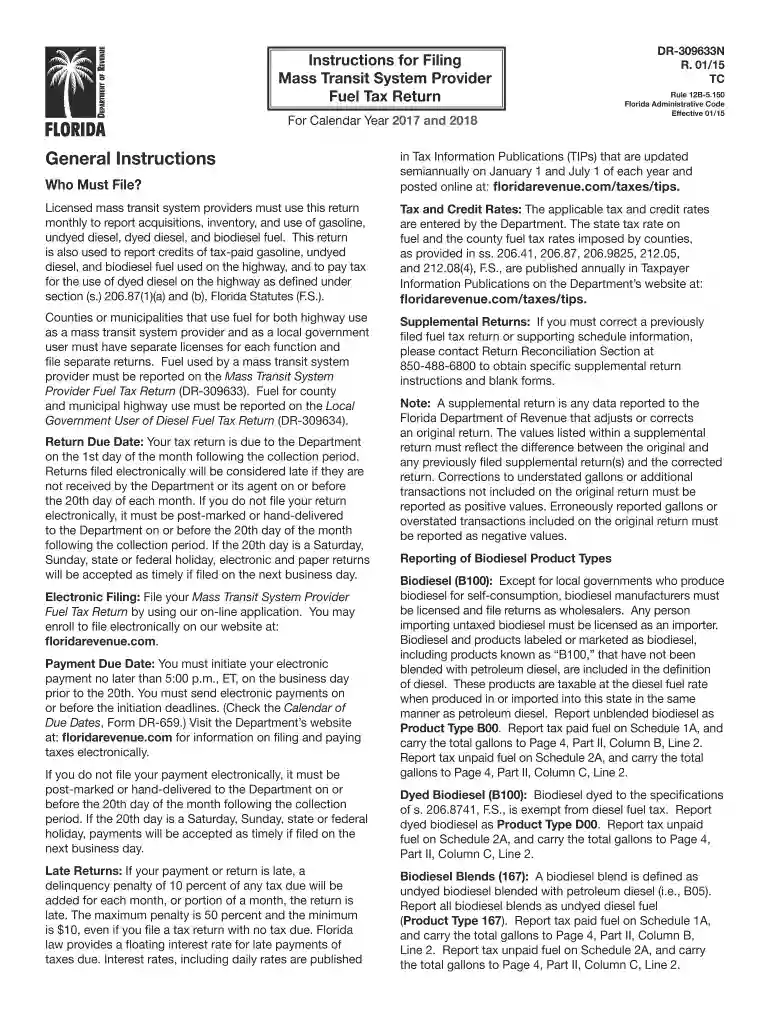
2017 FL DR-309633N-2026

Get Form
2017 FL DR-309633N Preview on Page 1

Here's how it works

01. Edit your form online
Type text, add images, blackout confidential details, add comments, highlights and more.

02. Sign it in a few clicks
Draw your signature, type it, upload its image, or use your mobile device as a signature pad.

03. Share your form with others
Send it via email, link, or fax. You can also download it, export it or print it out.

How to use or fill out 2017 FL DR-309633N with our platform

Form edit decoration
9.5
Ease of Setup
DocHub User Ratings on G2
9.0
Ease of Use
DocHub User Ratings on G2
  1. Click ‘Get Form’ to open the 2017 FL DR-309633N in the editor.
  2. Begin with Part I – Gasoline. Enter your beginning physical inventory on Line 1, ensuring it matches the previous month's ending inventory.
  3. For Line 2, report total gallons of gasoline and gasohol received during the reporting period from your Schedule of Receipts.
  4. On Line 3, detail disbursements by entering the total gallons of gasoline and gasohol used during the month.
  5. Complete Line 5 with your ending physical inventory as of the last day of the reporting period.
  6. Proceed to Part II – Diesel. Repeat similar steps for undyed and dyed diesel fuel, starting with your beginning inventory on Line 1.
  7. Ensure all calculations for tax credits and dues are accurately filled in Lines 6 through 15 based on your reported figures.
  8. Finally, review all entries for accuracy before signing and dating your return at the end of the form.

Start using our platform today to streamline your form completion process for free!

See more 2017 FL DR-309633N versions

We've got more versions of the 2017 FL DR-309633N form. Select the right 2017 FL DR-309633N version from the list and start editing it straight away!
Versions Form popularity Fillable & printable
2024 4.6 Satisfied (37 Votes)
2023 4.7 Satisfied (21 Votes)
2022 4.8 Satisfied (62 Votes)
2021 4.4 Satisfied (165 Votes)
2020 4.2 Satisfied (64 Votes)
2019 4.3 Satisfied (188 Votes)
2017 4.3 Satisfied (50 Votes)
2015 4.3 Satisfied (118 Votes)
be ready to get more

Complete this form in 5 minutes or less

Get form

Got questions?

We have answers to the most popular questions from our customers. If you can't find an answer to your question, please contact us.
Contact us

Microsoft Word doesn’t have signing tools to generate legitimate eSignatures and enforceable forms. Luckily, DocHub is an online eSignature-compliant editor that works with different document formats, such as .doc files. Log in to your account and add the Word version of your 2017 FL DR-309633N from your device and cloud, or URL - our editor will automatically turn it into an editable PDF. Make all necessary changes in your document and click Sign to generate your own legally-binding eSignature. You will find four signing methods from which to choose.

It is a no-brainer on a computer or via a mobile phone to complete a 2017 FL DR-309633N with DocHub. All you need to do is open any installed web browser on your smartphone and go to the DocHub website. Once authenticated, add your file and open it in editing mode. Use our toolbar to make your edits and save changes. Optionally, keep your file in your files or send it to a recipient on the spot.

A Power of Attorney (Form DR-835) signed by the taxpayer and the representative is required by the Florida Department of Revenue in order for the taxpayers representative to perform certain acts on behalf of the taxpayer and to receive and inspect confidential tax information.
DocInfo is free to the public and offers the nations most up-to-date, publicly available repository of core information about physicians, including details important to patients and families, including: Disciplinary actions. License history. Medical school.
Check Doctor Credentials American Medical Association (AMA) . American Psychological Association (APA) . District of Columbia Department of Health. Maryland Board of Physicians. The Maryland State Medical Society. Virginia Board of Medicine.

Security and compliance

At DocHub, your data security is our priority. We follow HIPAA, SOC2, GDPR, and other standards, so you can work on your documents with confidence.

Learn more
ccpa2
pci-dss
gdpr-compliance
hipaa
soc-compliance

People also ask

Disciplinary documents for recent violations are available on each doctors license verification page. For older violations, contact Californias medical board at 916-263-2525 or complete the online request form. For recent actions from the Californias Osteopathic Examiners Board, visit their central database.

Related links