




Mta mobility application 2026

Get Form
mta passweb Preview on Page 1

Here's how it works

01. Edit your mta passweb online
Type text, add images, blackout confidential details, add comments, highlights and more.
02. Sign it in a few clicks
Draw your signature, type it, upload its image, or use your mobile device as a signature pad.
03. Share your form with others
Send mobility passweb via email, link, or fax. You can also download it, export it or print it out.

How to use or fill out mta mobility application with our platform

Form edit decoration
9.5
Ease of Setup
DocHub User Ratings on G2
9.0
Ease of Use
DocHub User Ratings on G2
  1. Click ‘Get Form’ to open the mta mobility application in the editor.
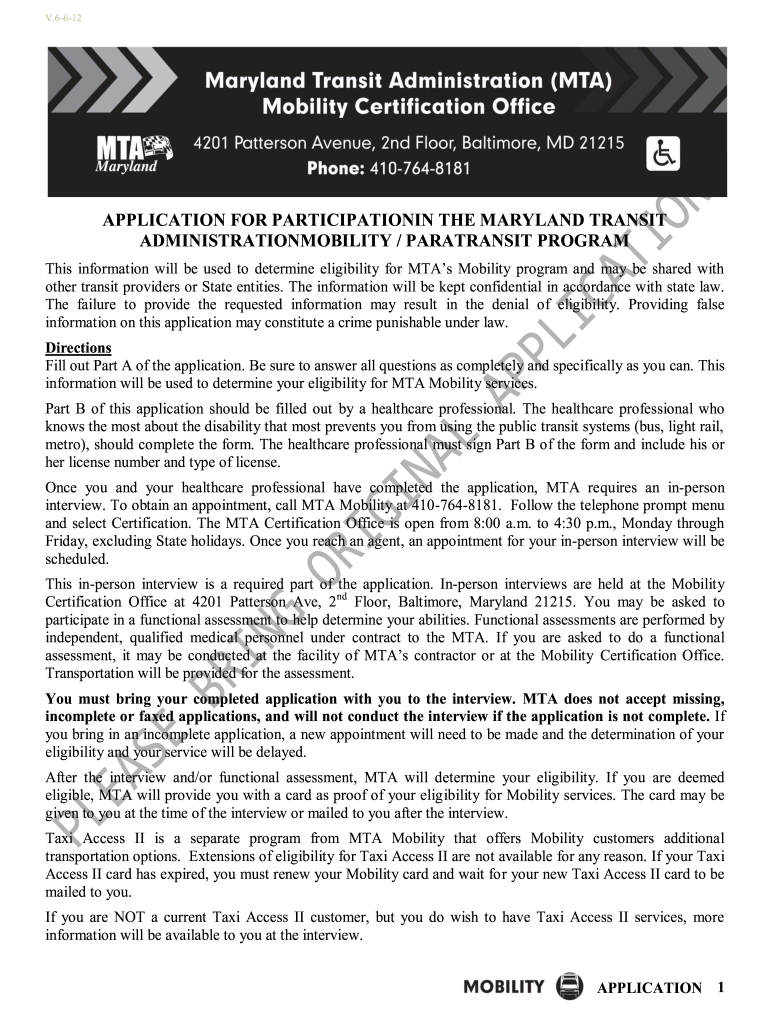
  2. Begin with Part A, where you will provide your personal information. Fill in your name, address, contact details, and date of birth accurately.
  3. Indicate whether this is a first application or a re-certification by checking the appropriate box.
  4. Detail your disabilities or medical conditions in the designated section. Be specific about how these conditions limit your ability to use public transit.
  5. Part B must be completed by a healthcare professional. Ensure they provide their signature and license information.
  6. Review all sections for completeness. Incomplete applications may delay processing. Use our platform’s tools to ensure clarity and accuracy.
  7. Once completed, save your application and prepare for an in-person interview by calling MTA Mobility at 410-764-8181 to schedule an appointment.

Start filling out your mta mobility application today using our platform for free!

be ready to get more

Complete this form in 5 minutes or less

Get form

Got questions?

We have answers to the most popular questions from our customers. If you can't find an answer to your question, please contact us.
Contact us

According to eSignature laws, forms signed digitally have the same validity as traditionally approved ones. You can electronically sign almost any business and personal documentation. Four types of paperwork still call for wet signatures only - wills and testamentary trusts, court orders and other court papers, state statutes regulating divorce, adoption, or other family law, and notice of cancellation of utility services. If you adhere to the regulations and use a safe and compliant software solution, like DocHub, you can eSign your mta mobility application form without printing it.

If you want to edit your passweb mobility on the internet swiftly, it does not matter what internet browser you employ. DocHub’s simple editing instruments are accessible using any internet browser. Simply open the appropriate tab within our editor, add your document, and fill it out without stress.

Or, scroll to find the line, station, or place you want to add. To add a line or route, tap the star next to its name. To add a station or stop, tap the line or route its on. Then, tap on the station or stop on the screen for the line or route. Finally, tap on the star on the screen for that station or stop.
Tens of thousands of Maryland Transit Administration riders use the Transit app to track their rides in real-time and get accurate arrival times. Now, MTA is investing in making Transit Royale available free to all our riders. With Transit Royale, you can do more than just plan your trip and track your ride.
To qualify for Mobility service applicants must have an impairment that prevents them independently accessing, boarding, disembarking or riding other MTA services.

People also ask

Regular Fares Fares PassesFull FareMobility Single Trip / One-way 2.00 2.20 Day Pass / 1-Day Pass 4.60 -- Weekly / 7-Day Pass 22.00 -- Monthly / 31-Day Pass 77.00 --2 more rows
For Light Rail and Metro Subway: At the Station: Buy a single trip ticket from a Ticket Vending Machine (TVM). Youll receive a Go Pass for your trip. Using the CharmPass App: You can also buy one-way fares directly on your phone using the CharmPass mobile app.
MYmta. All-in-one app for subways, buses, and LIRR and Metro-North trains gives you everything you need to optimize your travels: personalized trip planning and planned and unplanned service change information.
What is the MetroPulse app? MetroPulse is the official travel companion for the Washington Metropolitan Area Transit Authority (WMATA) and participating regional transit agencies.
The Maryland Transit Administration (MTA) is a division of the Maryland Department of Transportation, and one of the largest multi-modal transit systems in the United States.

mobility application form