Applying for a medicare card online 2026

Get Form
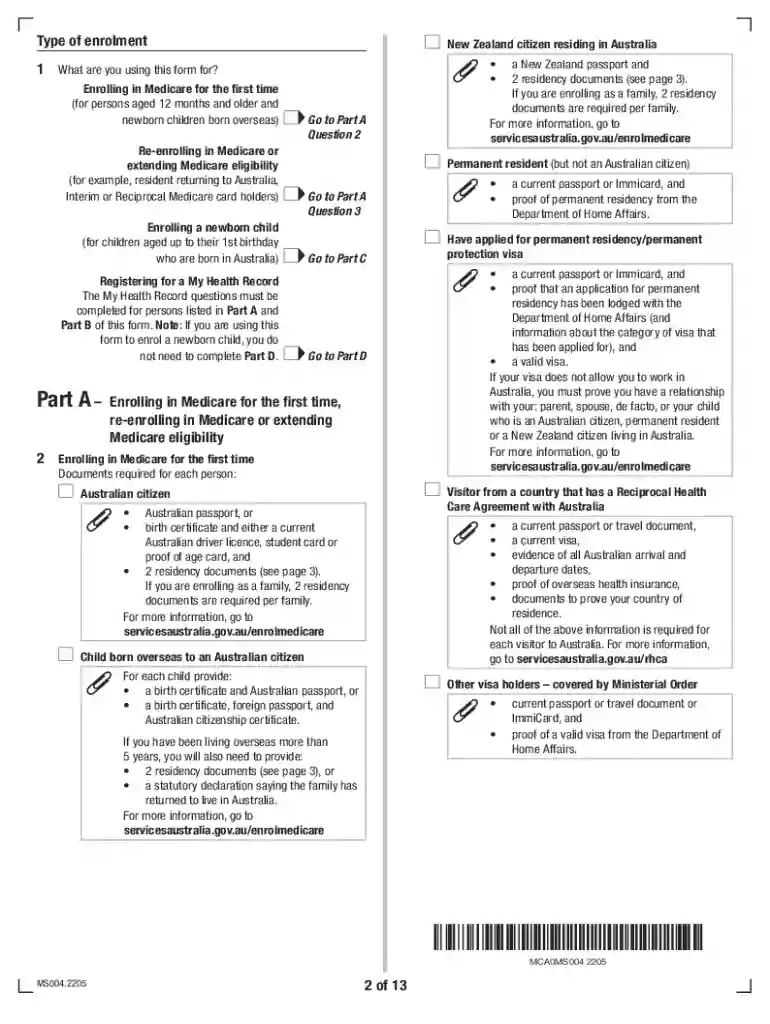
medicare renewal form Preview on Page 1

Here's how it works

01. Edit your medicare renewal form online
Type text, add images, blackout confidential details, add comments, highlights and more.

02. Sign it in a few clicks
Draw your signature, type it, upload its image, or use your mobile device as a signature pad.

03. Share your form with others
Send medicare form australia via email, link, or fax. You can also download it, export it or print it out.

How to use or fill out applying for a medicare card online with DocHub

Form edit decoration
9.5
Ease of Setup
DocHub User Ratings on G2
9.0
Ease of Use
DocHub User Ratings on G2
  1. Click ‘Get Form’ to open the Medicare enrolment form in our editor.
  2. Begin by selecting the type of enrolment you are applying for: first-time enrolment, re-enrolment, or enrolling a newborn. Fill in the required personal details such as your name, date of birth, and contact information.
  3. In Part A, provide necessary documentation based on your residency status. Ensure you have all required documents ready for upload.
  4. If enrolling additional people, navigate to Part B and enter their details. You can add up to five individuals; if more are needed, complete another form.
  5. Complete Part C if enrolling a newborn child. Provide the child's name and date of birth along with any required documentation.
  6. Review all entered information for accuracy before submitting. Use our platform’s features to save your progress or print the form if needed.

Start your application today using our platform for free and enjoy a seamless experience!

See more applying for a medicare card online versions

We've got more versions of the applying for a medicare card online form. Select the right applying for a medicare card online version from the list and start editing it straight away!
Versions Form popularity Fillable & printable
2024 4.7 Satisfied (26 Votes)
2022 4.8 Satisfied (58 Votes)
2021 4.9 Satisfied (28 Votes)
2019 4.4 Satisfied (193 Votes)
2019 4.2 Satisfied (57 Votes)
be ready to get more

Complete this form in 5 minutes or less

Get form

Got questions?

We have answers to the most popular questions from our customers. If you can't find an answer to your question, please contact us.
Contact us

Most eSignature services require users to have a paid subscription. With DocHub, there are two ways for you to create an electronic signature to your medicare form application free of charge:

  • You can do it during a 7-day trial period;
  • You can subscribe to a free plan.

The second option, though, has restrictions on the number of signatures, sign requests, emails, and forms for editing available per month. You can check for full information here.

Document editing with DocHub is equally convenient on desktop and mobile devices. You just need an internet browser to edit your medicare form enrolment on Android. Open our site and sign in to access the instruments you require. Add your document and introduce your intended changes. After that, you can keep your form in your document storage or send it out instantly.

Theres no work history requirement to enroll in Medicare Part B. You can enroll as long as youre at least 65 years old. Once you enroll in Medicare Part B, you will pay a monthly premium of $170.10 in 2022.
Income Limit in Most States Most states 38 and Washington, D.C. have the same income limit of $2,523 per month for a single person for most types of Medicaid services. For a married couple, the limit increases to $5,046 in most cases.
Once youre signed up for Medicare, well mail you your Medicare card in your welcome packet. You can also log into (or create) your secure Medicare account to print your official Medicare card. I didnt get my Medicare card in the mail. View the Medicare card if you get benefits from the Railroad Retirement Board.

Security and compliance

At DocHub, your data security is our priority. We follow HIPAA, SOC2, GDPR, and other standards, so you can work on your documents with confidence.

Learn more
ccpa2
pci-dss
gdpr-compliance
hipaa
soc-compliance

People also ask

Apply online (at Social Security) This is the easiest and fastest way to sign up and get any financial help you may need. Youll need to create your secure my Social Security account to sign up for Medicare or apply for Social Security benefits online. Call 1-800-772-1213. TTY users can call 1-800-325-0778.
After you apply for Medicare insurance and are accepted into the program, you will generally receive your Medicare card within about three weeks. If you are already receiving Social Security and are automatically enrolled, you should receive your Medicare card about two months prior to your 65th birthday.
You can access your Medicare Number very easily via your My Social Security online account at . If you havent created an account yet, please do this first. The way to get your Medicare number online is to access your Benefit Verification Letter.
Once youre signed up for Medicare, well mail you your Medicare card in your welcome packet. You can also log into (or create) your secure Medicare account to print your official Medicare card. I didnt get my Medicare card in the mail. View the Medicare card if you get benefits from the Railroad Retirement Board.
Be age 65 or older; Be a U.S. resident; AND. Be either a U.S. citizen, OR. Be an alien who has been lawfully admitted for permanent residence and has been residing in the United States for 5 continuous years prior to the month of filing an application for Medicare.

medicare form ms004