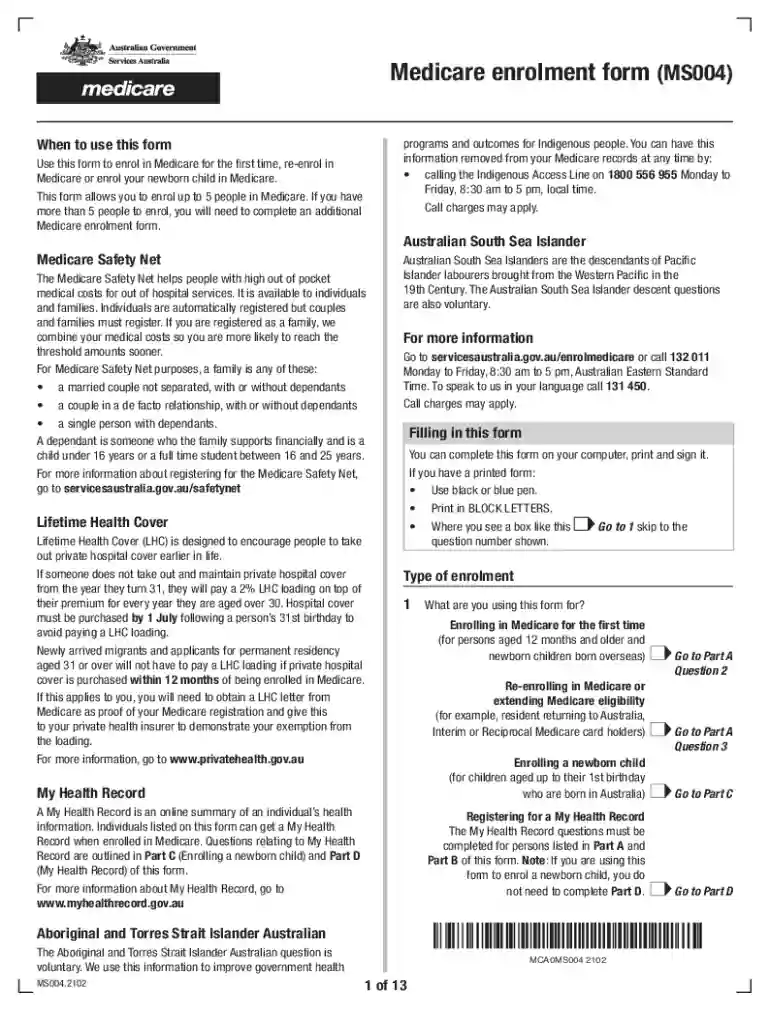
Medicare enrolment form 2026

Get Form
medicare enrolment online Preview on Page 1

Here's how it works

01. Edit your medicare enrolment online online
Type text, add images, blackout confidential details, add comments, highlights and more.

02. Sign it in a few clicks
Draw your signature, type it, upload its image, or use your mobile device as a signature pad.

03. Share your form with others
Send apply medicare online via email, link, or fax. You can also download it, export it or print it out.

How to use or fill out Medicare enrolment form with our platform

Form edit decoration
9.5
Ease of Setup
DocHub User Ratings on G2
9.0
Ease of Use
DocHub User Ratings on G2
  1. Click ‘Get Form’ to open the Medicare enrolment form in the editor.
  2. Begin by selecting the type of enrolment you are applying for: first-time enrolment, re-enrolment, or enrolling a newborn. Fill in the corresponding section accurately.
  3. Provide personal details such as your name, date of birth, and contact information. Ensure all fields are completed in BLOCK LETTERS for clarity.
  4. If applicable, indicate if you or any dependants are of Aboriginal or Torres Strait Islander descent. This information is voluntary but helps improve health services.
  5. Complete the residency documents section by providing necessary proof of residency as outlined in the form. Attach any required documents electronically.
  6. Review your entries for accuracy before submitting. Use our platform’s features to save your progress and make edits as needed.
  7. Once completed, print and sign the form. If using our platform, you can also send it directly via email or post as instructed.

Start filling out your Medicare enrolment form today on our platform for free!

See more medicare enrolment form versions

We've got more versions of the medicare enrolment form form. Select the right medicare enrolment form version from the list and start editing it straight away!
Versions Form popularity Fillable & printable
2024 4.7 Satisfied (26 Votes)
2022 4.8 Satisfied (58 Votes)
2021 4.9 Satisfied (28 Votes)
2019 4.4 Satisfied (193 Votes)
2019 4.2 Satisfied (57 Votes)
be ready to get more

Complete this form in 5 minutes or less

Get form

Got questions?

We have answers to the most popular questions from our customers. If you can't find an answer to your question, please contact us.
Contact us

You should use only reliable software solutions with strong security compliance to sign your documents electronically. DocHub is just the type of editor you need! It stores data on Amazon Web Servers and complies with all essential security standards and eSignature laws, so it’s a reliable way to electronically sign your medicare online application or other paperwork using this tool.

If you store your papers in Google Drive, there is no need to download your medicare enrolment on your computer and upload it back to our editor. A significantly simpler way is to install a browser extension developed by DocHub to streamline this flow. The extension allows editing PDFs in your internet browser. Alternatively, you may integrate your DocHub and Gmail accounts for more efficient modifying.

Medicare Part B FAQs How long does it take to get Medicare Part B after applying? Approval can take up to 30-60 days if you apply outside your Initial Enrollment Period and do not automatically enroll in Medicare.
We'll process your application. It may take up to 8 weeks to process your application if you apply between July and November.
How to get a Medicare card online. You can get your own Medicare card using: your Medicare online account through myGov. the Express Plus Medicare mobile app.

Security and compliance

At DocHub, your data security is our priority. We follow HIPAA, SOC2, GDPR, and other standards, so you can work on your documents with confidence.

Learn more
ccpa2
pci-dss
gdpr-compliance
hipaa
soc-compliance
be ready to get more

Complete this form in 5 minutes or less

Get form

People also ask

How to get a Medicare card online. You can get your own Medicare card using: your Medicare online account through myGov. the Express Plus Medicare mobile app.
your original birth certificate or a copy that's been certified by the issuing agency, such as the state you were born in. if you don't have a record of your birth, other documents to prove your age, such as your immunization records, school records, state census records, insurance records, or medical records.
Online (at Social Security) \u2013 It's the easiest and fastest way to sign up and get any financial help you may need. (You'll need to create your secure my Social Security account to sign up for Medicare or apply for benefits.) Call Social Security at 1-800-772-1213. TTY users can call 1-800-325-0778.
You'll receive your card within about 3 weeks from the date you apply for Medicare. You should carry your card with you whenever you're away from home. You can sign in to your MyMedicare.gov account if you need to print a replacement card.
We'll process your application. It may take up to 8 weeks to process your application if you apply between July and November.

medicare apply online