



Here's how it works



How to use or fill out New Mexico Tenant Notice with Our Platform

- Click ‘Get Form’ to open the New Mexico Tenant Notice in the editor.
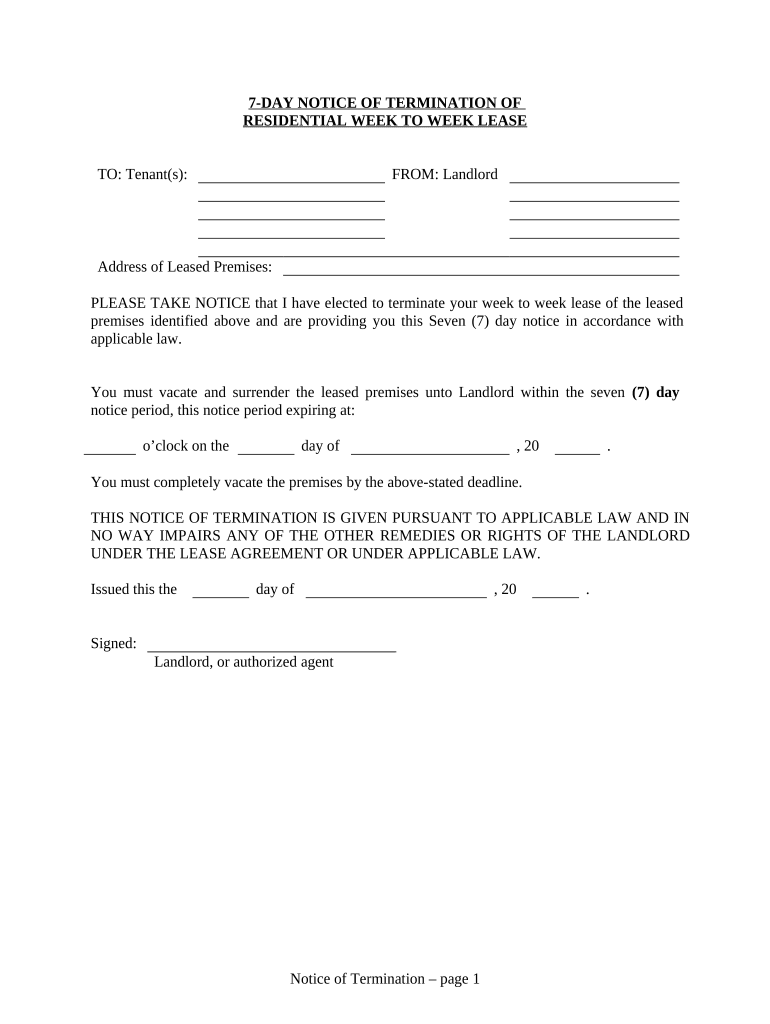
- Begin by entering the tenant(s) name in the designated field at the top of the form. This ensures that the notice is properly addressed.
- Next, fill in the address of the leased premises where indicated. This is crucial for clarity regarding which property is being referenced.
- Specify the exact date and time by which the tenant must vacate. This information should be filled in carefully to comply with legal requirements.
- In the section for delivery proof, select how you delivered this notice (by hand, registered mail, etc.) and provide your signature along with your printed name and capacity as landlord or agent.
- Finally, ensure all fields are completed accurately before saving or exporting your document for distribution.
Start using our platform today to streamline your document editing and signing process for free!
It's free
Got questions?
Can I draw my eSignature to approve my new mexico tenant?
Sure, electronically drawing your signature is appropriate, but only if you use a tool that complies with industry laws and regulations. Consider DocHub, which ensures eSignature validity under ESIGN and UETA requirements. All you need to approve your new mexico tenant electronically is an account with DocHub and an internet connection. When you open your file in our editor, click Sign and select the Draw option.
How do you complete new mexico tenant online?
You can complete and sign your new mexico tenant on the internet, even on a tight deadline. All you need to access high quality editing instruments on any device is a DocHub profile, which you can sign up within a couple of moments. When you register, add your file or find what you are looking for in our catalog, complete it using the editing instruments you want, and put your electronic signature on it at the end.
Security and compliance
At DocHub, your data security is our priority. We follow HIPAA, SOC2, GDPR, and other standards, so you can work on your documents with confidence.
Learn more


Related forms