



Here's how it works



How to use or fill out letter landlord tenant with our platform

- Click ‘Get Form’ to open the letter landlord tenant in the editor.
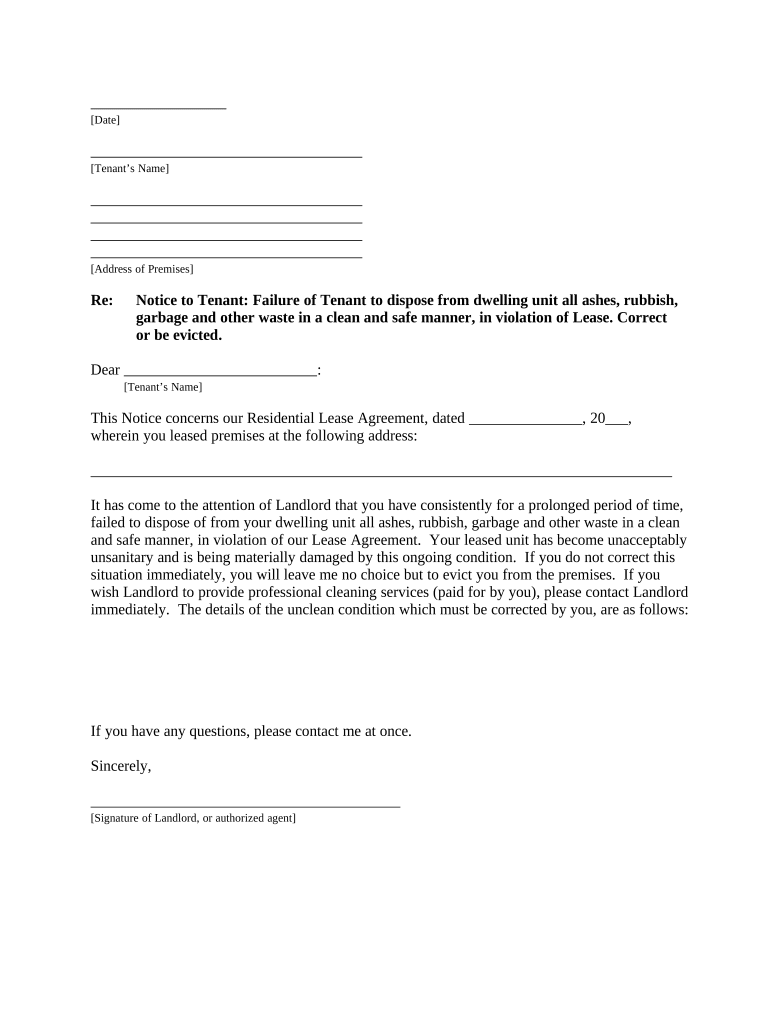
- Begin by entering the date at the top of the document. This is crucial for record-keeping and establishing timelines.
- Fill in the tenant’s name and address of the premises where they reside. Ensure accuracy to avoid any confusion.
- In the body of the letter, clearly state the violation regarding waste disposal. Use specific language to outline what actions are required from the tenant.
- Include details about your Residential Lease Agreement, such as its date and address of the leased premises, ensuring all information is correct.
- Conclude with a polite yet firm request for correction, offering professional cleaning services if necessary. Sign off with your name and title.
- Finally, select how you will deliver this notice to the tenant by checking one of the options provided at the bottom of the form.
Start using our platform today to easily fill out your letter landlord tenant for free!
It's free
Got questions?
How can I sign my letter landlord tenant online?
Sign in to your DocHub account and add your letter landlord tenant to our editor using one of its upload methods - from your device, cloud storage, secure URL, or your DocHub folders if you have already managed your document before. Open our editor, click the Sign button in the upper toolbar, and decide on your signing method. You can upload a picture of your handwritten signature, draw it, type in your name, or use a QR code instead.
How do you edit letter landlord tenant on Android?
Document editing with DocHub is equally convenient on desktop and mobile devices. You only need an internet browser to modify your letter landlord tenant on Android. Open our website and sign in to access the instruments you need. Add your file and introduce your intended modifications. Next, you can keep your form in your file storage or send it out immediately.
Security and compliance
At DocHub, your data security is our priority. We follow HIPAA, SOC2, GDPR, and other standards, so you can work on your documents with confidence.
Learn more