Type text, add images, blackout confidential details, add comments, highlights and more.

02. Sign it in a few clicks
Draw your signature, type it, upload its image, or use your mobile device as a signature pad.

03. Share your form with others
Send it via email, link, or fax. You can also download it, export it or print it out.

How to use or fill out form vat431c with our platform
Ease of Setup
DocHub User Ratings on G2
Ease of Use
DocHub User Ratings on G2
Click ‘Get Form’ to open the VAT431C claim form in the editor.
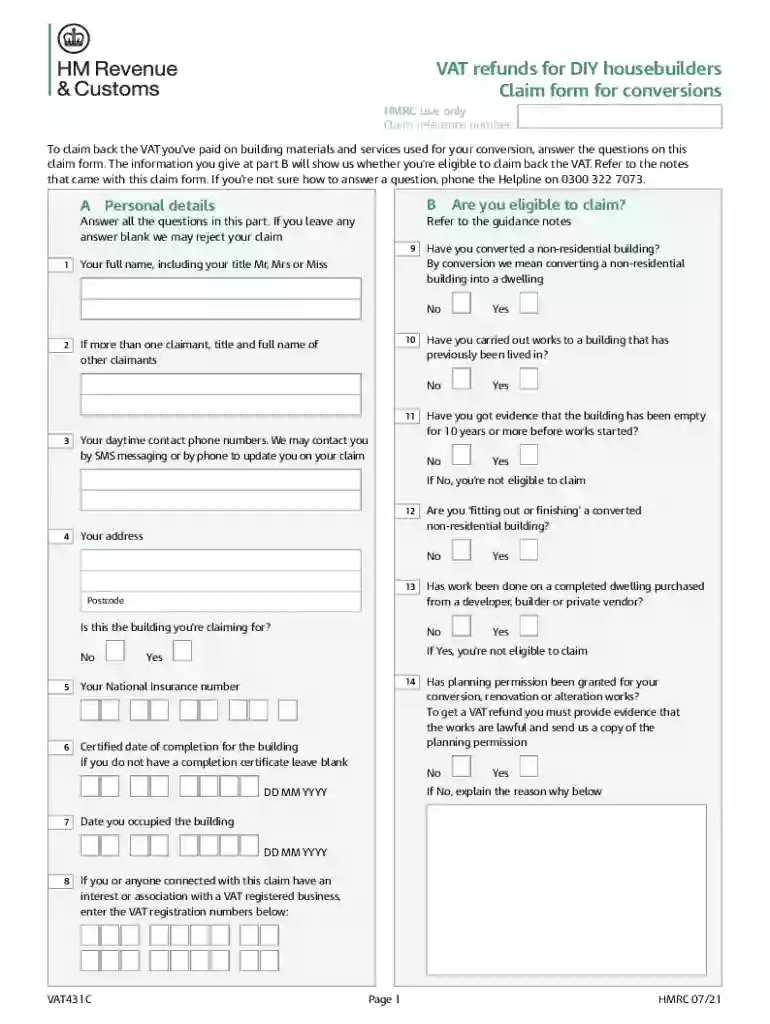
Begin by filling out Part A with your personal details, including your full name and contact information. Ensure all fields are completed to avoid delays.
In Part B, answer eligibility questions regarding the conversion of a non-residential building. Be thorough; incomplete answers may lead to rejection.
Proceed to Part C, detailing the converted property’s characteristics. Specify the type of building and its features accurately.
In Parts D, E, and F, list all invoices for which you are claiming VAT. Ensure that each invoice is correctly categorized based on whether VAT was shown separately or not.
Finally, complete Part G by summarizing your total claim amount and providing your bank account details for the refund. Review all entries before submission.
Start using our platform today to streamline your VAT431C claim process for free!
Cookie consent notice
This site uses cookies to enhance site navigation and personalize your experience.
By using this site you agree to our use of cookies as described in our Privacy Notice.
You can modify your selections by visiting our Cookie and Advertising Notice.