Type text, add images, blackout confidential details, add comments, highlights and more.
02. Sign it in a few clicks
Draw your signature, type it, upload its image, or use your mobile device as a signature pad.
03. Share your form with others
Send it via email, link, or fax. You can also download it, export it or print it out.
How to use or fill out costs court with our platform
Ease of Setup
DocHub User Ratings on G2
Ease of Use
DocHub User Ratings on G2
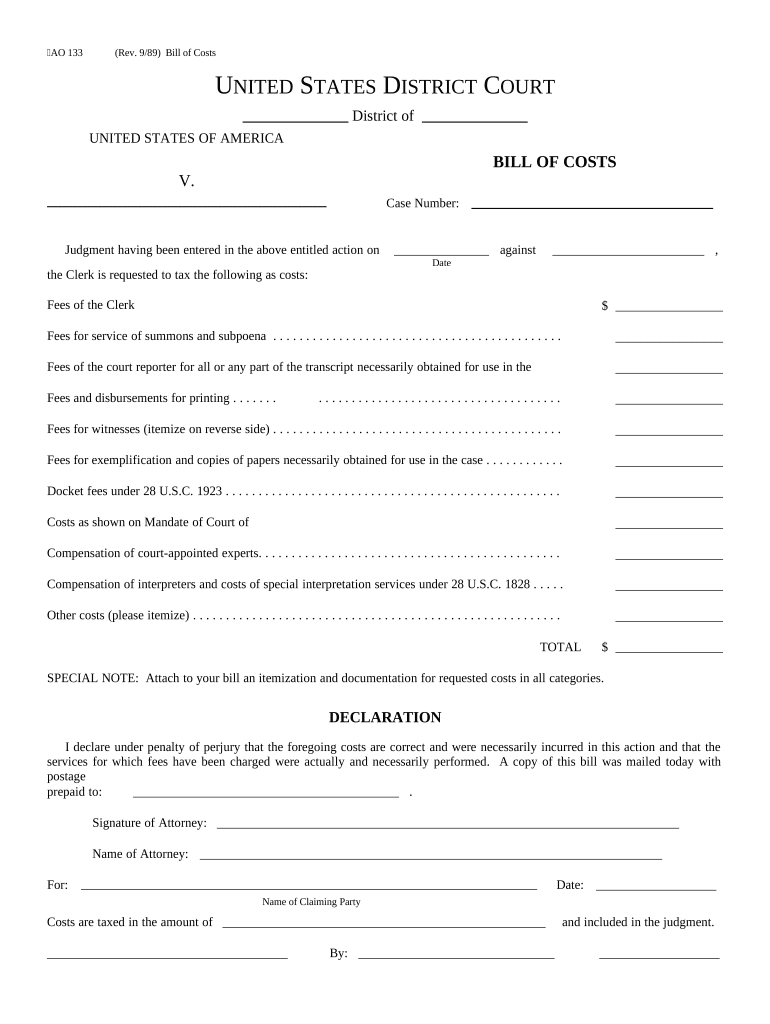
Click ‘Get Form’ to open the costs court document in the editor.
Begin by entering the case number and the names of the parties involved in the designated fields.
In the 'Fees of the Clerk' section, input any applicable fees. Be sure to check your records for accuracy.
Continue filling out each cost category, including fees for service, court reporter transcripts, and witness fees. Itemize any additional costs on the reverse side as needed.
For witness fees, list each witness's name and residence along with their attendance days, subsistence, and mileage costs.
Once all sections are completed, review your entries for correctness before signing. Attach any necessary documentation as specified.
Start using our platform today to streamline your costs court form completion for free!
N.C. court costs and fees chartHow much is court cost in NC for speeding ticketHow much are court costs for a misdemeanorWho pays for court costsN.C. court paymentsCosts Court Practice NoteHow to get out of paying court costsNc Court fee Waiver form
Security and compliance
At DocHub, your data security is our priority. We follow HIPAA, SOC2, GDPR, and other standards, so you can work on your documents with confidence.
court costs | Wex | US Law | LII / Legal Information Institute
Court costs usually include the initial filing fee, fees for serving the summons, complaints, subpoenas, and fees to pay for the transcription.Read more
Cookie consent notice
This site uses cookies to enhance site navigation and personalize your experience.
By using this site you agree to our use of cookies as described in our Privacy Notice.
You can modify your selections by visiting our Cookie and Advertising Notice.