Type text, add images, blackout confidential details, add comments, highlights and more.

02. Sign it in a few clicks
Draw your signature, type it, upload its image, or use your mobile device as a signature pad.

03. Share your form with others
Send it via email, link, or fax. You can also download it, export it or print it out.

How to Use or Fill Out California Name Change with Our Platform
Ease of Setup
DocHub User Ratings on G2
Ease of Use
DocHub User Ratings on G2
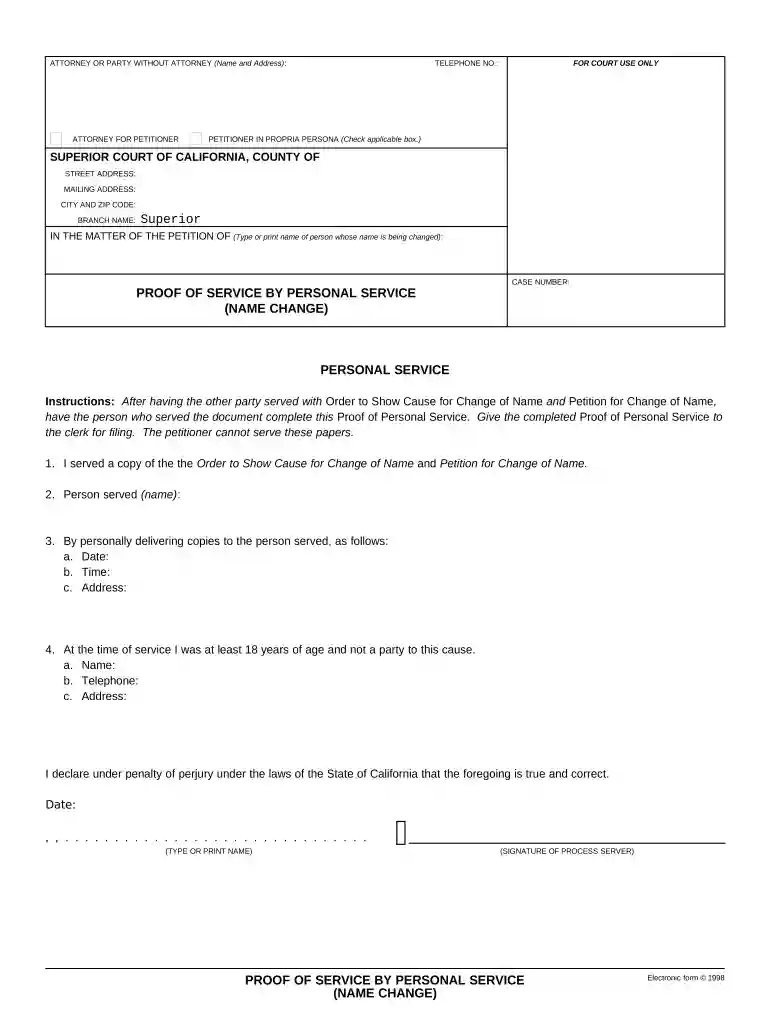
Click ‘Get Form’ to open the California Name Change document in the editor.
Begin by entering your personal information in the 'Petitioner' section. This includes your current name and contact details, ensuring accuracy for processing.
In the 'Court Information' section, fill in the name of the Superior Court of California, along with the county and branch name where you are filing your petition.
Complete the 'Proof of Service' section by providing details about how you served the Order to Show Cause. Include the date, time, and address where service occurred.
Finally, ensure that all declarations are signed and dated correctly. Review each field for completeness before submitting your form.
Start using our platform today to streamline your California name change process for free!
California name change marriageHow to legally change your name after marriageCalifornia name change newspaperPetition for name change CaliforniaName change Contra Costa CountyName change Los AngelesEZ Name ChangeName change Decree
Security and compliance
At DocHub, your data security is our priority. We follow HIPAA, SOC2, GDPR, and other standards, so you can work on your documents with confidence.
Name or Gender Change | Superior Court of California
The California Courts Self-Help Center has instructions and forms to start the process to change your name or obtain a court order recognizing change of gender.Read more
Legal Name and Address Change Requests - CHSU Catalog
A student may request an official name change for school documents and records by submitting the following information to the Office of the Registrar.Read more
Cookie consent notice
This site uses cookies to enhance site navigation and personalize your experience.
By using this site you agree to our use of cookies as described in our Privacy Notice.
You can modify your selections by visiting our Cookie and Advertising Notice.