Telecommuting agreement 2026

Get Form
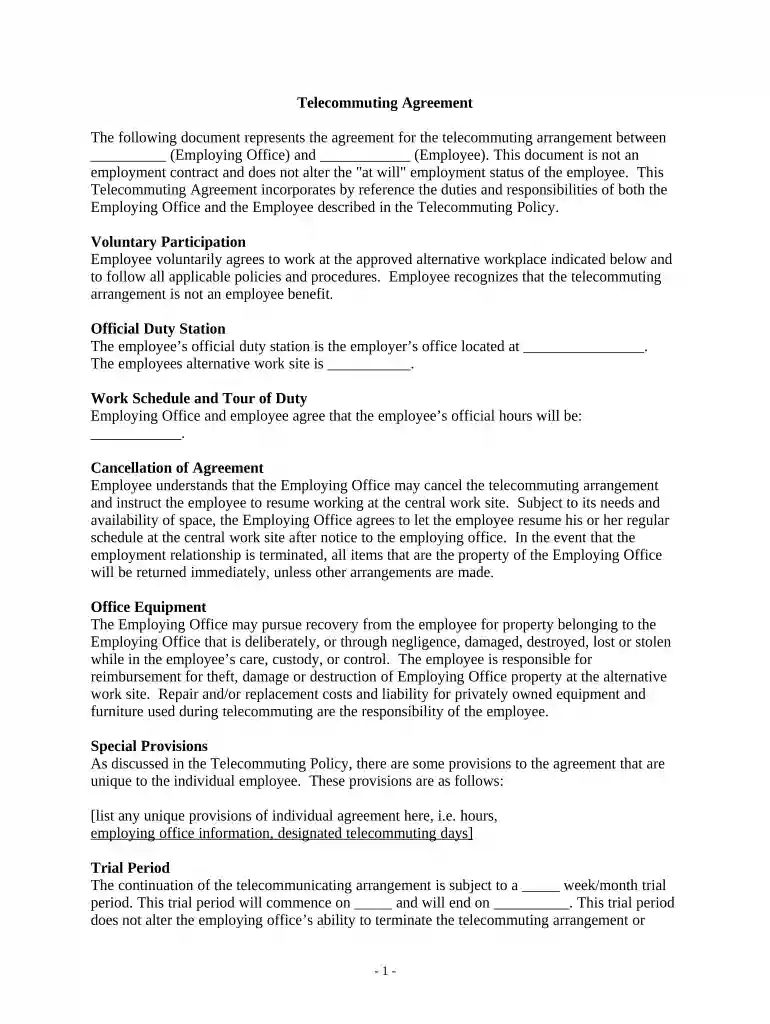
remote work agreement template shrm Preview on Page 1

Here's how it works

01. Edit your remote work agreement template shrm online
Type text, add images, blackout confidential details, add comments, highlights and more.

02. Sign it in a few clicks
Draw your signature, type it, upload its image, or use your mobile device as a signature pad.

03. Share your form with others
Send remote work policy shrm via email, link, or fax. You can also download it, export it or print it out.

How to use or fill out telecommuting agreement with our platform

Form edit decoration
9.5
Ease of Setup
DocHub User Ratings on G2
9.0
Ease of Use
DocHub User Ratings on G2
  1. Click ‘Get Form’ to open the telecommuting agreement in the editor.
  2. Begin by filling in the names of the Employing Office and Employee in the designated fields at the top of the document.
  3. In the 'Official Duty Station' section, enter the location of the employer's office and the employee's alternative work site.
  4. Specify the agreed work schedule and tour of duty hours in the corresponding field.
  5. Review and complete any unique provisions that apply to your individual agreement, ensuring all details are accurate.
  6. Fill out the trial period dates, indicating when it starts and ends, while understanding that this does not affect termination rights.
  7. List any reimbursable costs as specified in your agreement, ensuring clarity on what expenses will be covered.
  8. Finally, both parties should sign and date at the bottom of the document to finalize the agreement.

Start using our platform today for free to streamline your telecommuting agreement process!

be ready to get more

Complete this form in 5 minutes or less

Get form

Got questions?

We have answers to the most popular questions from our customers. If you can't find an answer to your question, please contact us.
Contact us
The main difference between the two is that while remote workers generally work exclusively from home or remote locations, telecommuters are often required to work at least one day or more per week at an office, and in-person check-ins are commonplace.
Telecommuting is the practice of performing professional duties outside of a traditional office setting. Rather than commuting to a physical workplace, telecommuters use technology to complete their work and connect with colleagues from nearly any location.
Telework vs remote work There is a difference They may work remotely on a temporary basis, such as while traveling, or they might be a permanent remote worker. Telecommuting, also called telework, can mean that the employee might regularly work on-site some of the time.
Yes, the Telework Enhancement Act requires every employee who participates in telework to have a written agreement, regardless of whether the employee participates in routine or situational telework.
A telecommuting agreement is a formal document that outlines the terms and conditions of remote work arrangement between the employers and employees in a place. A contractual agreement establishes both parties rights, responsibilities, and expectations in the telecommuting arrangement.

Security and compliance

At DocHub, your data security is our priority. We follow HIPAA, SOC2, GDPR, and other standards, so you can work on your documents with confidence.
Learn more
ccpa2
pci-dss
gdpr-compliance
hipaa
soc-compliance