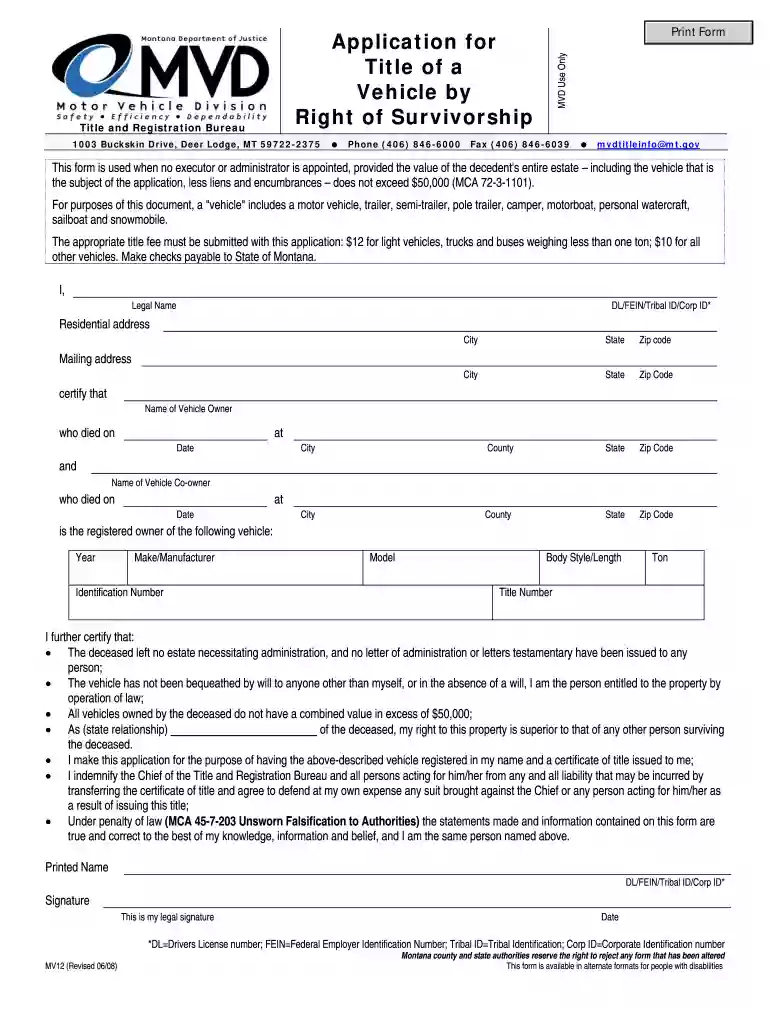
mv12 form Preview on Page 1

Right of survivoship montana mv12 2008 form-2026

Here's how it works

  • 01. Edit your mv12 form online

    Type text, add images, blackout confidential details, add comments, highlights and more.

  • 02. Sign it in a few clicks

    Draw your signature, type it, upload its image, or use your mobile device as a signature pad.

  • 03. Share your form with others

    Send it via email, link, or fax. You can also download it, export it or print it out.

How to use or fill out right of survivorship montana mv12 2008 form with our platform

Form edit decoration
9.5
Ease of Setup
DocHub User Ratings on G2
9.0
Ease of Use
DocHub User Ratings on G2
  1. Click ‘Get Form’ to open the right of survivorship Montana MV12 2008 form in the editor.
  2. Begin by entering your legal name and identification number (DL/FEIN/Tribal ID/Corp ID) in the designated fields. Ensure that your residential address, city, state, and zip code are accurately filled out.
  3. Provide the mailing address if it differs from your residential address. This is important for receiving any correspondence regarding your application.
  4. Next, input the details of the deceased vehicle owner, including their name, date of death, and location (city, county, state). Repeat this for any co-owner if applicable.
  5. Fill in the vehicle information: year, make/manufacturer, identification number, model, body style/length, tonnage (if applicable), and title number.
  6. Review the certification statements carefully. Confirm that you meet all conditions outlined regarding estate administration and value limits before signing.
  7. Finally, provide your printed name and signature along with the date to complete the form. Make sure all information is accurate to avoid delays.

Start using our platform today to fill out your right of survivorship Montana MV12 2008 form online for free!

See more mv12 form versions

We've got more versions of the mv12 form form. Select the right mv12 form version from the list and start editing it straight away!

VersionsForm popularityFillable & printable
20124.9 Satisfied (310 Votes)
20084.1 Satisfied (56 Votes)

be ready to get more

Complete this form in 5 minutes or less

Security and compliance

At DocHub, your data security is our priority. We follow HIPAA, SOC2, GDPR, and other standards, so you can work on your documents with confidence.

Related links

Interval House, Mercy House, and Families Forward - 2018-10

Apr 15, 2019 1. TERM OF THE CONTRACT The term of this Contract shall begin on and end no later than The Contract automatically terminates on the last day ofRead more

Learn more
If you believe that this page should be taken down, please follow our DMCA take down process here