Type text, add images, blackout confidential details, add comments, highlights and more.
02. Sign it in a few clicks
Draw your signature, type it, upload its image, or use your mobile device as a signature pad.
03. Share your form with others
Send it via email, link, or fax. You can also download it, export it or print it out.
How to Use or Fill Out Proposal Services with Our Platform
Ease of Setup
DocHub User Ratings on G2
Ease of Use
DocHub User Ratings on G2
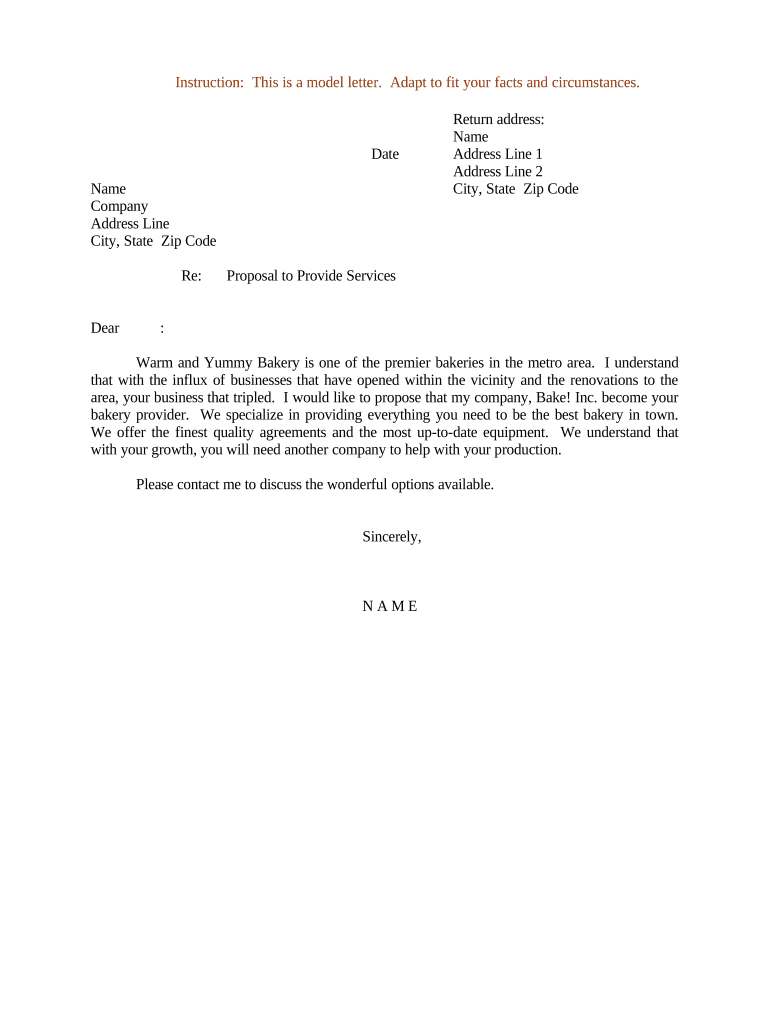
Click ‘Get Form’ to open the proposal services document in the editor.
Begin by entering the date at the top of the form. This is essential for record-keeping and establishing a timeline for your proposal.
Fill in your name, company name, and address details accurately. Ensure that all information is current to maintain professionalism.
In the 'Re:' section, specify the subject of your proposal clearly to grab attention.
Craft a personalized greeting using the recipient's name. This adds a touch of warmth and engagement to your proposal.
In the body of the letter, succinctly describe your services and how they can benefit the recipient’s business. Highlight key offerings like quality agreements and equipment.
Conclude with a call to action, inviting them to discuss options further. Sign off with your name for a personal touch.
Start editing your proposal services today for free on our platform!
The Proposal Development Services team, formerly called Interdisciplinary Research Support, offers extensive services and resources to UC Davis researchers.Read more
What to look at when reviewing consulting proposals?
Oct 15, 2019 Lets talk about the quality of a proposal and touch on some important and relevant points. 1. How the most promising proposals differ from the rest?Read more
Cookie consent notice
This site uses cookies to enhance site navigation and personalize your experience.
By using this site you agree to our use of cookies as described in our Privacy Notice.
You can modify your selections by visiting our Cookie and Advertising Notice.