Responsive declaration document 2026

Get Form
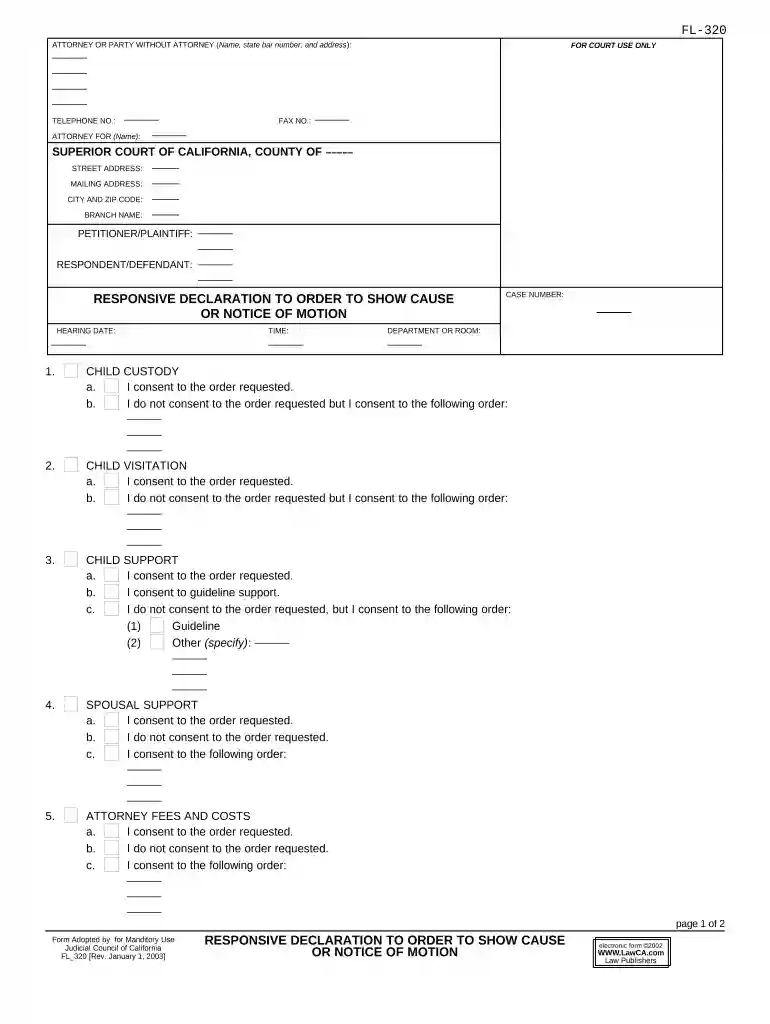
reply declaration form Preview on Page 1

Here's how it works

01. Edit your reply declaration form online
Type text, add images, blackout confidential details, add comments, highlights and more.

02. Sign it in a few clicks
Draw your signature, type it, upload its image, or use your mobile device as a signature pad.

03. Share your form with others
Send reply to responsive declaration form via email, link, or fax. You can also download it, export it or print it out.

How to use or fill out responsive declaration document with our platform

Form edit decoration
9.5
Ease of Setup
DocHub User Ratings on G2
9.0
Ease of Use
DocHub User Ratings on G2
  1. Click ‘Get Form’ to open the responsive declaration document in the editor.
  2. Begin by filling in your personal information, including your name, address, and contact details. Ensure accuracy as this information is crucial for court records.
  3. Proceed to the sections regarding child custody, visitation, support, and spousal support. For each section, indicate your consent or objections clearly by selecting the appropriate options provided.
  4. If you do not consent to an order but agree to an alternative, specify your terms in the provided fields. This ensures that your preferences are documented accurately.
  5. Complete the property restraint and control sections similarly by indicating your consent status and any specific orders you wish to propose.
  6. Finally, review all entries for completeness and accuracy before signing. Use our platform’s tools to ensure everything is filled out correctly.

Start using our platform today for free to streamline your document editing and completion process!

be ready to get more

Complete this form in 5 minutes or less

Get form

Got questions?

We have answers to the most popular questions from our customers. If you can't find an answer to your question, please contact us.
Contact us
Proof of Service by Mail (FL-335) Tells the court that you had the other party served legal papers by mail. Lists the papers that were served and tells when and where the papers were served, as well as who served them.
Be Specific and Detailed A good declaration is specific and detailed, focusing on the facts of the situation or event. Avoid general statements or opinions and instead provide concrete details and evidence to support your statement. Use specific dates, times, and locations to make your statement more credible.
USE Responsive Declaration to Request for Order (form FL-320) Use form FL-320 to let the court and the other party know that you agree or disagree with each of the requests made in the Request for Order (form FL-300). If you disagree, use form FL-320 to describe the orders you would like the court to make.
I hereby declare that the information given above and in the enclosed documents is true to the best of my knowledge and belief and nothing has been concealed therein. I understand that if the information given by me is proved false/not true, I will have to face the punishment as per the law.

Security and compliance

At DocHub, your data security is our priority. We follow HIPAA, SOC2, GDPR, and other standards, so you can work on your documents with confidence.

Learn more
ccpa2
pci-dss
gdpr-compliance
hipaa
soc-compliance