Type text, add images, blackout confidential details, add comments, highlights and more.
02. Sign it in a few clicks
Draw your signature, type it, upload its image, or use your mobile device as a signature pad.
03. Share your form with others
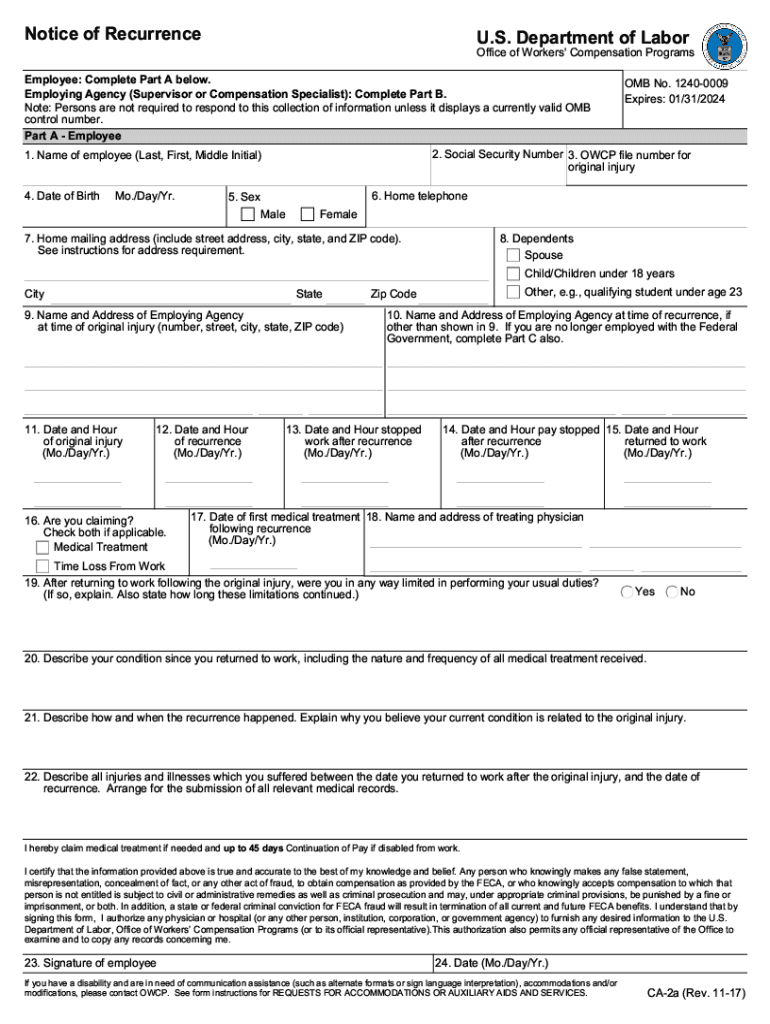
Send form ca 2a notice of recurrence via email, link, or fax. You can also download it, export it or print it out.
How to use or fill out ca 2a with our platform
Ease of Setup
DocHub User Ratings on G2
Ease of Use
DocHub User Ratings on G2
Click ‘Get Form’ to open it in the editor.
Begin by reviewing the header section of the ca 2a form. Ensure that all required fields are clearly marked and ready for input.
Proceed to fill in your personal information in the designated fields, such as name, address, and contact details. Use our platform's text tool for easy editing.
Next, navigate to any sections requiring specific data entries or checkboxes. Utilize the checkbox feature to select options conveniently.
Once all fields are completed, review your entries for accuracy. Our platform allows you to easily edit any mistakes before finalizing.
Finally, save your document and choose whether to download it or share it directly via email using our integrated sharing options.
Start using our platform today for free and streamline your form completion process!
If you are claiming a recurrence of disability for an occupational illness, or if all 45 days of continuation of pay (COP) have been used, you may claim wageRead more
Cookie consent notice
This site uses cookies to enhance site navigation and personalize your experience.
By using this site you agree to our use of cookies as described in our Privacy Notice.
You can modify your selections by visiting our Cookie and Advertising Notice.