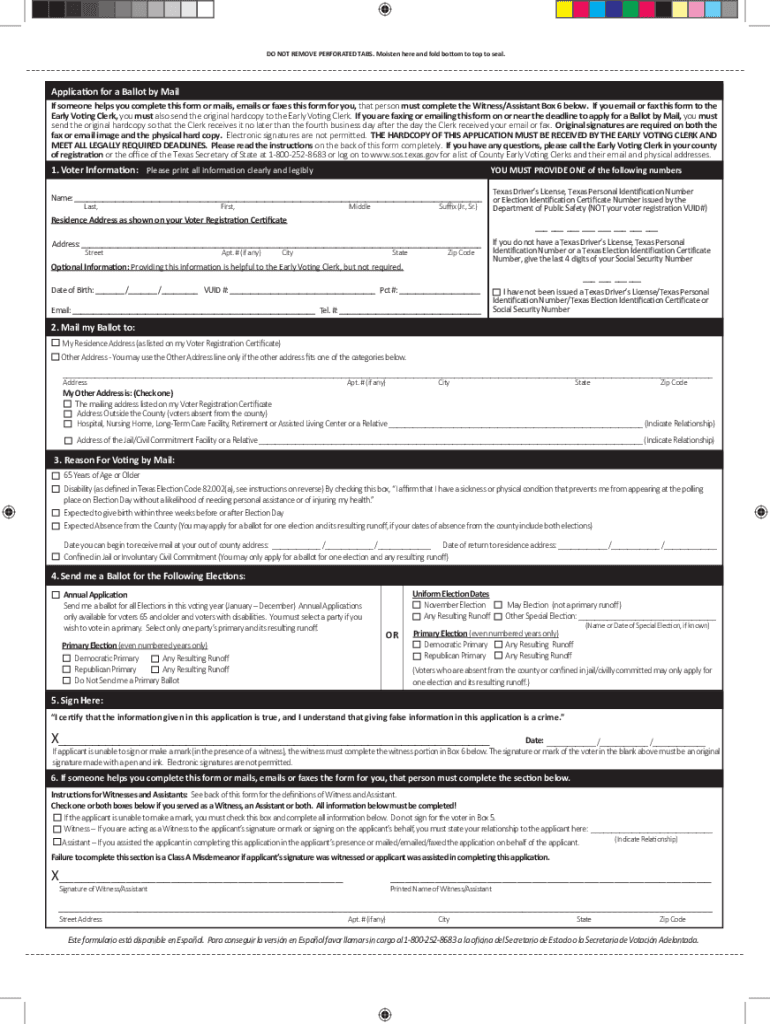
Tx application ballot mail election 2026

Get Form
tx ballot Preview on Page 1

Here's how it works

01. Edit your tx ballot online
Type text, add images, blackout confidential details, add comments, highlights and more.
02. Sign it in a few clicks
Draw your signature, type it, upload its image, or use your mobile device as a signature pad.
03. Share your form with others
Send application ballot mail online via email, link, or fax. You can also download it, export it or print it out.

How to use or fill out tx application ballot mail election with our platform

Form edit decoration
9.5
Ease of Setup
DocHub User Ratings on G2
9.0
Ease of Use
DocHub User Ratings on G2
  1. Click ‘Get Form’ to open the tx application ballot mail election in the editor.
  2. Begin by filling out your Voter Information. Clearly print your full name, residence address, and provide one of the required identification numbers: Texas Driver’s License, Personal ID Number, or last four digits of your Social Security Number.
  3. In the 'Mail my Ballot to' section, indicate whether you want the ballot sent to your registered address or another specified address. Ensure that this address meets eligibility criteria based on your situation.
  4. Select a reason for voting by mail from the options provided. This could include being over 65, having a disability, or being absent from the county.
  5. Choose which elections you wish to receive ballots for. You can opt for an Annual Application if eligible or select specific elections.
  6. Finally, sign and date your application. If assistance was provided, ensure that the witness section is completed accurately.

Start using our platform today to easily fill out and submit your tx application ballot mail election form for free!

See more tx application ballot mail election versions

We've got more versions of the tx application ballot mail election form. Select the right tx application ballot mail election version from the list and start editing it straight away!
Versions Form popularity Fillable & printable
2022 4.8 Satisfied (56 Votes)
2011 4 Satisfied (25 Votes)
be ready to get more

Complete this form in 5 minutes or less

Get form

Got questions?

We have answers to the most popular questions from our customers. If you can't find an answer to your question, please contact us.
Contact us

Log in to your DocHub account and add your tx application ballot mail election to our editor using one of its upload methods - from your device, cloud storage, secure URL, or your DocHub folders if you have already processed your form before. Open our editor, click the Sign key in the upper toolbar, and choose your signing method. You can use a picture of your handwritten signature, draw it, enter your name, or use a QR code as an alternative.

With DocHub, there are several convenient ways to edit your tx application ballot mail election online. You can drag and drop the form and modify it straight at the DocHub site or use our browser extension to fill out your form right away. Additionally, you can modify your PDF on your phone, as DocHub is compatible with all the available mobile platforms.

Security and compliance

At DocHub, your data security is our priority. We follow HIPAA, SOC2, GDPR, and other standards, so you can work on your documents with confidence.

Learn more
ccpa2
pci-dss
gdpr-compliance
hipaa
soc-compliance