




Here's how it works

01. Edit your mister lister online
Type text, add images, blackout confidential details, add comments, highlights and more.

02. Sign it in a few clicks
Draw your signature, type it, upload its image, or use your mobile device as a signature pad.

03. Share your form with others
Send mr lister real estate via email, link, or fax. You can also download it, export it or print it out.
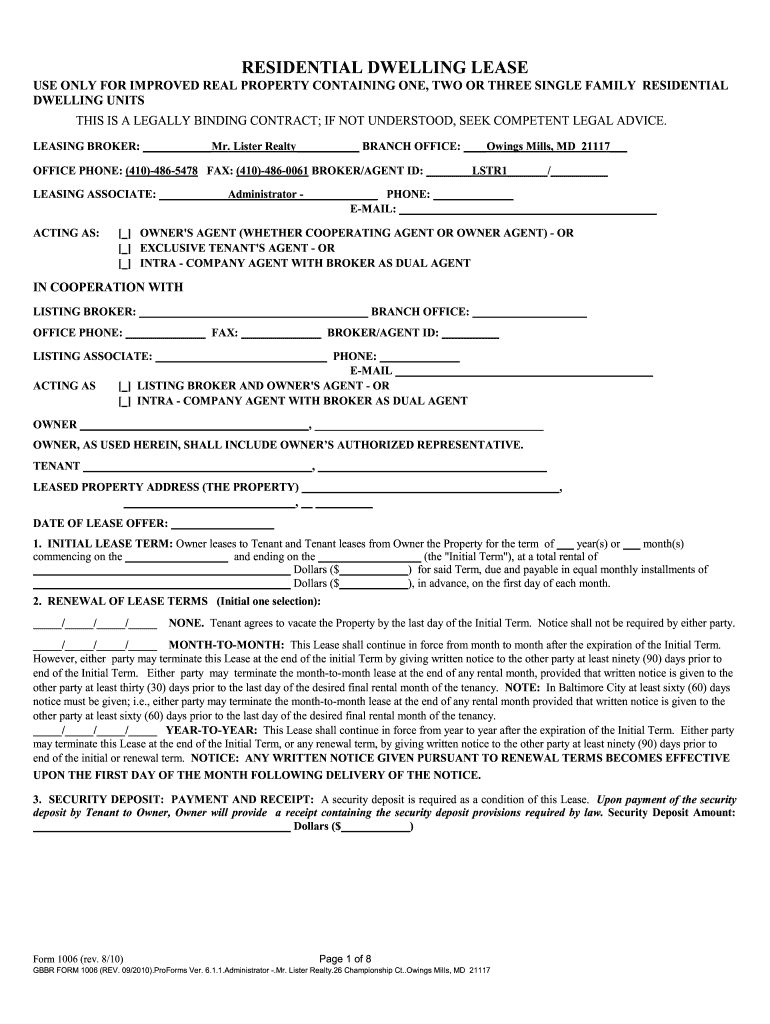
How to use or fill out Residential dwelling lease - Mr Lister Realty with our platform

- Click ‘Get Form’ to open the Residential dwelling lease - Mr Lister Realty in the editor.
- Begin by filling in the Leasing Broker and Branch Office details at the top of the form. Ensure accuracy as this information is crucial for identification.
- Next, specify whether you are acting as the Owner's Agent, Exclusive Tenant's Agent, or Intra-Company Agent by checking the appropriate box.
- Fill in the Owner and Tenant details, including names and contact information. This section establishes who is entering into the lease agreement.
- Complete the Leased Property Address section accurately to avoid any confusion regarding the property being leased.
- Proceed to outline the Initial Lease Term, specifying duration and rental amounts. Make sure to double-check these figures for correctness.
- Indicate your choice for Renewal of Lease Terms by selecting one of the options provided. This will clarify expectations post-initial term.
- Continue filling out sections related to Security Deposit, Payment of Rent, and other obligations as outlined in the document. Each section requires careful attention to detail.
Start using our platform today to streamline your document editing and signing process for free!
Fill out Residential dwelling lease - Mr Lister Realty online
It's free
Security and compliance
At DocHub, your data security is our priority. We follow HIPAA, SOC2, GDPR, and other standards, so you can work on your documents with confidence.
Learn more


