




Here's how it works



How to use or fill out Oklahoma Repossession with our platform

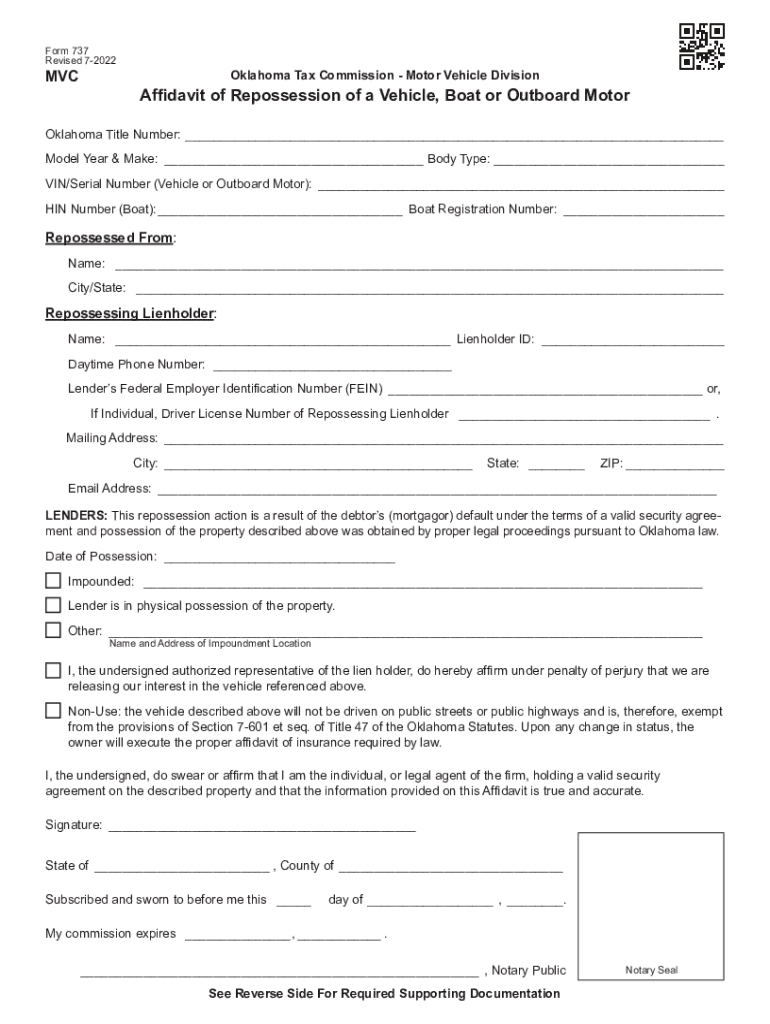
- Click ‘Get Form’ to open the Oklahoma Repossession Affidavit in the editor.
- Begin by entering the Oklahoma Title Number, Model Year & Make, Body Type, and VIN/Serial Number in the designated fields. Ensure accuracy as this information is crucial for identification.
- Fill out the 'Repossessed From' section with the name and city/state of the individual from whom the vehicle was repossessed.
- In the 'Repossessing Lienholder' section, provide your name, Lienholder ID, daytime phone number, and either your FEIN or driver’s license number if you are an individual.
- Complete the mailing address fields accurately to ensure proper communication regarding your application.
- Indicate the date of possession and any impoundment details. Confirm that you are in physical possession of the property.
- Sign and date at the bottom of the form, ensuring that all provided information is true and accurate. A notary public will need to witness your signature.
- Review required supporting documentation listed on page 2 to ensure all necessary documents are included before submission.
Start using our platform today for free to streamline your Oklahoma repossession process!
It's free
See more oklahoma repossession versions
Got questions?
How do I sign my oklahoma repossession laws for vehicles without printing?
Electronic signatures are an excellent replacement for traditional signing, as they save time, effort, and costs people spend on printing, scanning, and paper delivery. You can electronically sign your oklahoma repossession laws for vehicles utilizing a reliable and robust online document processing services like DocHub. It complies with primary eSignature standards (ESIGN and UETA), so all forms approved there are legally binding and have the same validity as manually signed ones.
How do you modify car repossession loopholes from Google Drive?
If you store your files in Google Drive, there is no need to download your car repossession loopholes on your computer and upload it back to our editor. A much simpler way is to set up a browser extension created by DocHub to simplify this flow. The extension allows editing PDFs right in your browser. Alternatively, you may integrate your DocHub and Gmail accounts for more efficient modifying.
Security and compliance
At DocHub, your data security is our priority. We follow HIPAA, SOC2, GDPR, and other standards, so you can work on your documents with confidence.
Learn more


