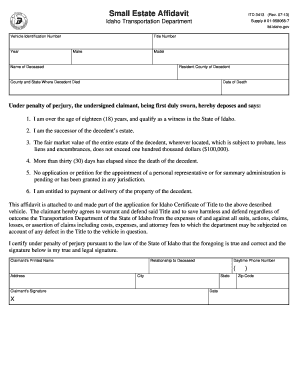
STAFF EXITING PROCEDURES CHECKLIST - Curtin University 2026

Get Form
onedrive curtin Preview on Page 1

Here's how it works

01. Edit your onedrive curtin online
Type text, add images, blackout confidential details, add comments, highlights and more.
02. Sign it in a few clicks
Draw your signature, type it, upload its image, or use your mobile device as a signature pad.
03. Share your form with others
Send curtin onedrive via email, link, or fax. You can also download it, export it or print it out.

How to use or fill out STAFF EXITING PROCEDURES CHECKLIST - Curtin University with our platform

Form edit decoration
9.5
Ease of Setup
DocHub User Ratings on G2
9.0
Ease of Use
DocHub User Ratings on G2
  1. Click ‘Get Form’ to open the STAFF EXITING PROCEDURES CHECKLIST in the editor.
  2. Begin by filling in the EMPLOYEE DETAILS section. Enter the cease date, employee name, staff ID, academic area/division, and school/office.
  3. Proceed to PART 1: Checklist Items. Review each item carefully and check off completed tasks related to HR matters, asset returns, and financial obligations.
  4. In PART 2, have the supervisor verify compliance with the checklist requirements by entering their name, signature, position, and date.
  5. Finally, in PART 3, the employee must certify their compliance by filling in their name, staff ID, signature, and date before forwarding the completed checklist to the HR officer.

Start using our platform today for free to streamline your document editing and ensure a smooth exit process!

See more STAFF EXITING PROCEDURES CHECKLIST - Curtin University versions

We've got more versions of the STAFF EXITING PROCEDURES CHECKLIST - Curtin University form. Select the right STAFF EXITING PROCEDURES CHECKLIST - Curtin University version from the list and start editing it straight away!
Versions Form popularity Fillable & printable
2021 4.8 Satisfied (57 Votes)
2009 4 Satisfied (48 Votes)
be ready to get more

Complete this form in 5 minutes or less

Get form

Got questions?

We have answers to the most popular questions from our customers. If you can't find an answer to your question, please contact us.
Contact us
If you wish to discontinue your studies you must withdraw from all your units and then request course withdrawal by sending an enquiry to Curtin Connect. A response to your enquiry will be sent to your student email.
Discuss your decision with your professors and academic advisor first, and finish out the semester if you can. Once youve decided to drop out of college, submit an official withdrawal request through your university. These requests usually require you to complete some paperwork before your enrollment is terminated.
You can also use the Course handbook to assist you in choosing a replacement unit for the study period. If you have had 2 failed attempts of the unit, you may be prevented from enrolling yourself into the unit again. If this occurs, please contact Curtin Connect.
The exit award may offered where students have completed the requirements of another lower level qualification. Students must withdraw from the principal course to take out an exit award. Additionally if an award course has been discontinued, students may be able to apply for an Exit Award.
If your course status is set to AWOL (absent without leave) or you withdraw at course level, you will lose access immediately.

Security and compliance

At DocHub, your data security is our priority. We follow HIPAA, SOC2, GDPR, and other standards, so you can work on your documents with confidence.

Learn more
ccpa2
pci-dss
gdpr-compliance
hipaa
soc-compliance