



01. Edit your form online
Type text, add images, blackout confidential details, add comments, highlights and more.

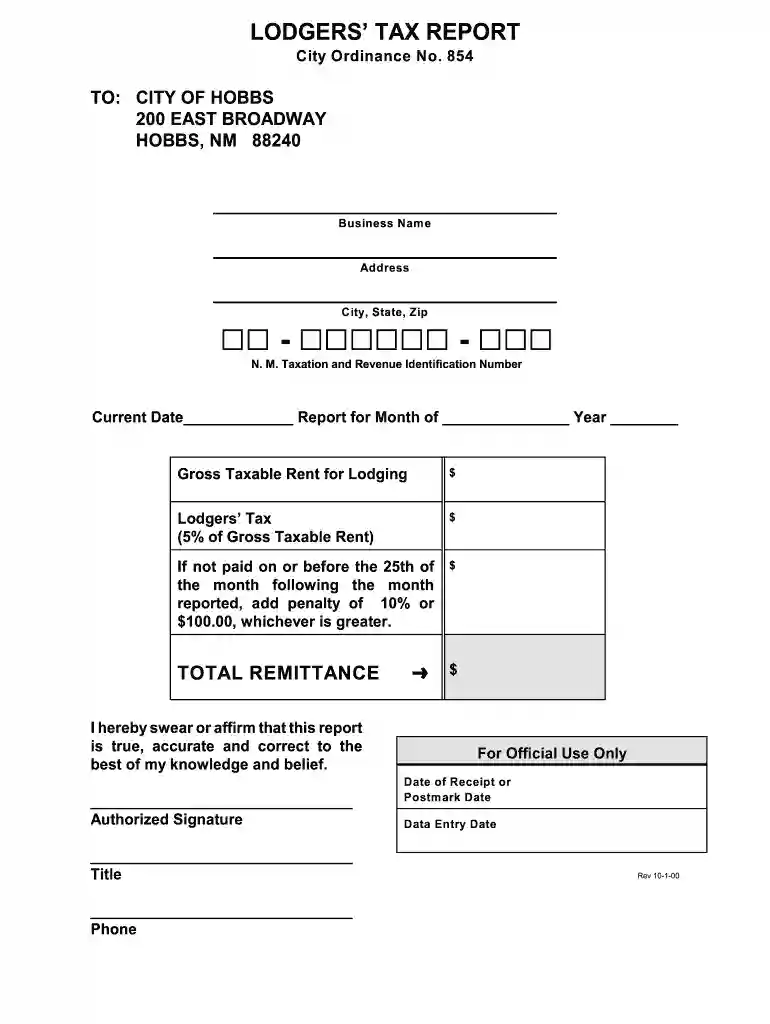
Type text, add images, blackout confidential details, add comments, highlights and more.

Draw your signature, type it, upload its image, or use your mobile device as a signature pad.

Send it via email, link, or fax. You can also download it, export it or print it out.

Start using our platform today to easily complete your Lodgers’ Tax Report online for free!
We've got more versions of the city of hobbs lodgers tax form. Select the right city of hobbs lodgers tax version from the list and start editing it straight away!
Sure, electronically drawing your signature is acceptable, but only if you utilize a tool that complies with industry regulations and policies. Try DocHub, which guarantees eSignature validity under ESIGN and UETA requirements. All you need to eSign your city of hobbs lodgers tax is an account with DocHub and an internet connection. When you open your document in our editor, click Sign and select the Draw tool.
With DocHub, there are several convenient ways to edit your city of hobbs lodgers tax online. You can drag and drop the form and modify it directly at the DocHub website or use our browser extension to fill out your form immediately. On top of that, you can modify your PDF on your phone, as DocHub works with all the available mobile platforms.
At DocHub, your data security is our priority. We follow HIPAA, SOC2, GDPR, and other standards, so you can work on your documents with confidence.
lodgers, the admissions tax expands the sales tax to theater attendees, and the use tax expands the sales tax to in city consumers of goods purchased elsewhere.
TO: CITY OF HOBBS. 200 EAST BROADWAY. HOBBS, NM 88240 Lodgers Tax. (5% of Gross Taxable Rent). $. If not paid on or before the 25th of the monthRead more


