Type text, add images, blackout confidential details, add comments, highlights and more.
02. Sign it in a few clicks
Draw your signature, type it, upload its image, or use your mobile device as a signature pad.
03. Share your form with others
Send lure synonym via email, link, or fax. You can also download it, export it or print it out.
How to use or fill out the lure form with our platform
Ease of Setup
DocHub User Ratings on G2
Ease of Use
DocHub User Ratings on G2
Click ‘Get Form’ to open the lure form in the editor.
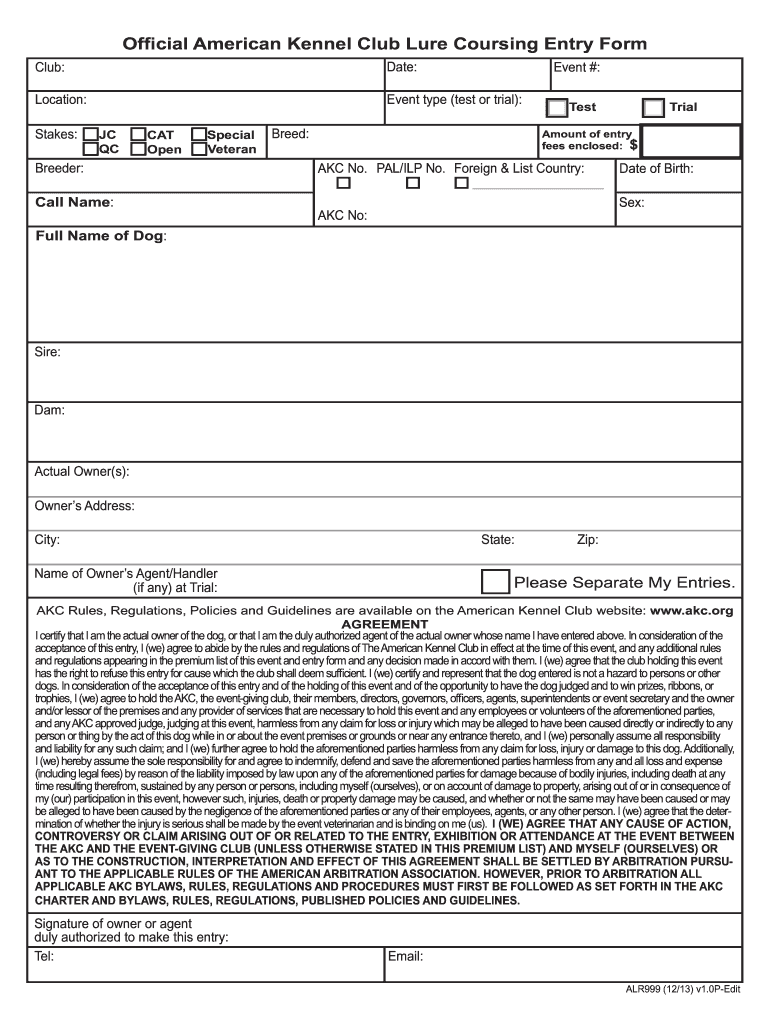
Begin by entering the club name, date, and location of the event at the top of the form. This information is essential for identifying your entry.
Select the event type (test or trial) and indicate the stakes by checking the appropriate boxes for JC, QC, CAT, Open, Special, or Veteran.
Fill in details about your dog including its full name, breed, date of birth, sex, AKC number, and parentage (Sire and Dam).
Provide your contact information as the actual owner(s), including address, city, state, and zip code. If applicable, include details for your agent/handler.
Indicate any special requests such as separating entries if you have multiple dogs.
Review the agreement section carefully before signing. Ensure all information is accurate before submitting your entry.
Start filling out your lure form online for free today!
Contributions of familiarity and recollection rejection to - PMC
by LE Matzen 2011 Cited by 33 Conjunction lures are test items that have high orthographic overlap but generally little semantic overlap with studied items. They are typically created byRead more
The LURE program welcomes full-time undergraduate students who are pursuing a bachelors degree with a major in the College of Science to apply.Read more
Cookie consent notice
This site uses cookies to enhance site navigation and personalize your experience.
By using this site you agree to our use of cookies as described in our Privacy Notice.
You can modify your selections by visiting our Cookie and Advertising Notice.