Business plan Balance Sheet Templates

Personalize Business plan Balance Sheet Templates online with DocHub versatile modification features. Generate and organize your business documents all in one place without jeopardizing your information and security.


Improve your template administration with Business plan Balance Sheet Templates

Your workflows always benefit when you are able to get all of the forms and files you will need at your fingertips. DocHub delivers a a huge library of forms to relieve your everyday pains. Get a hold of Business plan Balance Sheet Templates category and quickly browse for your document.

Start working with Business plan Balance Sheet Templates in several clicks:

  1. Open Business plan Balance Sheet Templates and discover the form you require.
  2. Click Get Form to open it in the editor.
  3. Start adjusting your form: add more fillable fields, highlight paragraphs, or blackout sensitive data.
  4. The application saves your modifications automatically, and after you are ready, you are able to download or distribute your form with other contributors.

Enjoy easy document managing with DocHub. Discover our Business plan Balance Sheet Templates online library and find your form today!

Video Guide on Business plan Balance Sheet Templates management

video background

Commonly Asked Questions about Business plan Balance Sheet Templates

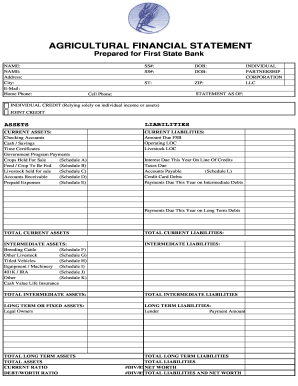
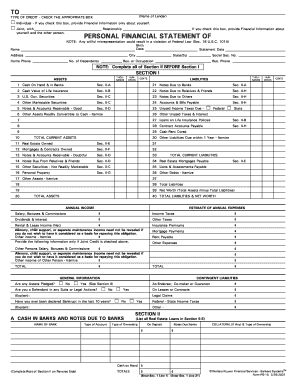
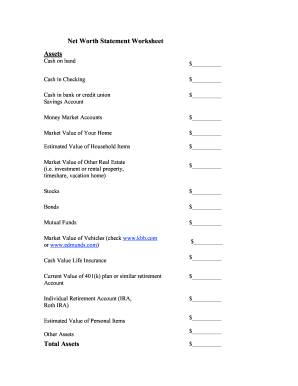
How to Prepare a Basic Balance Sheet Determine the Reporting Date and Period. Identify Your Assets. Identify Your Liabilities. Calculate Shareholders Equity. Add Total Liabilities to Total Shareholders Equity and Compare to Assets.
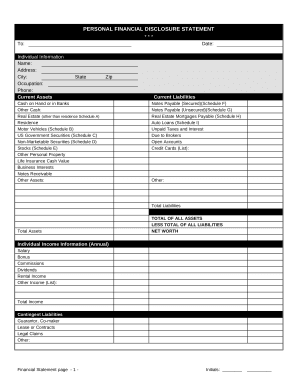
The Balance Sheet Template for Excel is a pre-designed spreadsheet that allows users to enter their companys financial information, including assets, liabilities, and equity. This template is useful for businesses of all sizes, as it can be customized to fit each companys specific needs.
Its one of the essential documents every small business should have, as it can provide a snapshot into your strengths and opportunities for improvement.
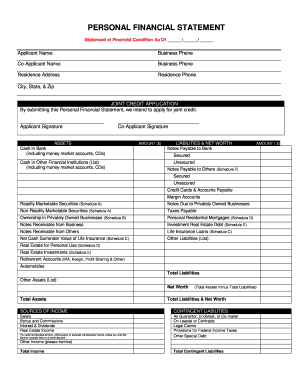
A balance sheet shows your companys assets, liabilities and equity to help measure the health of your business and provide key data to lenders, investors and buyers. If your accounting process is accurate and up to date, creating a balance sheet shouldnt be hard.
Balance sheets help keep track of assets and liabilities, providing a financial snapshot of what your business owns and owes at one point in time and thus, along with other accessories such as time tracking, serve as an essential tool for your business.
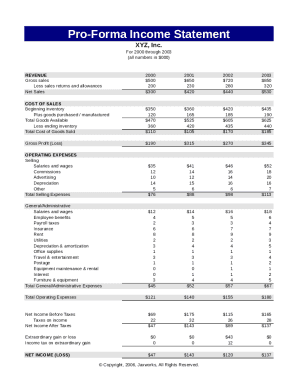
A balance sheet lists your businesss assets (what it owns), liabilities (what it owes), and the amount left over for owners equity. Owners equity is the portion of assets the owner can claim as their own after subtracting all liabilities.
How to make a balance sheet in 8 steps Step 1: Pick the balance sheet date. Step 2: List all of your assets. Step 3: Add up all of your assets. Step 4: Determine current liabilities. Step 5: Calculate long-term liabilities. Step 6: Add up liabilities. Step 7: Calculate owners equity.
How to make a balance sheet Invest in accounting software. Create a heading. Use the basic accounting equation to separate each section. Include all of your assets. Create a section for liabilities. Create a section for owners equity. Add total liabilities to total owners equity.